Top 5 Enterprise Workflow Automation Tools (From AI Experts)

The best enterprise workflow automation tools coordinate your people, data, and AI agents to carry out your company’s processes from start to finish.
Our team of AI experts reviewed the leading tools using a criteria-based system, to help you make a smart decision when choosing which to implement.
Let’s dive in.
What Is Enterprise Workflow Automation
Enterprise workflow automation is software that connects your company’s systems, data sources and employees in order to execute workflows and processes. It uses artificial intelligence to replace steps previously manually done by a human.
A regular automation tool, for example, can send a Slack notification when a form is submitted. A tool for enterprises is capable of automating an entire process in any field, such as, onboarding a new hire.
In addition, enterprise tools use role-based access controls, create audit trails, notify managers when permissions are needed, and collect approvals.
To make that possible, enterprise workflow software needs to handle two kinds of tasks simultaneously:
- The deterministic tasks, such as “move this file”, “update this record”, “send this notification;”
- The intelligent tasks, such as “classify this document”, “decide this routing”, “resolve this exception.”
Autonomous agents involved in the workflows are what completes these processes.
What Makes A Tool Worth It For Enterprises
Specific properties separate enterprise-grade workflow automation solutions from tools built for smaller teams:
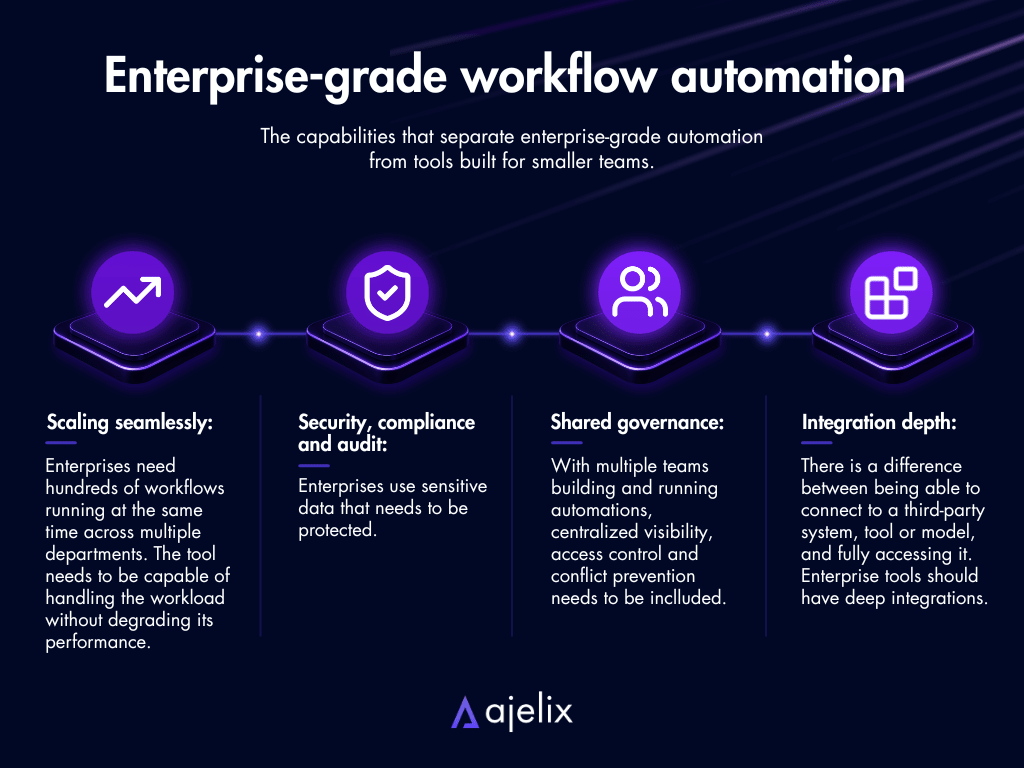
- Scaling seamlessly: Enterprises need hundreds of workflows running at the same time across multiple departments. The tool needs to be capable of handling the workload without degrading its performance.
- Security, compliance and audit: Enterprises use sensitive data that needs to be protected. Compliance, audit trails and data residency options are a must.
- Shared governance: With multiple teams building and running automations, visibility, access control and conflict prevention need to be a part of it.
- Integration depth: There is a difference between being able to connect to a third-party system, tool or model, and fully accessing it. Enterprise tools should have deep integrations.
If a tool has any of these components missing, it’s unlikely to perform as per enterprise needs.
This criteria is what we’re basing the best enterprise automation workflow software on.
The 5 Best Enterprise Workflow Automation Tools Now
Here is our comparison overview of the five leading enterprise automation software:
| Platform | Best For | Key Enterprise Features |
|---|---|---|
| Ajelix Enterprise | Teams that need finished flows built around company-specific processes and a knowledge base. | Custom AI agents and connectors; RAG knowledge base; Self-hosted LLM support; Full audit trail and reasoning logs; Granular role-based access control (RBAC); Workflow Builder |
| Microsoft Power Automate | Organizations already using Microsoft 365 and needing automation across SharePoint, Teams, Outlook, and Dynamics 365. | 1,400+ connectors; Desktop RPA (attended & unattended); Copilot-assisted flow creation; Task and Process Mining |
| Workato | Mid-market and large enterprises needing governed cross-system orchestration across CRM, ERP, HRIS, and finance. | 1,200+ pre-built connectors; Agent Studio; Enterprise MCP: governed AI-to-enterprise access |
| ServiceNow | Fortune 500 companies that need cross-departmental workflow orchestration across IT, HR, customer service. | AI-native tiers: Foundation, Advanced, Prime; Now Assist GenAI + AI Control Tower; Agentic Playbooks & Autonomous Workforce; Moveworks, Workflow Data Fabric included; 400+ Integrations |
| Zapier | Enterprise teams needing the widest SaaS integration coverage and self-service automation for non-technical staff. | 9,000+ app integrations; Zapier MCP; BYOM (Bring Your Own Model); Action Restrictions, SCIM, SAML SSO, Log Streaming |
Some immediate insights from the table:
- Zapier offers the most app integrations, but it’s designed for individual employees building their own workflows, not for IT teams managing enterprise automation. ServiceNow has 400+ integrations, but more integration depth.
- Ajelix offers self-hosted LLM support, plus a RAG knowledge base and reasoning logs, making it a good fit for organizations that can’t route sensitive data through third-party AI models.
- Zapier (2011), Workato (2013), Power Automate (2016), and ServiceNow (2004) all started as workflow or integration platforms and added AI capabilities over time. Ajelix was built from the start as an AI tool.
Below, we cover what all AI workflow automation tools for enterprise do well, what not so much, and who they’re built for.
1. Ajelix Enterprise
Who is it built for? Business teams and enterprises that need custom agents, connectors and workflows to carry out processes.
- Pros: AI-native platform with granular RBAC, audit trails, reasoning logs, usage monitoring and quota management; connects to any system through a custom API; offers ability to self-host LLMs; the capability of building visual agent workflows. The first setup is built by the Ajelix team or the IT experts in a company.
- Cons: Run by a smaller team than platforms like Microsoft.
Here is a preview of Ajelix’s workflow engine, as part of their Enterprise plan:
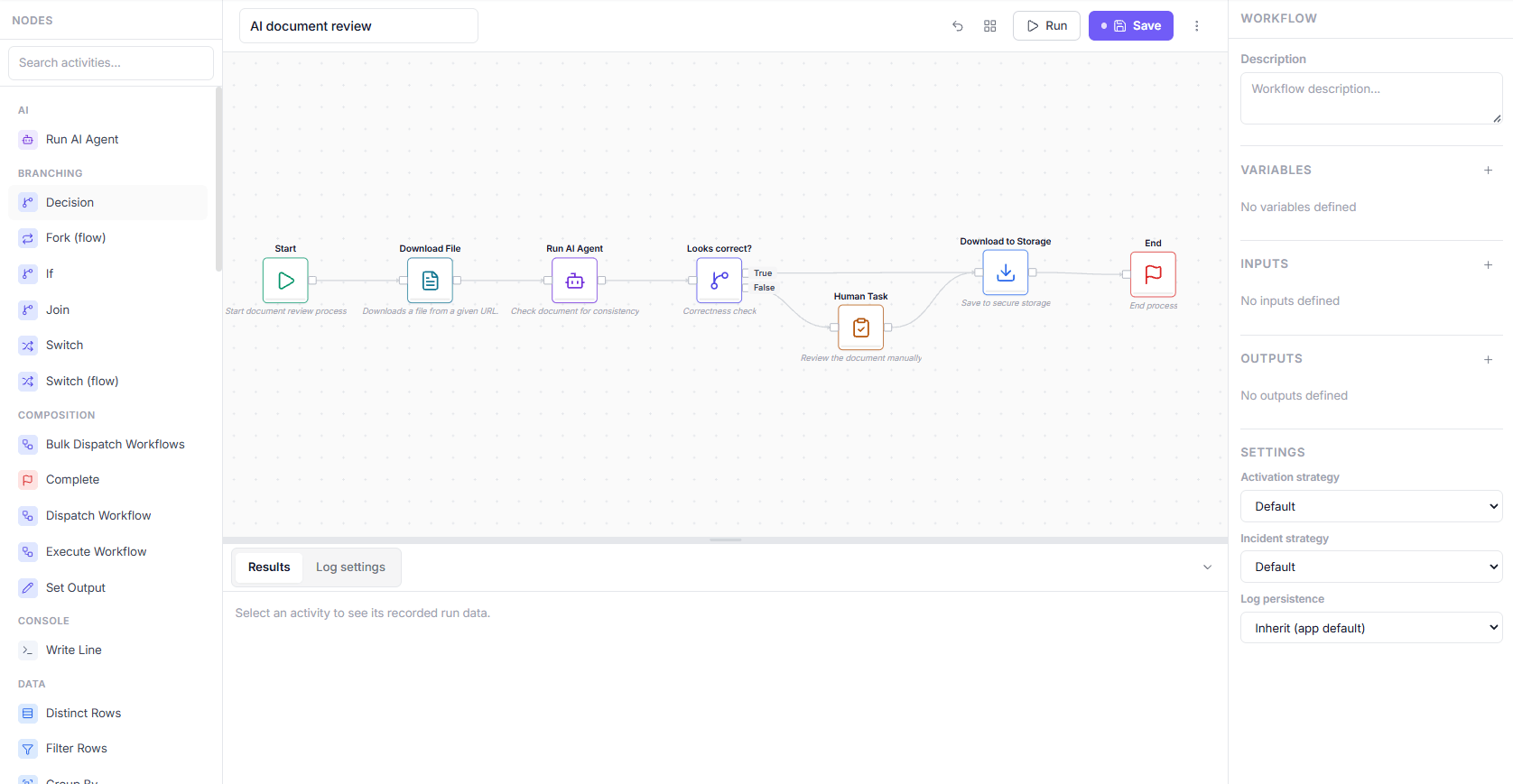
This shows a workflow titled “AI document review”, built in Ajelix’s visual workflow designer. It’s a good example of agentic AI and rules-based automation working in the same flow:
- Start: Kicks off the document review process.
- Download File: A classic automation step that takes a document from a given URL.
- Run AI Agent: Here an AI agent checks the document for consistency; this is the agentic step where the model reads and evaluates content.
- Looks correct? (+Decision): The AI agent’s output is routed into a branch, so a human only gets involved when the AI is uncertain or flags a problem.
- Human Task: If the AI’s check fails, the document is sent for manual review.
- Download to Storage: Once approved (either by the AI or by a human), the file is saved to secure storage.
- End: Process is completed.
Ajelix Enterprise is a multi-tenant AI platform that provides an operational layer for organizations to develop, deploy, and control AI. Each team has their own predefined workflows that each member of the team can manage as necessary, with minimal manual human review. The scope of these projects is endless – Ajelix works with clients independently to customize workflows tailored to their needs, regardless of the industry.
It offers custom agents and connectors, and a knowledge base (RAG system) trained on your company’s documentation. On the security side, granular role-based access controls ensure employees only interact with what their permissions allow, while a full audit trail and reasoning logs make every agent action transparent.
Ajelix helps self-host LLMs and ability to plug in any third-party API. It operates on a transparent custom enterprise contract basis, meaning the pricing is tailored to the team size and scope of the deployment.
If you’re looking for the most versatile enterprise AI workflow automation, Ajelix is likely your fit.

2. Microsoft Power Automate
Who is it built for? Organizations already on the Microsoft 365 ecosystem that also want to automate across SharePoint, Teams, Outlook, Dynamics 365, and SAP.
- Pros: Deep native integration with Microsoft 365, Azure, Dynamics 365, and SAP; 1,400+ prebuilt connectors plus custom connector support; attended and unattended RPA; strong governance.
- Cons: AI capabilities are add-ons; complex enterprise deployments require significant Microsoft licensing knowledge; less effective for organizations not already in the Microsoft ecosystem.
Microsoft Power Automate handles both cloud-based digital process automation (DPA) and desktop robotic process automation (RPA). The interface for building workflows is low-code. It offers over 1,400 pre-built connectors and custom ones via API. Workflows are triggered by events, schedules, and user actions, which can be both single- and multi-step tasks.
Power Automate is built on Microsoft’s Managed Environments framework, which gives IT administrators centralized governance, data loss prevention policies, and live monitoring across all automation activity in an organization.
It includes attended and unattended RPA for legacy system automation, hosted bot infrastructure, and process mining to uncover and prioritize automation opportunities using your operational data.
The AI part comes from Copilot, which supports natural language flow creation, error diagnosis, and AI-driven document processing. AI is an added layer on top of a platform that was built first as a workflow and integration tool.
3. Workato
Who is it built for? Enterprises with cross-system integration needs; IT and ops teams that need automation with a low-code interface.
- Pros: 1,200+ connectors; enterprise MCP; Agent Studio for low-code enterprise agent development; strong compliance and security; serverless.
- Cons: Agentic capabilities are only recent additions; less suitable for non-technical users.
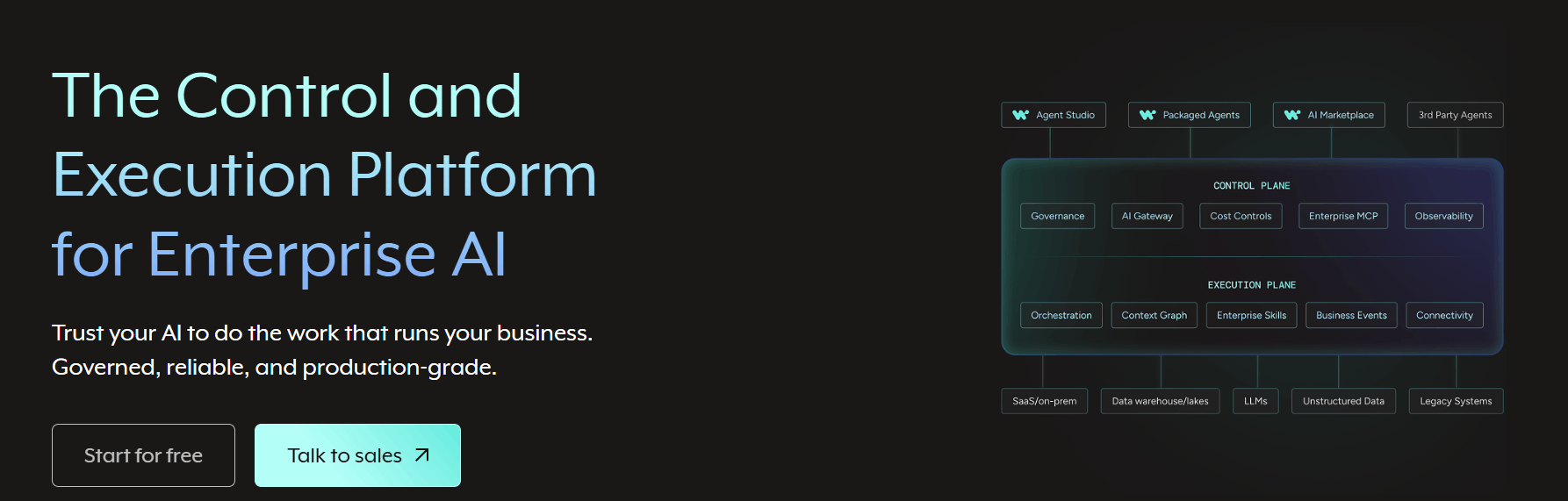
Workato is an Integration Platform as a Service for the control and execution of enterprises. It connects systems, manages APIs, automates workflows, and orchestrates data across 1,200+ built-in connectors. It has a low-code interface and can handle multi-step logic.
The workflow management software is serverless, with 99.9% uptime, zero downtime, and auto-scaling. Security includes Bring-Your-Own-Key, hourly key rotation, full audit trails, and compliance certifications. Governance is enforced across every agent, automation, and integration through Enterprise MCP.
It started as an integration tool, and the agentic AI capabilities later became an add-on as the enterprise workflow system evolved. Now it offers Agent Studio, AIRO (its AI solution architect agent), and Agent Orchestration.
4. ServiceNow
Who is it built for? Fortune 500 companies and large public sector organizations that need workflow orchestration across IT, HR, customer service, finance, and security.
- Pros: AI embedded natively across all products and packages; Autonomous Workforce with AI specialists for IT, CRM, HR, and security; AI Control Tower: cross-enterprise governance of all AI agents and workflows; Context Engine for grounding AI decisions in live enterprise context.
- Cons: Implementation requires significant investment; worth it for the intention of working across multiple departments, not just a few.
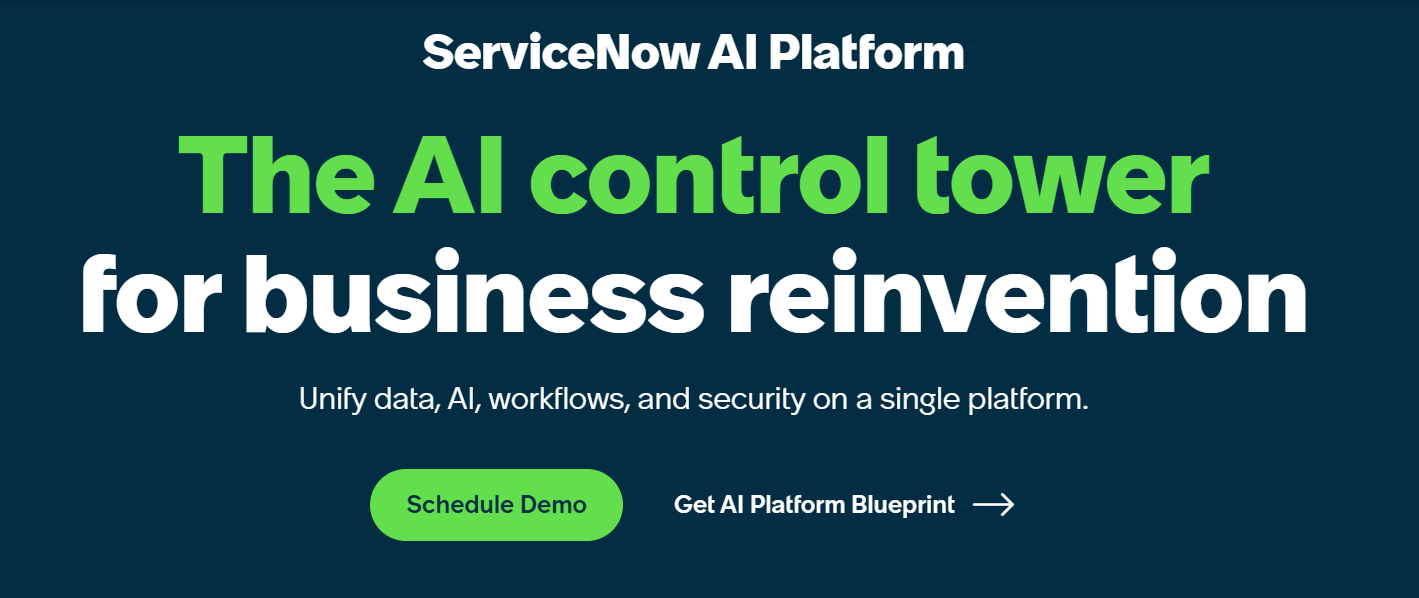
ServiceNow is an enterprise workflow automation software that refers to itself as an AI control tower for business reinvention. It orchestrates work across every department of your company, with more than 85 billion workflows running across its Fortune 500 customer base.
ServiceNow connects to any cloud, AI model and data source through its Workflow Data Fabric. Automations range from rule-based bots to autonomous workflows executed by agents.
ServiceNow is specifically built for truly large teams. Its AI Control Tower provides transparency and governance over every AI system, agent and workflow, including third-party ones. Its Autonomous Workforce features AI specialists that work alongside humans to complete processes.
ServiceNow’s Context Engine makes sure company context is grounded in every AI decision, reducing hallucination and ensuring AI actions are aligned with what the company needs.
AI is now embedded across all its products, despite ServiceNow originally starting as an IT service management tool.
5. Zapier
Who is it built for? Enterprises that need the widest SaaS integration coverage, where non-technical staff across marketing, sales, operations, and HR can build and run automations independently.
- Pros: 9,000+ app integrations; 30,000+ actions available via Zapier MCP; AI Guardrails and BYOM; log streaming and role-based access.
- Cons: Integrations are wide but not always deep; limited support for on-premises or legacy system connectivity.
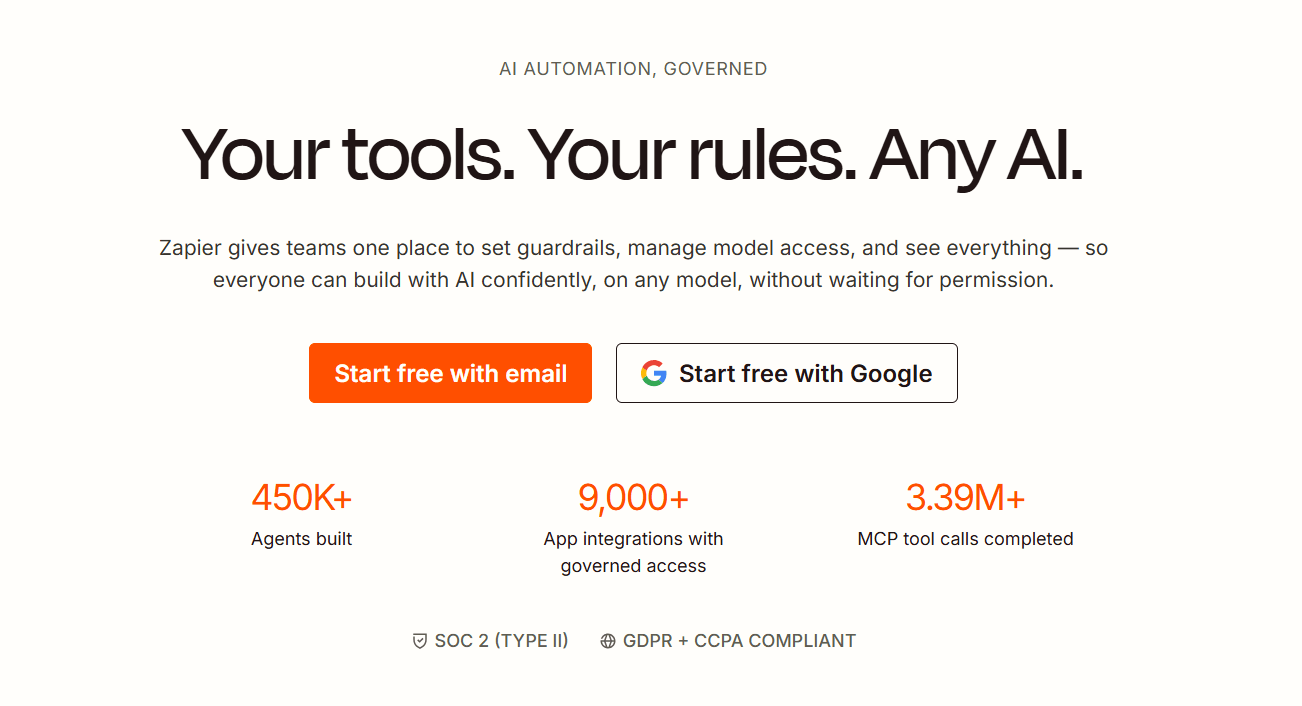
Zapier is a no-code workflow automation platform that connects to more than 9,000 third-party connectors. Automations are built visually, and can include multi-step logic, conditional branching, filters, and AI-powered steps.
It has become more powerful with the addition of the AI orchestration layer, Zapier MCP, which makes any outside AI model access enterprise tools and data through IT-controlled permissions.
The IT administrators are in charge of defining the apps, actions, and models across their organization. Zapier offers all the enterprise-necessary compliance, guardrails and the option to Bring-Your-Own-Model.
Zapier started as an app connection tool, except now the platform is using AI as guardrails for its clientele.
Choose The Right Tool For Your Needs
The right enterprise workflow automation tool depends on your existing infrastructure, your team’s technical capacity, and the scope of automation you need. Match your situation to the use cases below.
| “I need an enterprise-compliant workflow automation platform with custom AI agents and connectors, a RAG knowledge base trained on my company’s documentation, role-based access, audit trails, reasoning logs, and the option to self-host my own LLM.”→ Ajelix. Custom agents and connectors are built around your company’s workflows, with a RAG knowledge base trained on your documentation so agents follow your own standards. Granular role-based access controls, a full audit trail, and reasoning logs make every action transparent. Ajelix supports self-hosted LLMs and connects to any third-party system through a custom API. The first setup is built by the Ajelix team or your IT experts, with pricing tailored to team size and scope. |
| “My organization already runs on Microsoft 365, Azure, and Dynamics 365. I want to automate across SharePoint, Teams, Outlook, and SAP without leaving the Microsoft ecosystem.”→ Microsoft Power Automate. 1,400+ prebuilt connectors plus custom connector support give you broad integration coverage across Microsoft’s stack. Attended and unattended RPA handles legacy desktop automation alongside cloud workflows. Managed Environments provides IT administrators with centralized governance, data loss prevention policies, and live monitoring. Copilot adds natural language flow creation, error diagnosis, and AI-driven document processing. |
| “My IT and ops teams need governed, cross-system workflow orchestration across CRM, ERP, HRIS, and finance, with a low-code interface and enterprise-grade security, without managing servers.”→ Workato. 1,200+ built-in connectors cover the major enterprise systems, and the platform is serverless with 99.9% uptime and auto-scaling. Bring-Your-Own-Key encryption, hourly key rotation, full audit trails, and enterprise compliance certifications are included. Enterprise MCP enforces governance across every agent, automation, and integration. Agent Studio lets IT and ops teams build agentic workflows with a low-code interface. |
| “My organization is a large enterprise or Fortune 500 company that needs workflow orchestration running simultaneously across IT, HR, customer service, finance, and security.”→ ServiceNow. AI Control Tower provides centralized governance over every AI agent and workflow across your entire organization. Autonomous Workforce AI specialists work alongside employees in IT, CRM, HR, and security to complete processes. Context Engine grounds every AI decision in live enterprise context to reduce hallucination. Workflow Data Fabric connects any cloud, model, or data source. |
| “My enterprise needs the widest possible SaaS integration coverage, and I want non-technical staff across marketing, sales, operations, and HR to build and run their own automations independently.”→ Zapier. 9,000+ app integrations and 30,000+ actions available via Zapier MCP give non-technical employees the broadest self-service automation coverage. AI Guardrails and BYOM (Bring Your Own Model) let IT define which apps, actions, and models employees can access. Best for self-service automation across a distributed workforce rather than complex, IT-managed enterprise workflows. |
If Ajelix sounds like the right fit for your company, contact us.
FAQ
Enterprise workflow automation is software that connects your company’s systems, people, and data to execute multi-step processes automatically, including AI-driven decisions, approvals, and exception handling, across all departments.
RPA (robotic process automation) mimics human actions on a screen to handle repetitive tasks in legacy systems. Workflow automation orchestrates entire processes across multiple systems, people, and decisions. Most enterprise platforms now include both.
It depends on the platform. Zapier and Power Automate are designed for non-technical users building their own workflows. Workato and ServiceNow use low-code interfaces built for IT and ops teams. Ajelix builds the initial setup with you before handing off to your team.
AI handles the parts of a workflow that can’t follow a fixed rule, such as classifying documents, routing exceptions, making decisions, and responding to ambiguous inputs. The deterministic steps (move this file, send this notification) still run on standard automation logic.
The four factors that matter most at enterprise scale: the ability to handle high workflow volume without performance degradation, security and compliance controls (audit trails, RBAC, data residency), shared governance across teams, and deep integration with your existing systems.
Workflow automation follows a defined sequence of steps. An AI agent can make decisions, take independent actions, and adapt mid-process based on context. Current enterprise platforms combine agents, which handle the intelligent steps, with a larger automated workflow.
Agentic AI chat that helps you complete projects
AI for work that ingests, transforms, and delivers the exact deliverables your team needs, while you stay focused on strategy. No more chatting, agents can get the job done.