The 4 Best AI Agent Builders In 2026 (Reviewed By Our Team)

Finding the best AI agent builder platforms is becoming harder than the process of building the agent itself. Teams and enterprises alike are searching for who’s got the best AI agent builder for companies like theirs, and it’s no easy task.
But as an expert who continuously researches up-to-date AI trends, tools, and terminology, working for an AI-native platform, I have compiled a list for your consideration, as well as tips on how to create an AI agent.
Let’s dive in.
What Is An AI Agent Builder
An AI agent builder is a platform that lets you design, ship, and manage an autonomous or semi-autonomous AI agent that completes tasks for you. The best platform for building AI agents connects your apps, data sources, and internal logic, then lets the agent decide, act, and involve a human only when high-value actions require permissions.
A builder gives the model tools, memory, guardrails, and a runtime to execute against. The main functions of an AI agent build usually are:
- LLM core / reasoning engine: A large language model that interprets intent, plans steps, and generates responses.
- Planning / task decomposition: A planning component that breaks a high-level goal into ordered, executable sub-steps and revises the plan as new information arrives.
- Memory systems: Short and long term memory that persists context across the current session and even across sessions.
- Tool interfaces / function calling: Connectors to APIs, databases, browsers, and external systems the agent works with during execution.
- Orchestration layer: Manages the state, workflow execution, retries, error recovery, and communication between agents (in multi-agent orchestration scenarios).
- Agent instructions / persona layer: System-level prompts defining the agent’s role, behavior, constraints, and goals.
At their core, the AI agent builders will be similar to one another, but they might differentiate when it comes to each builder’s features and, of course, the platform’s UI.
What Makes A Builder “The Best”: My Evaluation Criteria
The best AI agent builders are capable of building agents that can run in the long run, in high stakes and handle the workload. To make the ranking fair, I scored each builder on this list on these five criteria:
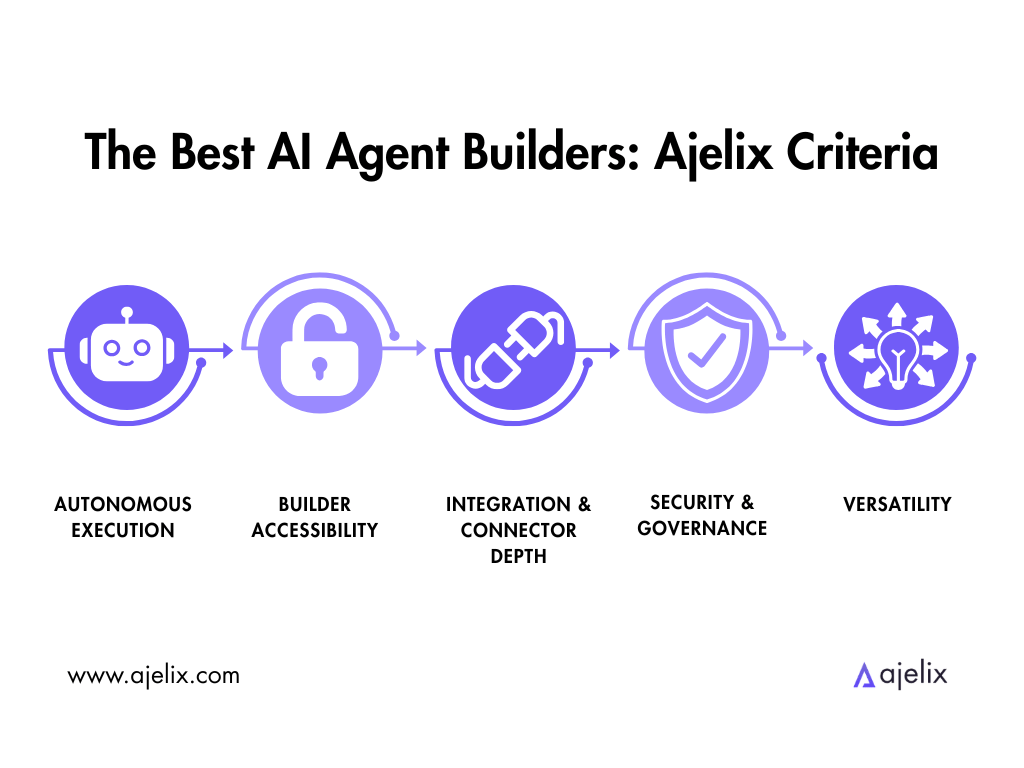
- Autonomous execution / agentic capability: Does the builder create agents that take action and complete multi-step tasks independently, with minimal human involvement?
- Builder accessibility: How hard is it to build a functional agent? Does the IT team always need to be involved, or can a business user build it?
- Integration & connector depth: What can the built agents reach? Can they reach CRMs, internal systems, data sources, MCP servers and custom APIs?
- Security & governance: Does the platform offer self-hosting, audit logs, compliance certifications, or the choice to connect your own LLM?
- Versatility: Is it a generalist agent builder, or does it only specialize in a specific industry?
My core question stayed the same one I ask of any tool: would a company I work for put agents the builders create into their processes?
The 4 Best AI Agent Builders Now
Here is the Top AI Agent Builder comparison at a Glance:
| AI Agent Builder | Best For | Key Features | Pricing |
|---|---|---|---|
| Ajelix Enterprise | Autonomous execution / agentic capability Integration & connector depth Versatility Security & governance | Agentic chat with custom agents, accessible across your company Visual workflow builder for process automation + Agent Builder Custom RAG layer for the entire organization Open-source LLMs, bring-your-own LLM API | Agent Builder only available inside Enterprise Plan, pricing depends on team size and usage |
| Salesforce Agentforce | Autonomous execution / agentic capability Builder accessibility Integration & connector depth | Atlas Reasoning Engine; Service agents resolve 30-50% of cases autonomously Low-code Agent Builder with pre-built topics and actions Native to Salesforce Data Cloud, Service Cloud & Sales Cloud; Agentforce 3 adds native MCP support | Flex Credits: $500 / 100k credits (~$0.10/action) Conversations: $2 / conversation Agentforce 1 Edition: from $550/user/mo |
| Lindy | Builder accessibility Versatility | Natural-language builder, with no canvas or code required Thousands of integrations Agent Swarms for multi-agent coordination; voice AI (Gaia) Computer-use: agents operate web apps without an API | Free: 7-day trial Plus: $49.99/mo Pro: $99.99/mo Max: $199.99/mo Enterprise: custom |
| Dify | Security & governance Builder accessibility Versatility | Visual drag-and-drop canvas for workflows & agents First-class RAG pipeline; multi-agent orchestration (in Supervisor mode) Self-hosted | Self-hosted Community: Free Cloud Sandbox: Free Cloud Professional: $59/mo Cloud Team: $159/mo Enterprise: custom |
Some immediate insights from the table above:
- Agentforce is purpose-built for customer service teams already using Salesforce, unlike the other platforms, which are more generalist.
- Ajelix and Salesforce offer the Agent Builder only in their enterprise plan, making it a bigger commitment. However, Ajelix shines with its offer of open-source LLMs and a bring-your-own LLM API.
- A self-hosted option is available with Dify Community Edition.
The rankings below reflect the full overview of each AI agent builder. I cover what each one does well, what not so much, and who it’s built for.
1. Ajelix Enterprise
Who is it for? The building process is done by the IT team, a power user or AI specialists in your company, but the agents can be used by any employee.
- Pros: Alongside the builder, Ajelix Enterprise offers self-hosted LLMs and any third-party API, full audit trail and reasoning logs, usage monitoring and quota management. The custom agents and connectors are built around your company’s processes.
- Cons: The AI agent builder is part of the enterprise plan only, meaning you can’t purchase a separate licence only for building and it’s not suited for individuals.
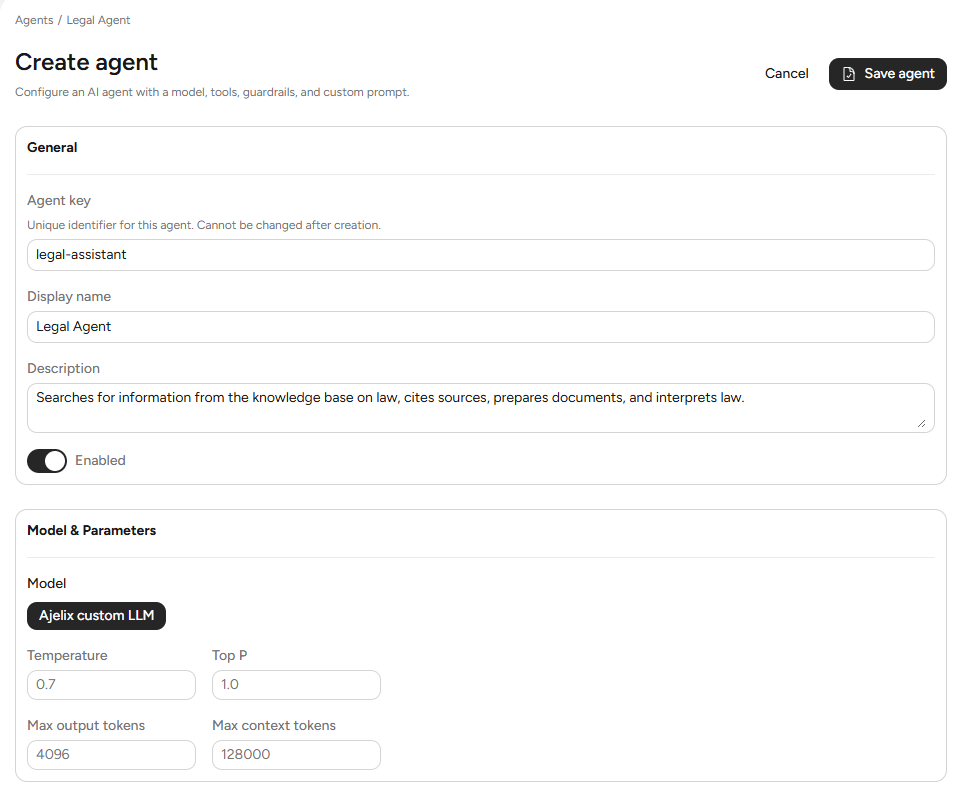
Building an agent within Ajelix Enterprise happens in the following sequence:
- Start by creating a new agent and defining its basics.
- Then select the AI model that will power it.
- From there, write a custom system prompt that defines the agent’s role, behavior and instructions.
- Then, define the tools the agent should use, either custom, built-in ones. Here you can also assign the agent specific workflows.
- Then set up all the necessary guardrails and assign files it should be able to access.
- Once the agent is defined, it can be used either for workflows, chat, or both.
The Ajelix AI agent builder is inside a much more powerful platform. Ajelix Enterprise includes agentic chat with custom agents, accessible across your company. A visual workflow builder lets you automate multi-step processes and chain agents, tools, and logic together. A custom RAG layer trained on your company’s documentation ensures every agent works from your standards and knowledge. The platform supports open-source LLMs and bring-your-own LLM API keys.
When it comes to security and governance, Ajelix Enterprise offers granular role-based access, full audit trail logs, and usage monitoring with quota management. Agents are configured to alert humans for manual review in case of a high-value action requiring approval.
You can self-host your own LLM and connect to any third-party source through an API key. Pricing is a transparent custom contract, tailored to team size and the scope of the deployment. Contact the team for a quote.
Interested in what is the best AI agent workflow builder? Read our article on the topic: Best AI Workflow Automation Tools.

2. Salesforce Agentforce
Who is it for? Teams already invested in the Salesforce ecosystem, specifically customer service teams.
- Pros: Genuine autonomous capability, the agent builder is low-code with pre-built topics and actions that can get a service agent deployed quickly, native MCP support.
- Cons: Commitment is only worth it if your team is already using Salesforce. The Data Cloud is a separate cost, but in most cases necessary. Not every external LLM plugs directly into the core framework.
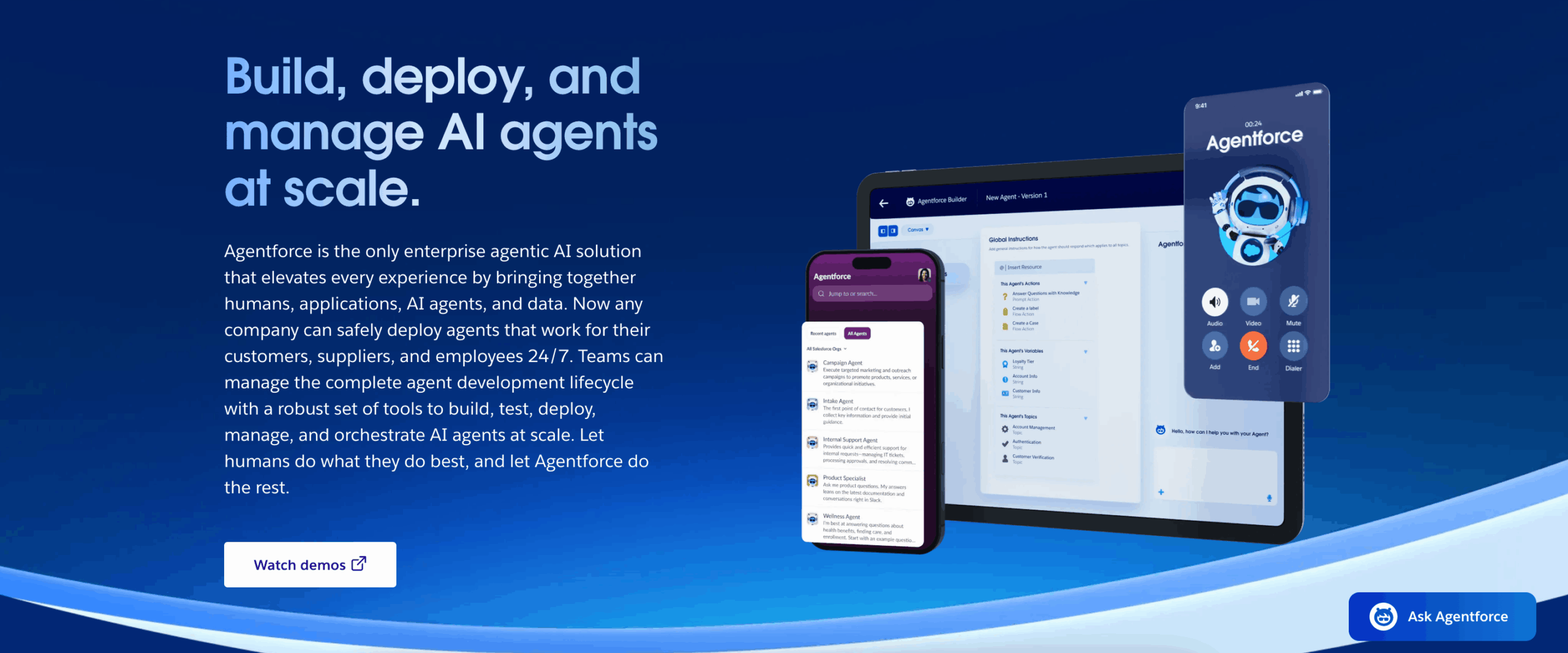
The AI Agent Builder process is similar to Ajelix’s. The difference is that Agentforce splits that same responsibility across Topics – each carrying its own classification description, scope, and instructions.
Once the Salesforce agent is defined and tested using the Builder, you can monitor its performance through the Agentforce Command Center.
Agentforce combines autonomous execution with strong enterprise compliance: every agent decision is logged in a full audit trail and humans review high-value actions.
The Agent Builder is available from, minimum, the Enterprise Edition. Additional subscriptions are often required, such as the Data Cloud and licenses. Pricing varies by contract and region.
Salesforce Agentforce is the best AI agent builder for customer service on this list.
3. Lindy
Who is it for? Non-technical users, founders and SMBs.
- Pros: The builder is no-code – you describe what you want, and Lindy assembles it for you. Multi-agent orchestration is supported. Autopilot (Computer Use) lets agents navigate websites and interact with applications directly when no API exists.
- Cons: Pricing is credit-based, making it hard to predict (enterprise plans are different). Purpose-built for administrative and customer-facing workflows, so other industries might not find much use.
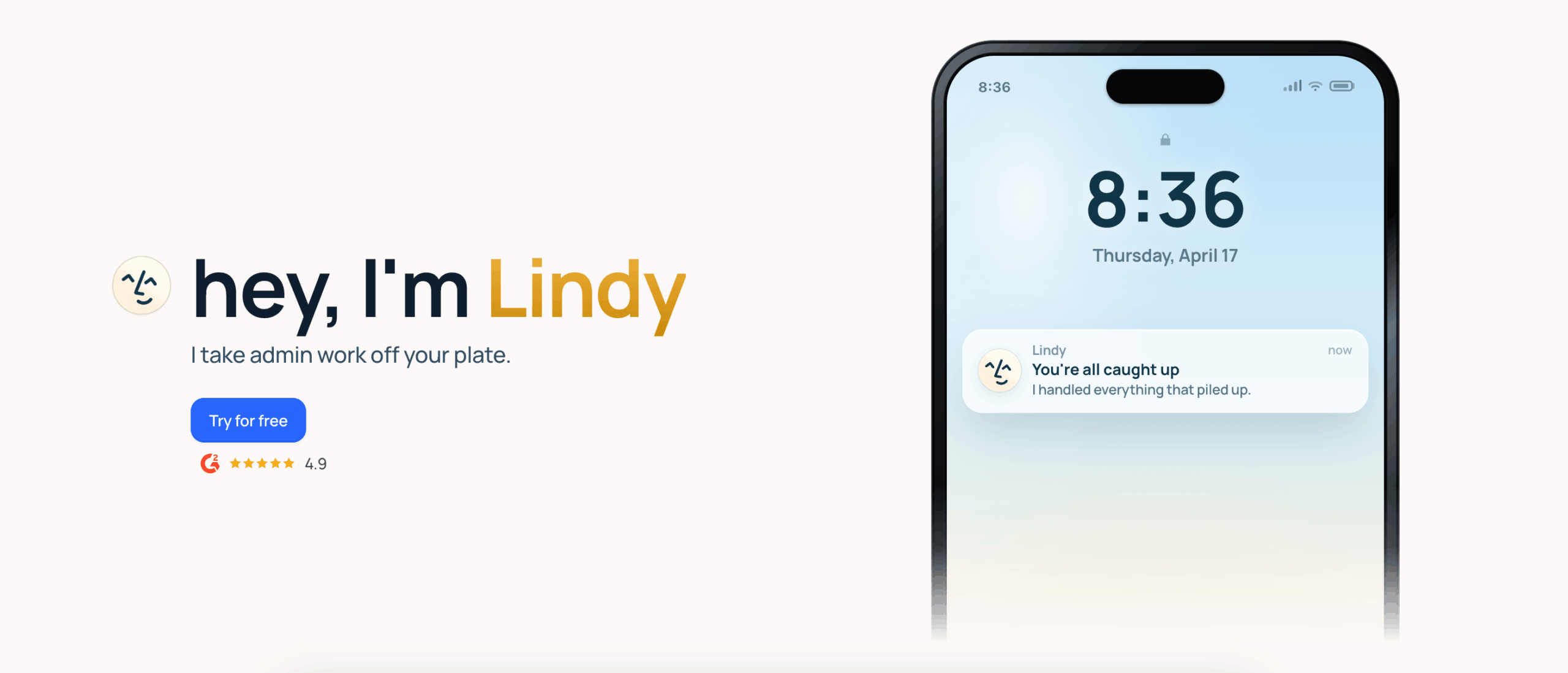
Lindy is optimized for speed and accessibility – a non-technical user can ship a working agent in an afternoon.
Building an agent in Lindy happens in roughly this sequence:
- Describe the agent’s role and goal.
- Connect the tools it needs, optionally select from 100+ pre-built templates.
- Set up Human-in-the-Loop approval for high-stakes actions.
- Interact with the running agent via iMessage, email, or the Lindy app.
Once an agent is live, Lindy provides a per-run log so you can see exactly what the agent did and debug if needed. The Enterprise plan adds SSO, SCIM, audit logs, and HIPAA compliance with a signed BAA.
Lindy is privacy-first: user data is encrypted, never sold, and never used to train models. The platform is GDPR, SOC 2, HIPAA, and PIPEDA compliant.
Pricing starts at $49.99/month (Plus), $99.99/month (Pro), and $199.99/month (Max), with custom Enterprise pricing.
Wondering what’s the best no code agent builder for enterprise teams available currently? From my research, it seems to be Lindy.
4. Dify
Who is it for? Developer-adjacent teams, such as product builders, engineers and AI specialists, looking for a self-hosted option.
- Pros: Open-source and offers self-hosting, with the Community Edition being free. Agents get tools, memory, and boundaries, and can run standalone or as nodes inside larger workflows.
- Cons: Self-hosting comes with a lot of effort. Focuses more on workflow building, rather than AI agent building.
The core of Dify is their Workflow Studio, where you connect nodes for LLM calls, tool use, knowledge retrieval, logic, and human input. However, you can of course still build agents yourself using the platform. They offer OpenAI, Anthropic, Google, Meta and other popular models. Dify publishes finished workflows as APIs, embeddable apps or standard MCP servers.
Building an agent in Dify happens in roughly this sequence:
- Create an application (Agent, Chatflow, Workflow, or Text Generator)
- Compose the logic on the canvas by connecting nodes, such as LLM, knowledge retrieval, tool, code execution, conditional branch, human input.
- Configure the agent’s model.
- Attach tools from the Marketplace or your own HTTP/Python endpoints.
- Connect a knowledge base if needed.
- Set memory and stop conditions.
- Publish as an API, hosted app, embed, or MCP tool.
Once deployed, Dify provides logs, feedback, annotations, and usage data in a monitoring dashboard, so that you can see what happened and iterate. Multi-agent orchestration is possible inside larger workflows.
Community Edition is free and self-hosted. Dify Cloud starts with a free Sandbox (200 message credits), Professional at $59/month (5,000 credits), and Team at $159/month (10,000 credits). Dify Enterprise is custom-priced for VPC or self-hosted deployment.
Dify is the best AI agent builder on this list if you’re looking for an open-source platform.
Tips For Building An AI Agent
Either one of the AI agent builders above will get you a working agent. How well the agent works depends on your process, so I’ve compiled a list of do’s and dont’s for your consideration.
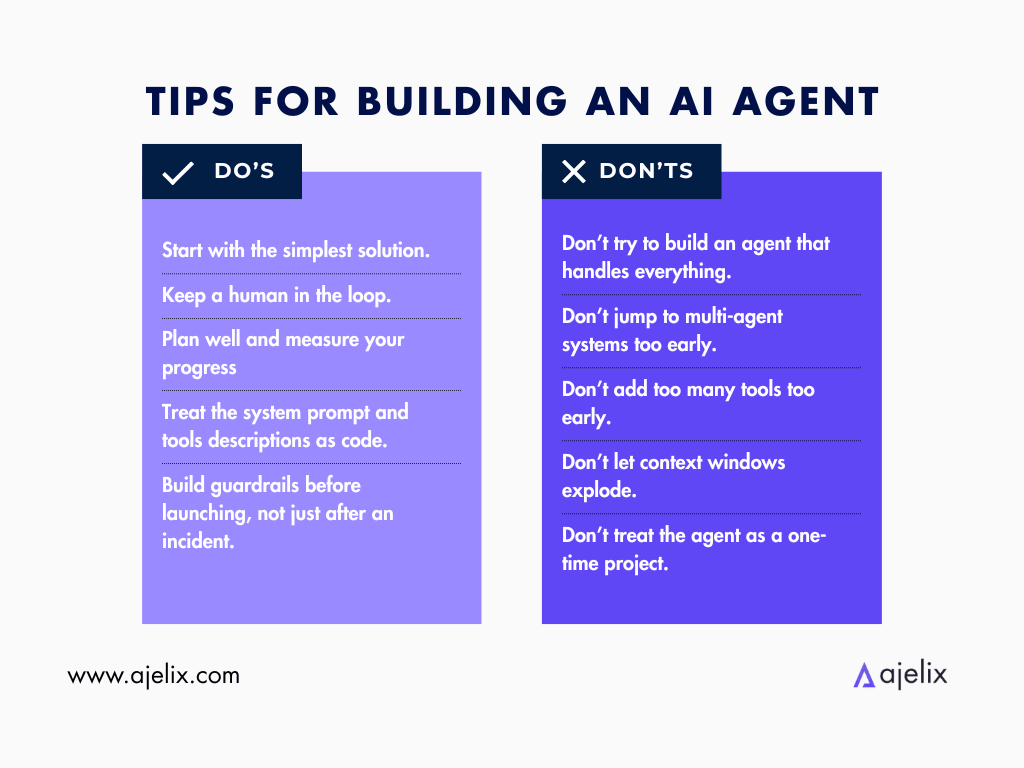
Do:
- Start with the simplest solution that works. Only add complexity after you’ve tested the agent thoroughly and see that it’s performing its purpose well. Sometimes you don’t even need to build an agent, but the right one is out there already available for you. Do your research first.
- Start with a narrow workflow, not a general one. Once you nail a specific workflow, you can consider expanding. Pick a use case that is needed at your company and build a single agent accordingly, before involving multiple agents in a workflow.
- Treat the system prompt and tools descriptions as code. Tool descriptions, parameter names and format choices change behavior more than people expect. Make sure to keep a consistent formatting that you’ve tested or found and know works.
- Build guardrails before launching, not just after an incident. Goal hijacking, tool misuse, and memory poisoning are some of the most frequent incidents that occur. But they can be avoided if you set up the guardrails initially, instead of running to fix something only after the damage’s been done.
- Keep a human in the loop for anything irreversible. In fact, for the first months of your agents working, you will need to manually review their process a lot to spot any failures. But especially for high-value actions, make sure manual human review is required.
- Set up evaluation and observability from day one. Make sure that, from the start, everything is captured and logged for possible – and needed – review. It’s not only important for higher-ups to check usage, but also for you to spot where any failures initiated from.
Don’t:
- Don’t try to build an agent that handles everything. A generalist agent handles nothing truly well, as it’s not focused on a specific action, and it’s impossible to evaluate. Start with a niche.
- Don’t jump to multi-agent systems too early. Single-agent systems are faster to build, and easier to debug and govern. Only add coordination when the single agent can’t handle all the context a task requires. Additionally, multi-agent systems can get expensive very quickly.
- Don’t add too many tools too early. More tools means more ways the agent can make the wrong decision. Start with the minimum viable tool set, and only add more tools when their absence is a proven constraint on performance.
- Don’t let context windows explode. Agents that run for a long time accumulate noisy history that eventually becomes unusable. Design your memory layer, both short-term and long-term.
- Don’t treat the agent as a one-time project. Models improve and their users need something different with time. Make regular updates, re-tune the prompt, monitor the agent’s health, and capture every failure.
The pattern is simple: build the smallest thing that works, make it observable, keep a human in the loop, and expand only when the data tells you to.
The Right AI Agent Builder For Your Needs
The best AI agent builder for enterprise depends mostly on what your company needs, what technical manpower you have, and the stack you’re already running. To make the choice easier, I matched every builder on this list to the use case it handles best.
| “I need autonomous agents that act inside my company’s processes, a custom RAG system over our docs, open-source LLMs, and full audit trails.”→ Ajelix Enterprise. The only builder on this list built around your processes: agentic chat with custom agents, a visual workflow designer, a custom RAG layer trained on your company documentation, bring-your-own LLM API keys, granular role-based access, and a full audit trail with usage monitoring. The builder is meant to be used by IT teams and AI specialists. |
| “My customer service team already runs on Salesforce and I need AI agents that resolve cases autonomously on live CRM data.”→ Salesforce Agentforce. The Atlas Reasoning Engine runs a plan-act-reflect loop on your live CRM data. The low-code Agent Builder ships pre-built topics and actions, so a service agent goes live fast, and native MCP support extends it. The strongest pick when customer experience is the core of your business. |
| “I don’t have a developer and I need a working AI agent this afternoon – no canvas, no code.”→ Lindy. You describe what you want and Lindy assembles it. Thousands of integrations, multi-agent swarms, and Computer Use for apps without an API. Privacy-first and GDPR, SOC 2, HIPAA, and PIPEDA compliant. The best no-code agent builder for founders, SMBs, and non-technical teams. |
| “I want an open-source, self-hostable platform where my engineers own the stack and the data.”→ Dify. A visual drag-and-drop canvas for workflows and agents, a first-class RAG pipeline, multi-agent orchestration in Supervisor mode, and a free Community Edition you can self-host. Supports OpenAI, Anthropic, Google, Meta, and other popular models. The right pick when control and open-source matters to your team. |
If Ajelix sounds like the right fit for your company, contact us.
FAQ
It depends on your use case. Ajelix Enterprise leads for autonomous execution and custom RAG, Salesforce Agentforce is strongest for customer service, Lindy is the easiest no-code option, and Dify is the best open-source, self-hostable platform.
A platform that lets you design, deploy, and manage AI agents that complete multi-step tasks using tools, memory, guardrails, and a runtime to execute against.
Not always. Lindy and Dify’s visual canvas require no code, while Ajelix and Agentforce are low-code but benefit from IT or AI specialist involvement.
Yes. Dify offers a free, open-source Community Edition you can self-host, and Ajelix Enterprise supports self-hosted LLMs with bring-your-own API keys.
Salesforce Agentforce. Its Atlas Reasoning Engine runs a plan-act-reflect loop on your live CRM data and ships pre-built service topics and actions out of the box.
Start from your primary use case: operational autonomy (Ajelix), Salesforce-native service (Agentforce), no-code speed (Lindy), or open-source control (Dify), then factor in your team’s technical capacity.
All four platforms offer enterprise-grade controls: audit logs, SSO, role-based access, and compliance certifications including SOC 2, ISO 27001, and GDPR.
Agentic AI chat that helps you complete projects
AI for work that ingests, transforms, and delivers the exact deliverables your team needs, while you stay focused on strategy. No more chatting, agents can get the job done.