Online Profit And Loss Dashboard Example: P&L Template
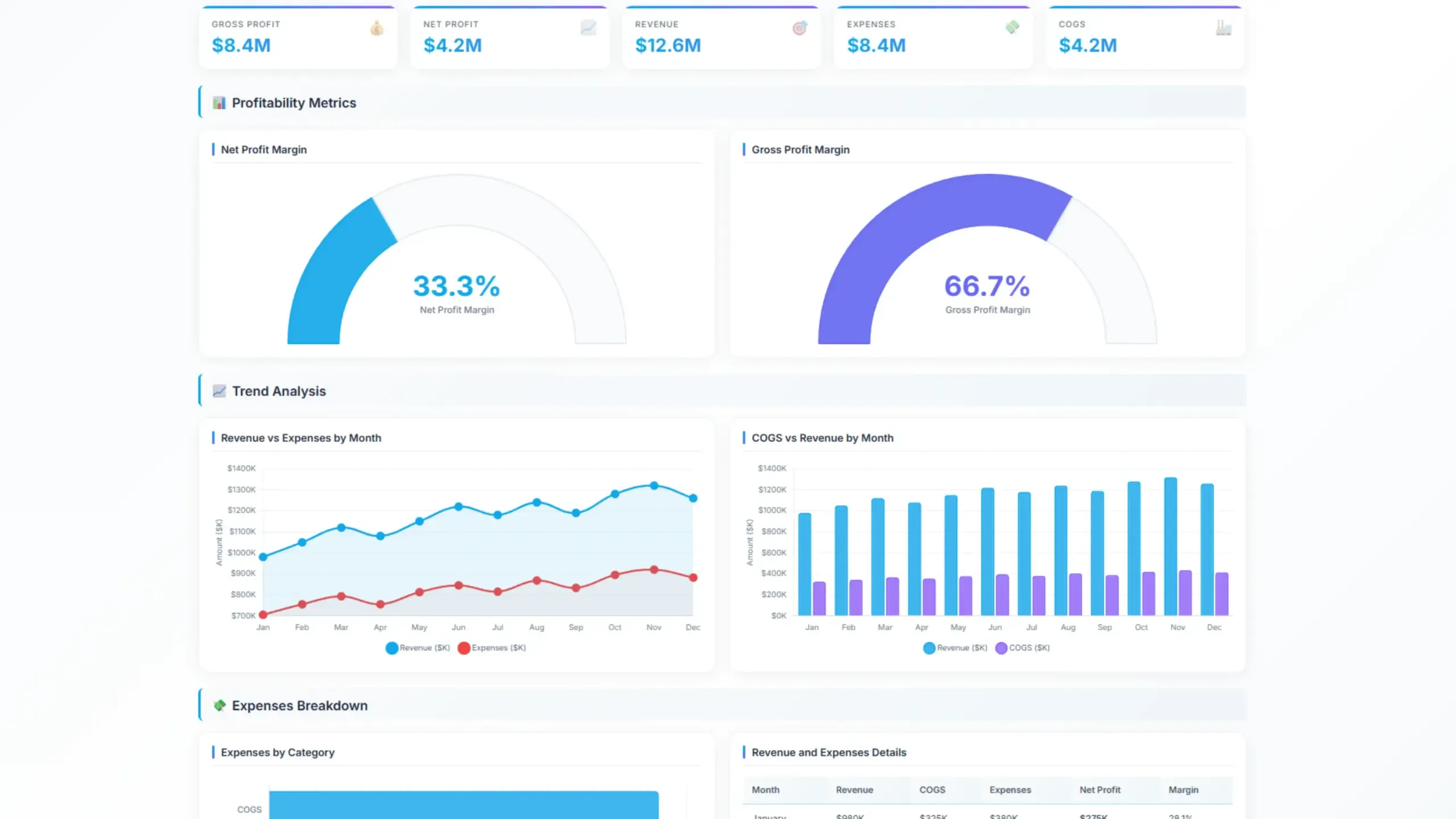
A well-designed online profit and loss dashboard can be a game-changer for businesses. By visualizing key metrics, you can quickly assess your financial health and make data-driven decisions.
An online profit and loss (P&L) dashboard is a powerful tool that can provide you with real-time insights into your company’s revenue, expenses, and overall profitability.
This article will explore the essential components of a P&L dashboard and provide a practical example to help you get started.
Change the way you work with agentic AI
One-click dashboards,KPI tracking, and AI-powered insights—for work that actually gets done.
What is a profit and loss dashboard?

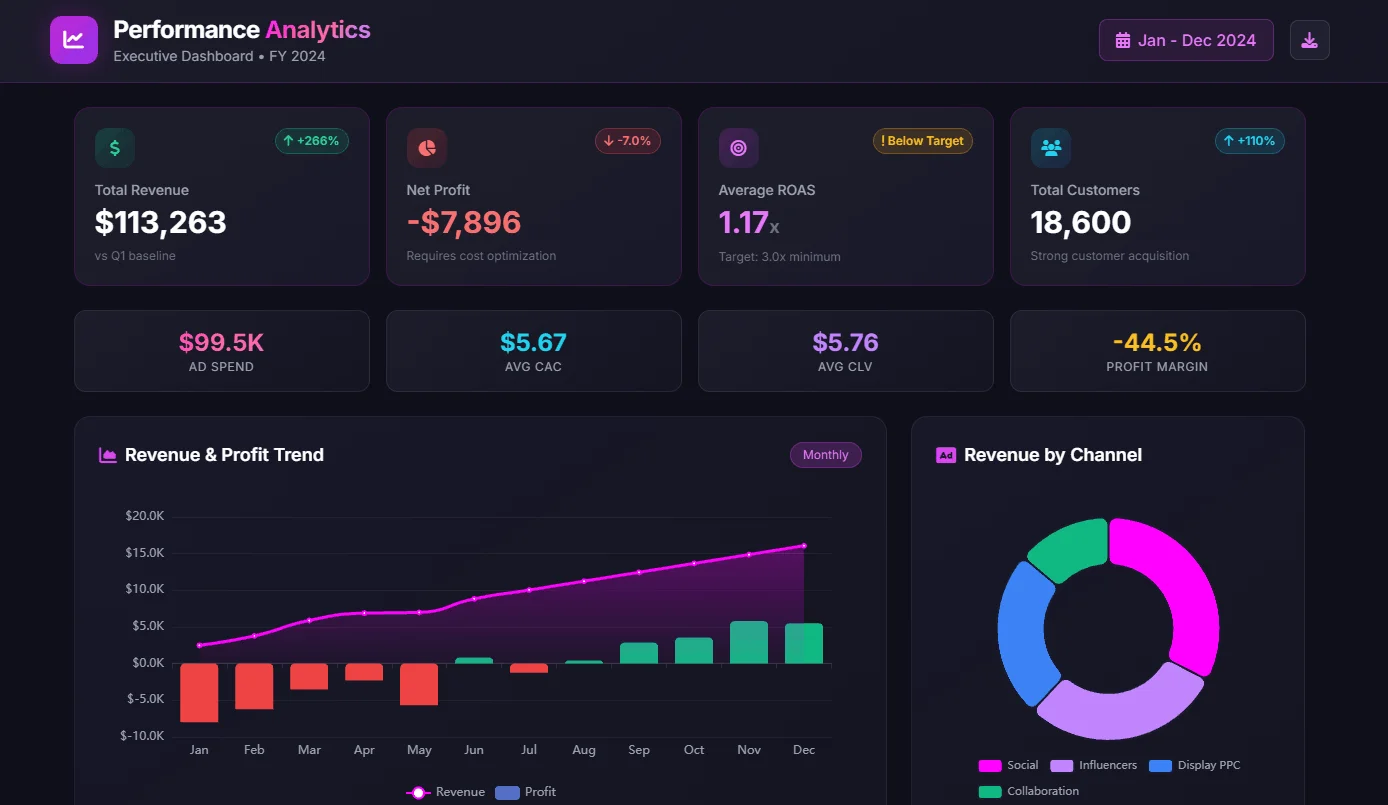
A profit and loss (P&L) dashboard is a visual representation of a company’s financial performance. It provides a clear and concise overview of revenue, expenses, and overall profitability. By presenting financial key performance indicators (KPIs) in an easily digestible format, P&L dashboards help businesses:
- Monitor financial health: Track revenue growth, expense control, and profit margins.
- Identify trends: Spot patterns and anomalies in financial data.
- Make informed decisions: Use data-driven insights to optimize operations and improve profitability.
Typically, a P&L dashboard includes metrics such as:
- Revenue: Total income generated from sales.
- Cost of goods sold (COGS): The direct costs associated with producing or selling products.
- Gross profit: Revenue minus COGS.
- Operating expenses: Indirect costs related to running the business.
- Operating profit: Gross profit minus operating expenses.
- Net profit: Operating profit plus or minus other income and expenses.
Key Metrics Visualized on a Profit and Loss Dashboard
A profit and loss (P&L) dashboard typically visualizes the following key metrics:
Revenue Metrics
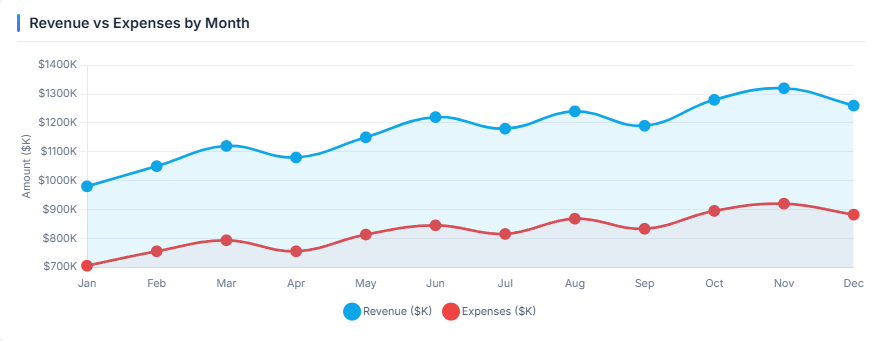
- Total Revenue: The overall income generated from sales.
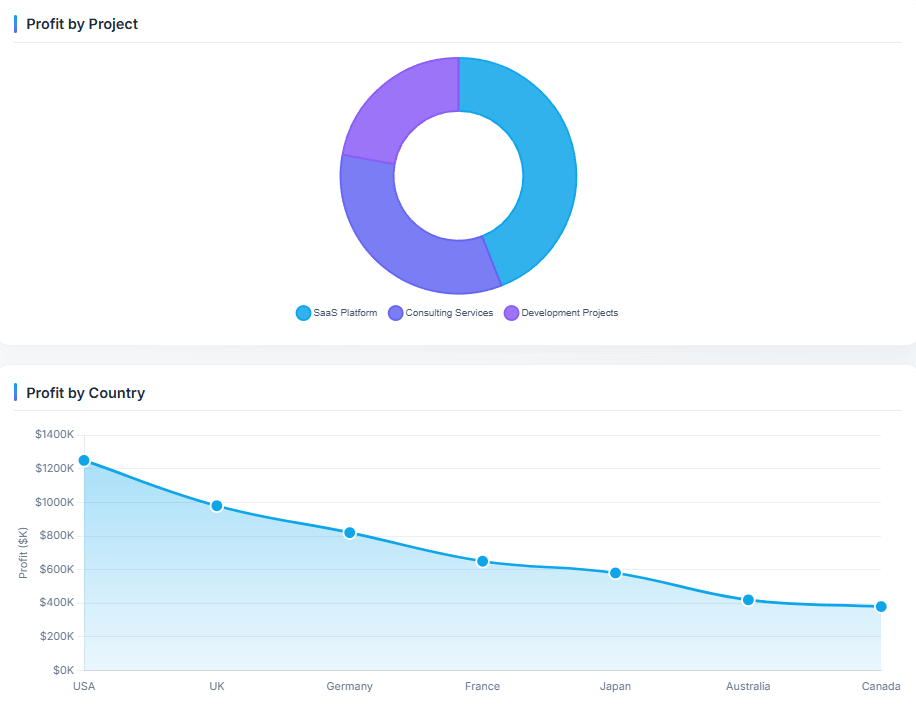
- Revenue by Product/Service: A breakdown of revenue based on different offerings.
- Revenue by Region/Market: Revenue performance across geographical areas.
Expense Metrics
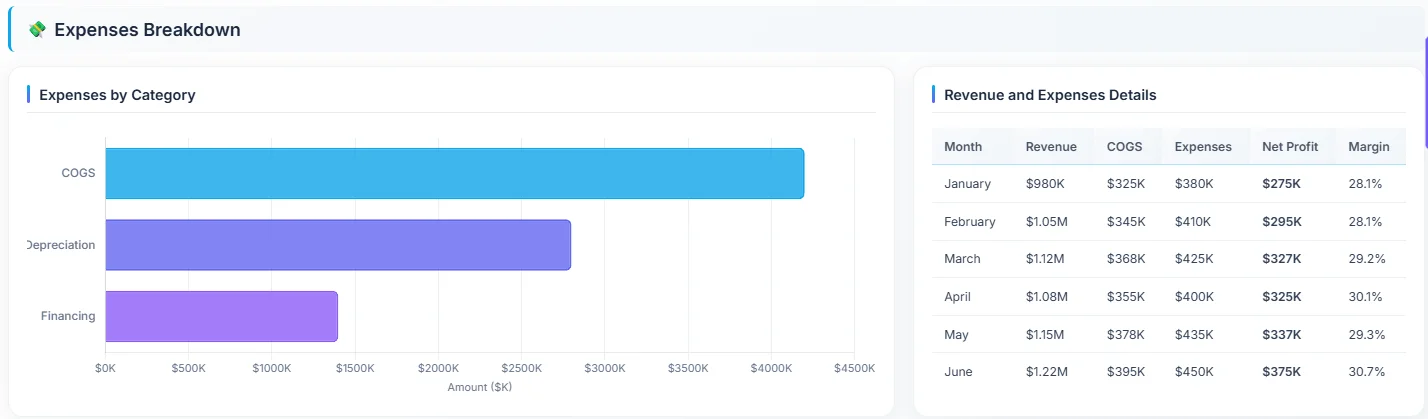
- Cost of Goods Sold (COGS): Direct costs associated with producing or selling products.
- Operating Expenses: Indirect costs related to running the business (e.g., salaries, rent, utilities).
- Selling, General, and Administrative (SG&A) Expenses: Costs related to marketing, sales, administrative functions, and other overhead.
Profitability Metrics
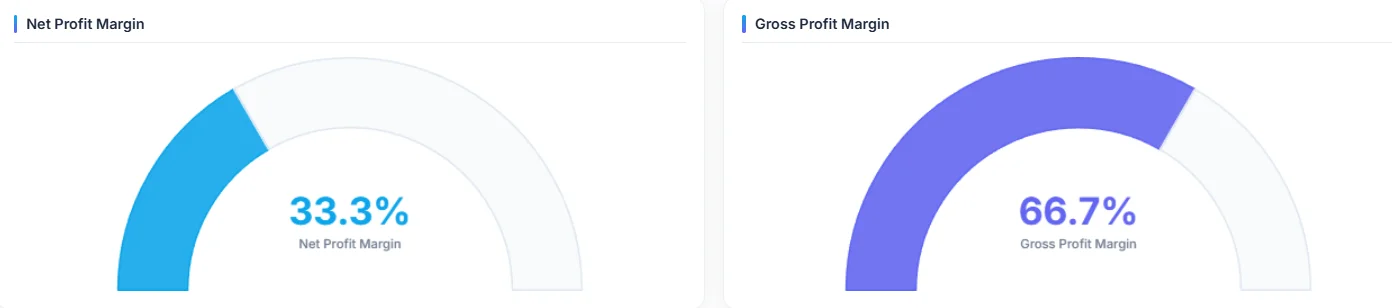
- Gross Profit: Revenue minus COGS.
- Operating Profit: Gross profit minus operating expenses.
- Net Profit: Operating profit plus or minus other income and expenses.
- Profit Margin: The percentage of revenue that turns into profit.
Trend Analysis Metrics
- Year-over-Year (YoY) Growth: Compares current performance to the previous year.
- Month-over-Month (MoM) Growth: Compares current performance to the previous month.
- Forecasted vs. Actual: Compares projected performance to actual results.
Additional Metrics
- Key Performance Indicators (KPIs): Specific metrics relevant to the business (e.g., customer acquisition cost, customer lifetime value).
- Financial Ratios: Metrics used to assess financial health (e.g., debt-to-equity ratio, current ratio).

How To Create a Profit and Loss Dashboard?
Time needed: 20 minutes
Create a profit and loss dashboard in minutes using a business intelligence tool. This guide will walk you through 5 steps to create a digital dashboard using Ajelix.
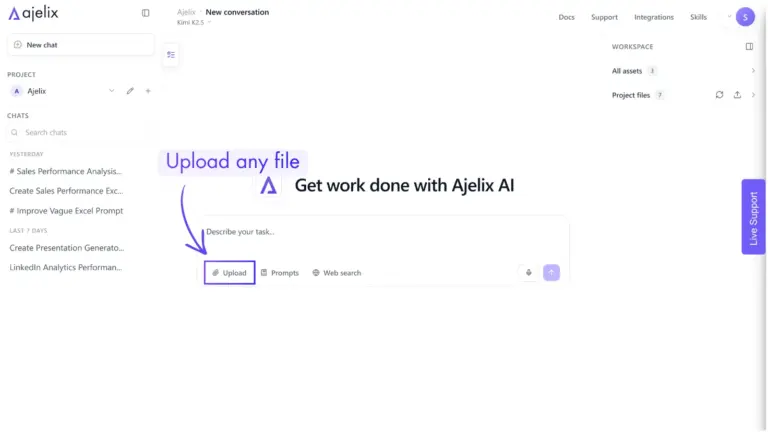
- Connect your data source
The first step to building your digital dashboard is connecting to your data. With Ajelix, simply upload your Excel, CSV, PDF files or any other documents directly in the chat.
- Clean and transform your data (optional)
Before creating visualizations, you can ask AI agent to clean and prepare your data. Ajelix can automatically handle formatting issues, remove duplicates, apply filters, and restructure the dataset. Although this step is optional, preparing the data beforehand helps ensure more accurate and trustworthy insights.

- Build your visualizations
AI agent automatically selects the most suitable chart types for your KPIs, including cards, gauges, line charts, bar charts, and more. Simply describe the insights or metrics you want to visualize, and Ajelix AI agent will generate the complete dashboard and visualizations from your data automatically.
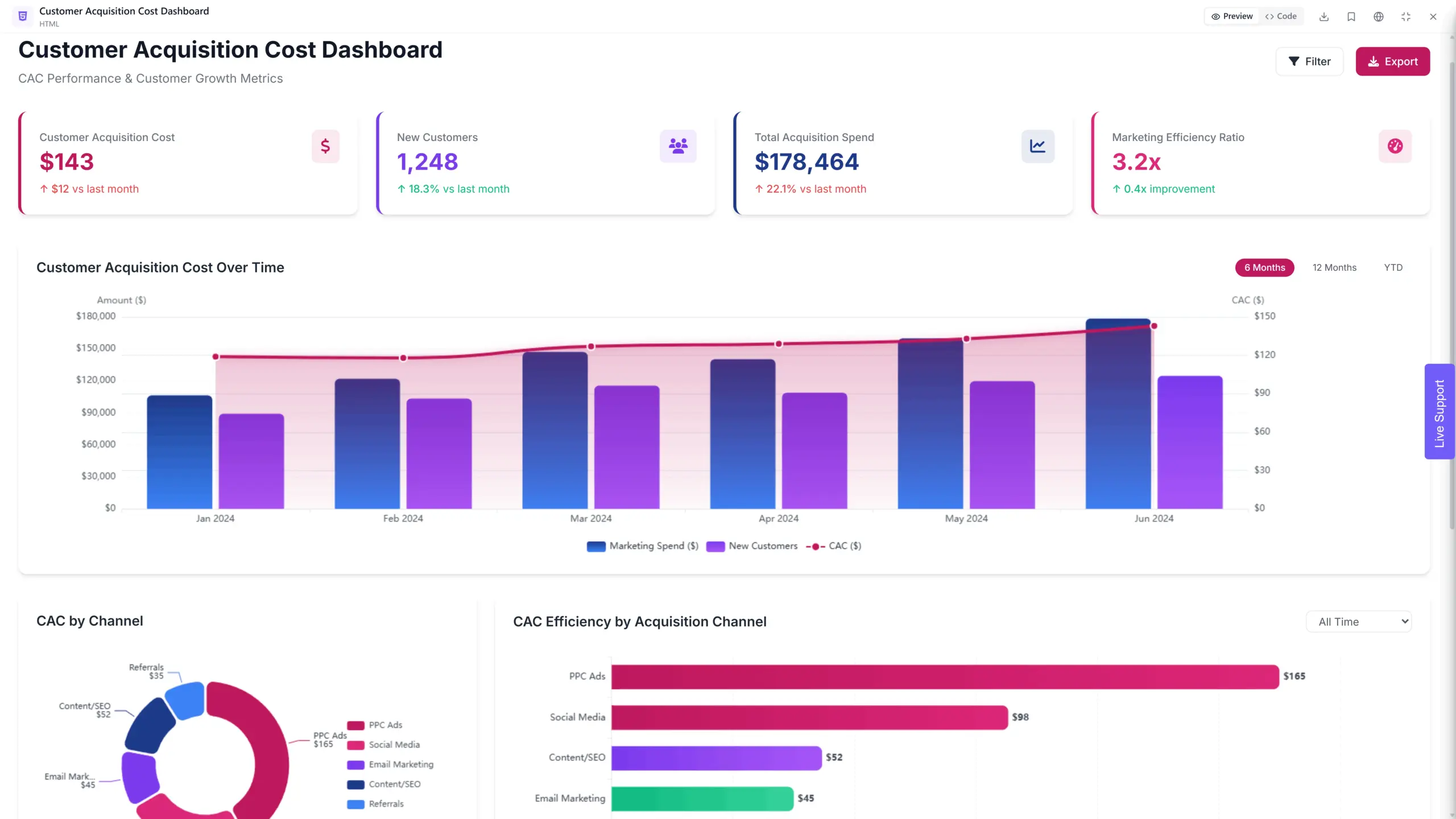
- Customize your dashboard
Customize every aspect of your dashboard by simply telling the AI agent what you want. Specify titles, descriptions, layouts, colors, formatting preferences, and more, and AI will automatically apply your changes. No manual design or configuration is required.
- Share your dashboard
Once happy, share your dashboard with your team via link or export/download it for presentations and reports.
Conclusion
An online profit and loss dashboard provides a powerful tool for visualizing key metrics, tracking trends, and making data-driven decisions. Follow the steps in this article and create your accounting dashboard that represents a P&L overview.
Explore other dashboards



Ready to create your dashboard?