Our AI Experts Tested The Leading Automation Software Tools

Teams that are still manually moving data and generating reports without automation software in place are losing valuable time. Automation tools available now have matured with the addition of AI, which means they can now handle decisions alongside automation.
Our team of AI experts tested seven of the leading automation software tools, from no-code SaaS workflow software to enterprise RPA and AI-native platforms. The best pick depends on what you’re trying to automate, and who will be behind the implementation.
Let’s dive in.
What Is Automation Software
Automation software is a platform that replaces manual human work by executing tasks and workflows automatically. It is triggered by rules, schedules, events, or AI decisions.
Several types of automation software are available:
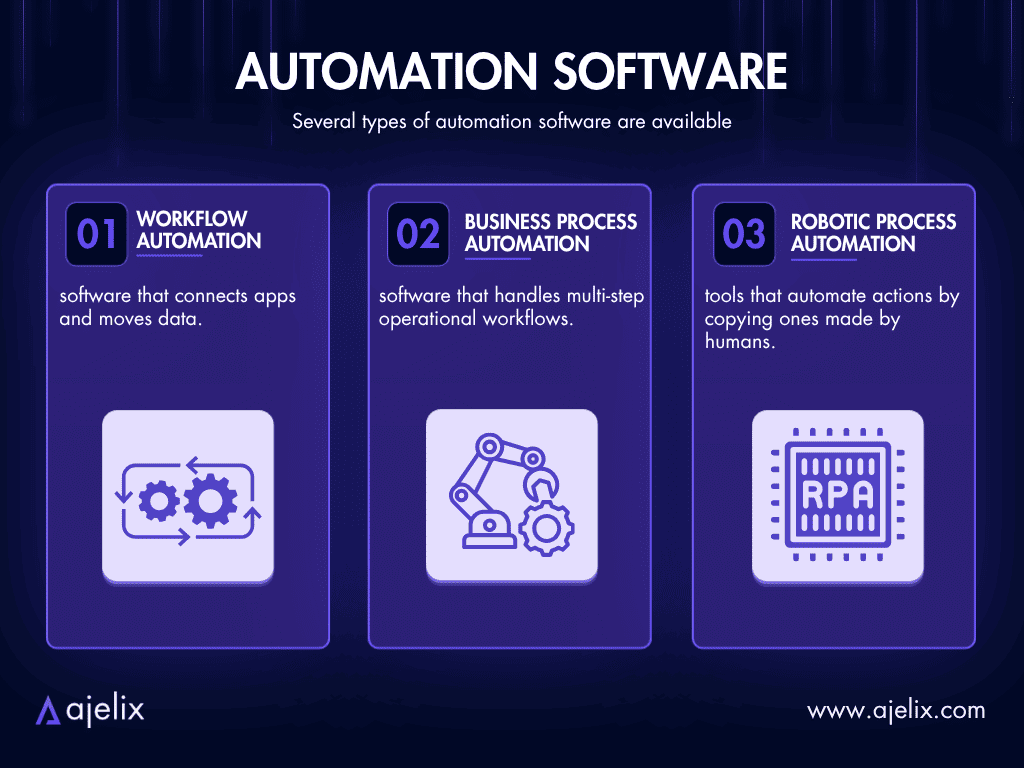
- Workflow automation software that connects apps and moves data;
- Business process automation software that handles multi-step operational workflows;
- RPA (Robotic Process Automation) tools that automate actions by copying ones made by humans.
Software automation is needed if you notice that your employees are doing the same thing multiple times a week and that process follows a predictable pattern. The automation handles the execution while your team can focus on strategy, critical decisions, and relationships.
McKinsey research estimates that around 50% of current work tasks are possible to automate with technology that already exists today.
Top 7 Automation Software Tools
We scored the platforms based on these two criteria:
- Workflow automation capability: How well does the tool handle workflow automation, including branching logic, error handling, and AI-assisted decisions?
- Ease of use: Can a non-developer build and maintain workflows without needing engineering manpower?
Here are the seven best AI automation software tools we evaluated:
| Tool | Best For | Starting Price |
|---|---|---|
| Ajelix Enterprise | AI-native workflow automation for business teams & enterprises | Lite $39/user/mo; Enterprise custom |
| Make | Visual workflow automation for ops and marketing teams | Free; Enterprise Custom |
| UiPath | Enterprise RPA for desktop and legacy app automation | Basic $25/mo; Enterprise custom |
| Zapier | Fast no-code app connections for small teams | Free; Enterprise Custom |
| Microsoft Power Automate | Workflow automation inside the Microsoft 365 ecosystem | Free; Enterprise Custom |
| Workato | Enterprise iPaaS for IT and cross-department orchestration | Custom |
| n8n | Developer-grade self-hosted automation | Free (self-hosted); Enterprise Custom |
Below, we cover the pros and cons of each workflow automation software, and who they’re built for.
1. Ajelix Enterprise
Who is it built for? Business teams and enterprises that need custom agents, connectors and workflows to carry out processes.
- Pros: AI-native platform with granular RBAC, audit trails, reasoning logs, usage monitoring and quota management; connects to any system through a custom API; offers ability to self-host LLMs; the capability of building visual agent workflows. The first setup is built by the Ajelix team or the IT experts in a company.
- Cons: Run by a smaller team than platforms like Microsoft.
Ajelix Enterprise is a multi-tenant AI platform that provides an operational layer for organizations to develop, deploy, and control AI. Each team has their own predefined workflows that each member of the team can manage as necessary, with minimal manual human review. Ajelix works with clients independently to customize workflows tailored to their needs, regardless of the industry.
It offers custom agents and connectors, and a knowledge base (RAG system) trained on your company’s documentation. Granular role-based access controls ensure employees only interact with what their permissions allow, while a full audit trail and reasoning logs make every agent action transparent.
Ajelix helps self-host LLMs and ability to plug in any third-party API. It operates on a transparent custom enterprise contract basis, meaning the pricing is tailored to the team size and scope of the deployment.
If you’re looking for the most versatile enterprise AI workflow automation, Ajelix is likely your fit.

2. Make (formerly Integromat)
Who is it built for? Operations managers, marketing teams, and technical non-developers.
- Pros: Visual scenario builder; built-in advanced data transformation; dedicated error handling and conditional routing; 3,000+ app integrations; native connections to OpenAI, Anthropic, and Gemini.
- Cons: Bigger learning curve for first-time users; AI agents feature is still in Beta as of mid-2026.
Make’s visual scenario builder lets you see the workflow do its job, inspect each step, and debug if needed. Make is a strong technical choice for workflows with multiple branches.
Because of how popular AI workflow automation has become, Make added AI agents (still in beta) and native integrations with major LLM providers. The AI models read inputs, make decisions, and route data accordingly.
3. UiPath
Who is it built for? Large enterprises with legacy desktop systems, document-heavy processes, or invoice automation software needs that require RPA.
- Pros: Known for its RPA through AI Computer Vision; Document Understanding module for invoices, forms, and unstructured data; agentic orchestration via Maestro, Agent Builder, and Autopilot; enterprise compliance.
- Cons: Meant for enterprises not smaller teams; complex infrastructure, with Studio, Orchestrator, and robot setup requiring technical resources.
UiPath’s core strength is in its ability to automate applications that have no API, such as desktop software, legacy systems, and browser-based tools. UiPath’s computer vision watches the screen and uses the UI directly.
The platform’s agentic layer combines robots for execution with AI agents for decision-making, and manual human escalation for exceptions. It is a credible option for complex, multi-system workflows in finance, healthcare, and manufacturing.
For basic web-based automation, simpler tools are more cost-effective.
4. Zapier
Who is it built for? Enterprises that need the widest SaaS integration coverage, where non-technical staff across marketing, sales, operations, and HR can build and run automations independently.
- Pros: 9,000+ app integrations; 30,000+ actions available via Zapier MCP; AI Guardrails and BYOM (Bring Your Own Model); role-based access.
- Cons: Integrations are wide but not always deep; limited support for on-premises or legacy system connectivity.
Zapier is a no-code workflow automation platform that connects to more than 9,000 third-party connectors. Automations are built visually, and can include multi-step logic, conditional branching, filters, and AI-powered steps.
It has become more powerful with the addition of the AI orchestration layer, Zapier MCP, which makes any outside AI model access enterprise tools and data through IT-controlled permissions.
The IT administrators are in charge of defining the apps, actions, and models across their organization. Zapier offers all the enterprise-necessary compliance, guardrails and the option to Bring-Your-Own-Model.
5. Microsoft Power Automate
Who is it built for? Organizations already on the Microsoft 365 ecosystem that also want to automate across SharePoint, Teams, Outlook, Dynamics 365, and SAP.
- Pros: Deep native integration with Microsoft 365, Azure, Dynamics 365, and SAP; 1,400+ pre-built connectors plus custom connector support; attended and unattended RPA; strong governance.
- Cons: AI capabilities are add-ons; complex enterprise deployments require significant Microsoft licensing knowledge; less effective for organizations not already in the Microsoft ecosystem.
Microsoft Power Automate handles both cloud-based digital process automation (DPA) and RPA. The interface for building workflows is low-code. It offers over 1,400 pre-built connectors and custom ones via API. Workflows are triggered by events, schedules, and user actions, which can be both single- and multi-step tasks.
Power Automate is built on Microsoft’s Managed Environments framework, which gives IT administrators centralized governance, data loss prevention policies, and live monitoring across all automation activity in an organization.
It includes attended and unattended RPA for legacy system automation, hosted bot infrastructure, and process mining to uncover and prioritize automation opportunities using your operational data.
6. Workato
Who is it built for? Enterprises with cross-system integration needs; IT and ops teams that need automation with a low-code interface.
- Pros: thousands of connectors; enterprise MCP; Agent Studio for low-code enterprise agent development; strong compliance and security; serverless.
- Cons: Agentic capabilities are only recent additions; less suitable for non-technical users.
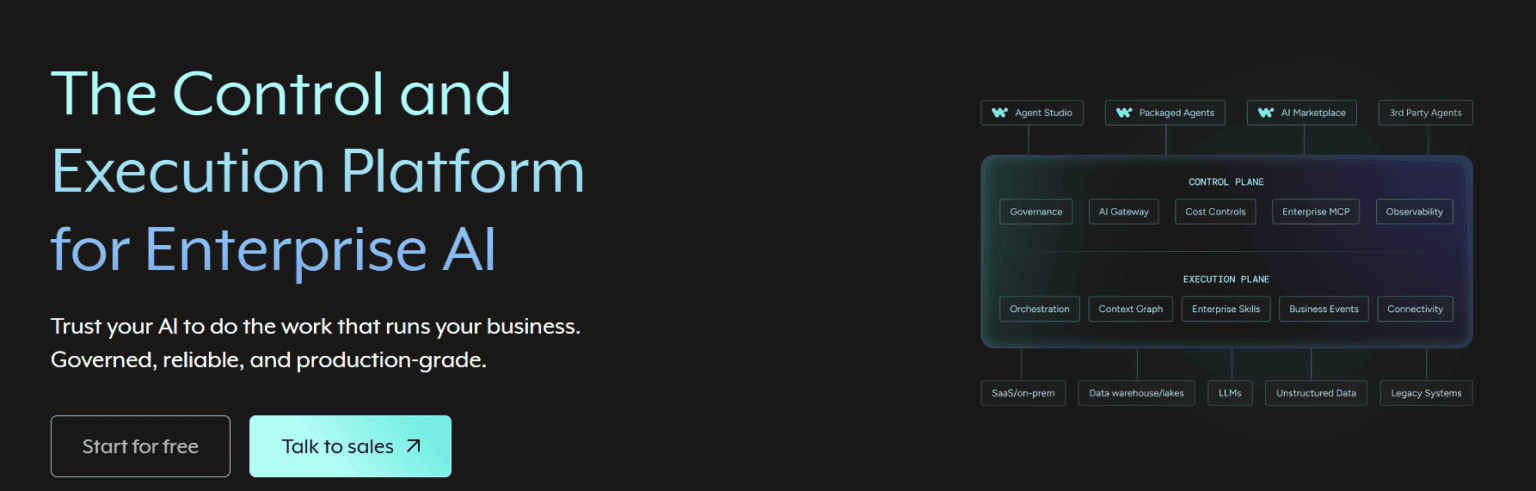
Workato is an Integration Platform as a Service for the control and execution of enterprises. It connects systems, manages APIs, automates workflows, and orchestrates data across thousands of built-in connectors. It has a low-code interface and can handle multi-step logic.
The workflow management software is serverless. Security includes Bring-Your-Own-Key, hourly key rotation, full audit trails, and compliance certifications. Governance is enforced across every agent, automation, and integration through Enterprise MCP.
7. n8n
Who is it built for? Developers, technical teams, and IT/ops engineers who want maximum control and data sovereignty.
- Pros: Source-available and self-hostable, offers native AI/agent nodes with LangChain support and 400+ integrations, plus a universal HTTP connector.
- Cons: Self-hosting requires Dev and Ops manpower and infrastructure management, the learning curve is the highest of the platforms mentioned, and non-technical users will need developer support to build and maintain workflows.
n8n is a source-available, self-hosted workflow automation platform that technical teams choose because they can control and own it. It treats AI as an integral component of workflow automation.
Alongside a universal HTTP node that can connect to virtually any API, it offers 400+ native integrations, local models, and major LLM providers, such as OpenAI, Anthropic and Gemini.
This is the hardest tool to navigate for non-technical business users on this list. Developer support is required to use it. n8n is powerful, flexible, and less expensive than the other tools, but only if you have the technical capacity to run it.
Other Tools Worth Mentioning
These tools and platforms didn’t make our top 7 but come up frequently in automation communities on Reddit and are worth knowing:
- Pipedream: Recommended by developers as one the IT automation tools that is driven by events and is API-heavy. Pipedream supports custom code inside the workflows and is well-suited to SaaS teams building product integrations or agent tools.
- Automation Anywhere: UiPath’s competitor for enterprise RPA that has cloud-native architecture and a Google Cloud partnership for AI document processing. Mentioned in developer communities as the better fit for organizations who prefer a cloud-first deployment over on-premise.
- Hexabot: A self-hosted open-source option praised in the developer community for AI workflow automation that starts from conversational AI, like you’re talking to an AI chatbot. Best for teams building automation for customer support or chatbot-triggered workflows.
- Kissflow: Frequently mentioned for business process automation software in HR and operations teams. It has a no-code form and a workflow builder. It’s easier to deploy than enterprise platforms but limited in AI capability compared to newer tools.
Choose The Right Automation Software For You
To decide what is the best automation software company for your needs, here is an overview comparison by use case:
| You need… | Best tool |
|---|---|
| AI-native workflows executing your company’s processes; enterprise RAG, governance, and custom deployment | Ajelix |
| Visual no-code workflow automation with advanced branching, AI Agents, and MCP integration | Make |
| To automate desktop apps, legacy systems, or high-volume document/invoice processing at enterprise scale | UiPath |
| Connect 9,000+ apps fast without technical setup; add AI agents and chatbots | Zapier |
| Workflow automation inside Microsoft 365 / Teams / SharePoint; attended or unattended RPA on Windows | Microsoft Power Automate |
| Enterprise business process automation across SAP, Oracle, Workday with unlimited users and full IT governance | Workato |
| Full infrastructure control, self-hostable, developer-grade automation | n8n |
| Also Worth Considering (Community Picks) | |
| Event-driven automations and API-heavy product integrations with custom code support | Pipedream |
| Enterprise RPA on a cloud-native architecture with Google Cloud AI document processing | Automation Anywhere |
| Self-hosted, open-source chatbot-triggered workflows with a conversational AI entry point | Hexabot |
| No-code HR and operations process automation with approval routing | Kissflow |
If you’re unsure where to start, consider Ajelix.
FAQ
Automation software is any platform that executes tasks automatically, based on triggers, rules, schedules, or AI decisions. It eliminates manual, repetitive work from business workflows.
Automation tools are the specific software products, such as Ajelix, Make, UiPath, or n8n, that teams use to build and run automated workflows. Each tool takes a different approach: some connect apps via API, some use software robots on desktops, and some use AI agents to handle decisions within a workflow.
That depends on what you’re automating. Ajelix is the strongest for AI-native business automation. n8n is for developers who need custom AI agent logic with self-hosted control. Make is the best balance of AI capability and visual no-code workflow building for non-technical teams. UiPath is for enterprise RPA with an AI orchestration layer on top.
Workflow automation software handles the movement of data and tasks between steps in a process, such as routing, triggering, and connecting tools. Business process automation software covers the broader orchestration of an entire business operation end to end, including people, systems, approvals, and exceptions. In practice, most modern platforms do both.
An automation software engineer designs, builds, and maintains automated systems, either for software testing (QA automation) or for business processes (workflow and RPA automation). Nowadays, this role increasingly involves configuring and governing AI agents, building integrations with enterprise systems, and ensuring automated workflows are reliable, auditable, and secure.
Agentic AI chat that helps you complete projects
AI for work that ingests, transforms, and delivers the exact deliverables your team needs, while you stay focused on strategy. No more chatting, agents can get the job done.