Agentic AI in HR: Turn Raw Data Into Board-Ready Dashboard
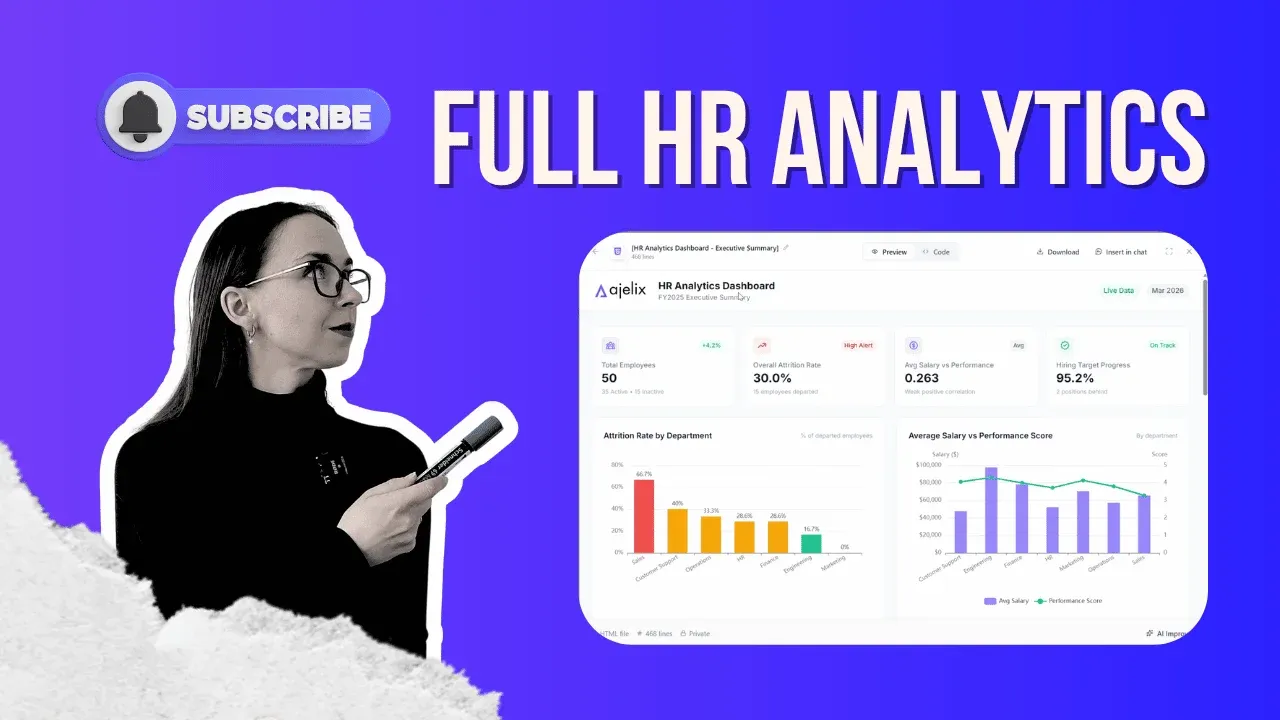
Agentic AI in HR lets you take raw CSV exports, messy Google Sheets, and unstructured employee data and transform them into a clean, board-ready analytics dashboard in minutes, without formulas, code, or an IT ticket. That is the core promise, and this guide shows you exactly how it works, step by step.
Watch Full Video Walkthrough
What Is Agentic AI in HR and How Does It Work?
Agentic AI in HR is a category of artificial intelligence that goes beyond answering questions. Unlike a standard AI chatbot that tells you how to build something, an AI agent actually builds it for you. It plans the task, executes multi-step workflows autonomously, and delivers a finished output all in a single session.
In an HR context, this means you can hand the agent your raw headcount data, your payroll export, and a Google Sheet tracking performance reviews, write a plain-English prompt describing what you need, and walk away while it produces an interactive dashboard complete with your brand colors and logo.
That is the fundamental difference between agentic AI applications in HR and the AI assistants most teams have already tried: the agent acts, it does not just advise.

The Problem Every HR Team Recognizes
Here is the scenario this approach is built to solve. You export headcount and payroll data from your HR system and receive a raw CSV file. Your team also maintains a separate Google Sheet to manually track performance reviews and department goals. Leadership wants a report by Friday.
So you spend hours copy-pasting between files, matching columns, building charts by hand, and assembling a presentation that still does not quite look polished enough to put in front of a board.
This is one of the most common AI use cases in HR because the pain is universal. HR professionals are not data analysts, yet they are constantly expected to produce data analyst-level outputs under tight deadlines. Agentic AI in HR closes that gap without requiring advanced Excel skills, a BI tool license, or a request to your data team.
Step-by-Step: From Raw HR Data to Dashboard
This walkthrough uses Ajelix, an AI agent built for exactly this kind of data work. There is a free trial available if you want to follow along.
#1 Upload Your Data
Open chat.ajelix.com and drag and drop your CSV file directly into the interface. No preprocessing, no reformatting. The agent reads it as-is.
#2 Connect Your Google Sheet
In your prompt, paste the shareable link to your Google Sheet. One important detail: make sure the sheet is set to “Anyone with the link can view”; otherwise, the agent cannot access it. This is how the agent merges data from two completely different sources without you manually combining anything. Or you can use the Google Sheets Ajelix add-on right inside the sheet.
#3 Write Your Prompt
This is where you define the output. A well-structured prompt includes:
- What data have you uploaded (“I have attached a CSV from our HR system and a Google Sheet tracking employee targets”)
- The KPIs you want to see (attrition rate by department, salary vs. performance distribution, hiring status, etc.)
- Design instructions (brand colors, logo, clean layout ready to share with leadership)
- Your logo files, if you want them embedded in the dashboard
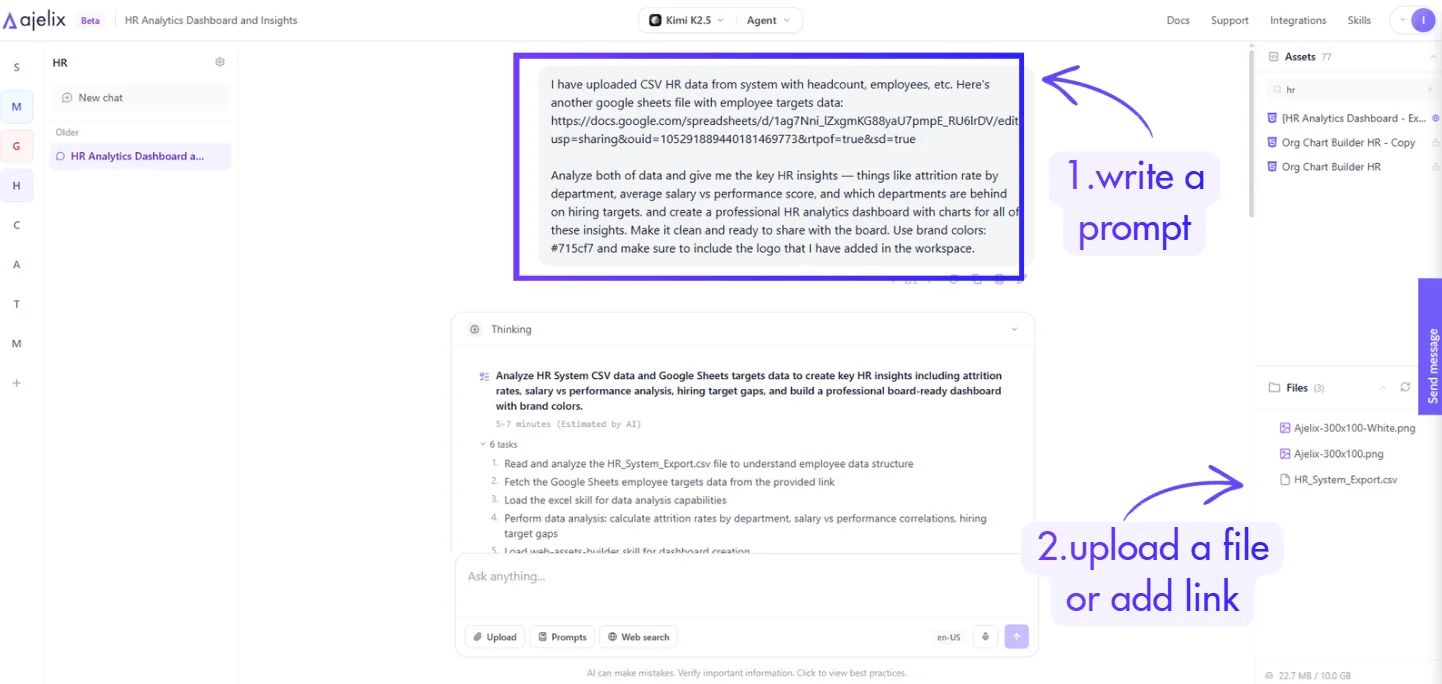
You can fine-tune the prompt to match the exact metrics your board cares about. The more specific you are, the more precisely the output matches your needs.
#4 Review the Work Plan
Before the agent executes, it produces a work plan. This is one of the most important features of agentic AI in HR tech: you can review exactly what the agent intends to do and correct any misunderstanding before it starts. Once everything looks right, click Start Task.
#5 Receive Your Dashboard
In approximately 3 to 5 minutes, the agent delivers a fully interactive HR analytics dashboard. In this example, it produced:
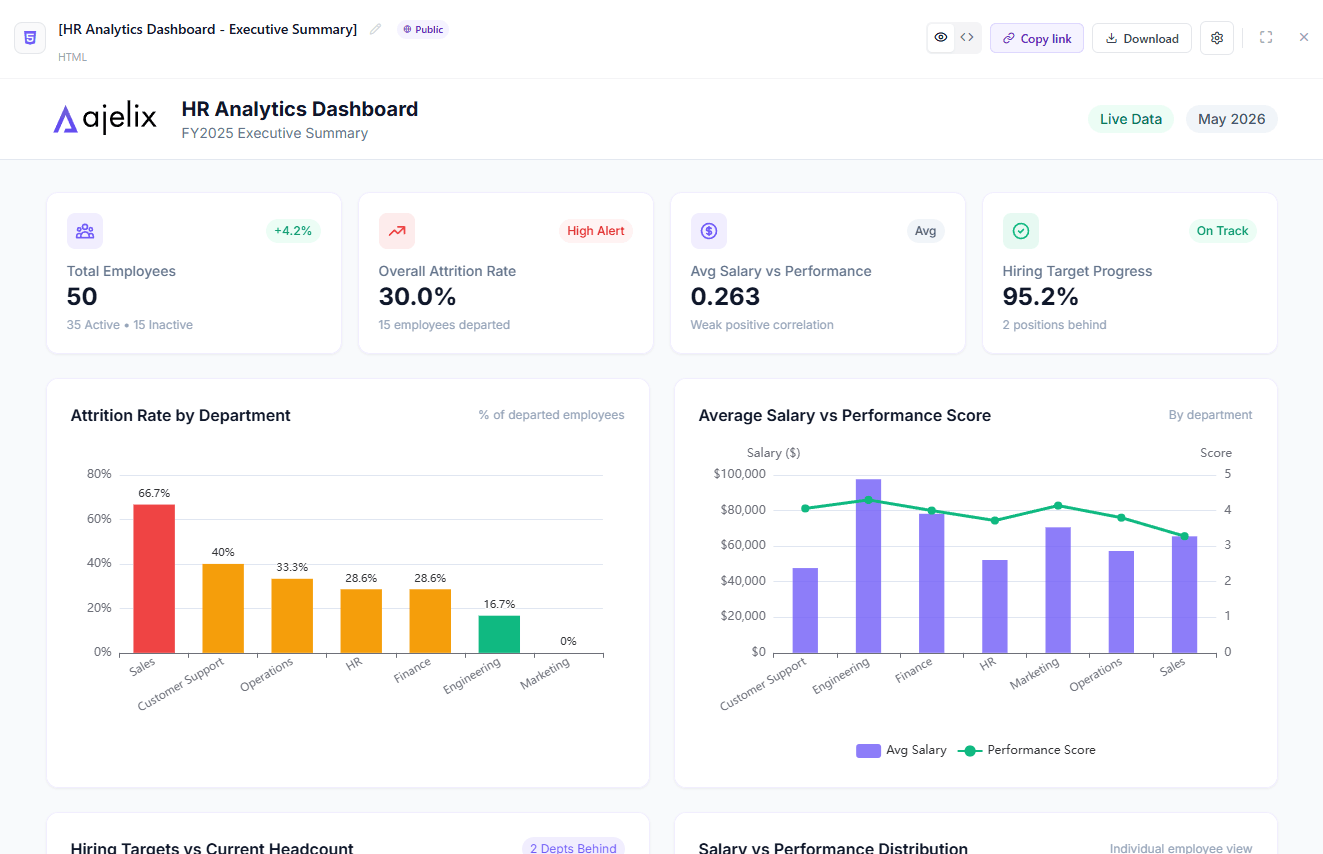
- KPI summary cards (average salary, headcount, performance scores)
- Bar and scatter charts (salary vs. performance by department)
- Pie charts (department breakdowns, hiring status)
- Key HR insights section flagging critical items: high attrition risk departments, salary-performance gaps, and open hiring priorities
- Brand colors and logo applied automatically
Or check the live-generated report below:
#6 Publish and Share
Save the dashboard to your workspace, click Publish, copy the link, and send it directly to your manager or board. No PowerPoint, no PDF export required; it is a live, shareable link.
What Else Can You Do From Here?
The dashboard is the starting point, not the endpoint. From the same chat interface, you can follow up with additional requests:
1. Generate a PowerPoint presentation
Ask the agent to turn the dashboard insights into a slide deck. If you want to see exactly how that works, watch Generate PowerPoint with AI agents and Transforming Raw Sales Data Into Professional PowerPoint Decks With Ajelix Agents.
2. Write a PDF executive summary
Ask the agent to summarize the key findings into a one-page PDF you can email directly to your CEO. See also: Stop Manually Copying PDF Data: 4 Ways AI Agents Extract & Transform PDF Data.
3. Build financial models alongside HR data
HR analytics rarely lives in isolation. If you are working across people data and financial data simultaneously, Agentic Google Sheets Financial Analysis and Create Financial Models in Excel show how to extend this workflow.
4. Use it as a business analyst
The same agent that builds your dashboard can also run deeper analysis, surface trends, and answer follow-up questions about your data. How To Use AI as a Business Analyst covers this use case in detail.
Get Started
The tool used in this guide is chat.ajelix.com. There is a free trial available, no setup required. Upload your data, write a prompt describing what you need, and see what the agent produces.
New use cases are published weekly on the Ajelix YouTube channel.
Agentic AI chat that helps you complete projects
AI for work that ingests, transforms, and delivers the exact deliverables your team needs, while you stay focused on strategy. No more chatting, agents can get the job done.


