How To Convert Meeting Notes Into Action Items With Agentic AI

AI meeting assistants have been around for a few years now, making it easier for companies to transcribe and summarize their verbal communications.
But what happens after the call ends? The notes end up forgotten in a folder you don’t check. You don’t utilize their potential.
In this article, I will show you how to convert notes into action items, such as Google Sheets, Slides, Docs and even Forms, without giving yourself a headache.
Table of Contents:
- The Problem: Converting Notes Into Work Takes Too Many Manual Steps
- What Agentic AI Can Do For You
- Turn Your Meeting Notes Into a Google Sheet
- Convert Your Meeting Notes Into a Doc/PDF
- How To Make Your Notes into a Presentation
- Turn Your Meeting Notes Into a Survey
- How Ajelix Compares To Other Tools
- FAQ
The Problem: Converting Notes Into Work Takes Too Many Manual Steps
If you wanted to turn your meeting notes into an employee survey to test whether they fully understood a brief, you would need to do a lot of manual work inside Google Forms. People in supervising roles usually don’t have time for that.
And there’s no reason why you should be wasting valuable time fighting with various tabs, formatting tools, design and clever summaries. Not with the tools we have today, anyway.
What Agentic AI Can Do For You
Agentic AI plans, decides, and acts to complete a goal with minimal human input at each step. Rather than a generative AI chatbot that responds to a single prompt with a single output, it runs a continuous loop: it perceives context, reasons through a plan, executes actions using tools, checks its results, and adapts.
With Agentic AI, you describe the goal and receive a finished output. The Ajelix AI agent, for example, can take a single user prompt and go from web research to a finished pitch deck.
This applies to the meeting notes context, as well. You can give an AI agent your notes, and it can turn them into whatever you would use them for – a clean spreadsheet with your company’s data, an elegant Docs summary, a customer survey, or a full PowerPoint you can present to your team immediately.
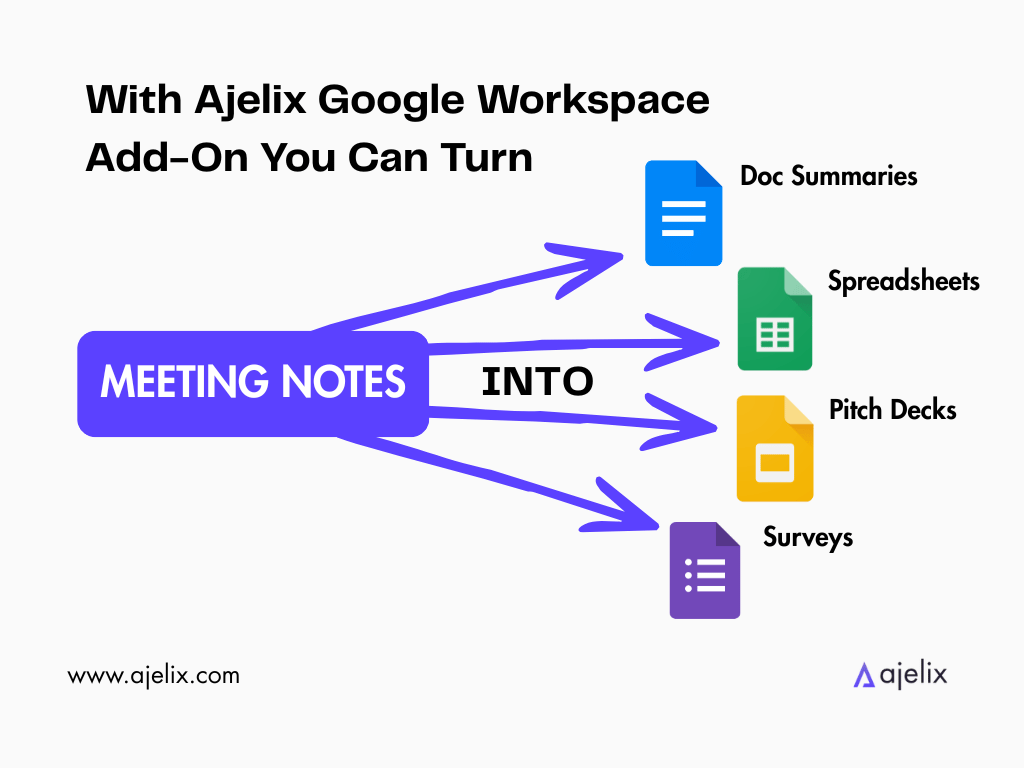
Ajelix offers a Google Workspace add-on, meaning it can work natively inside your Sheets, Docs, Slides and Forms. This add-on is what we’ll be using to showcase the agentic capabilities that can convert your notes into presentable projects.

Turn Your Meeting Notes Into a Google Sheet
Here are some situations when this can be useful:
- Project & Task Management. Extracting action items from the notes into columns such as: Owner, Deadline, Priority, Status. Now everyone knows what they need to work on, and in what order.
- Decision Log. Meetings are full of decisions people forget to document. You can ask AI to extract and make columns such as: Decision Made, Rationale, Who Decided, Due Date.
- Budget & Cost Discussion Tracker. If a meeting covers budget approvals or spend reviews, AI can extract line items such as: Category, Approved Amount, Requestor, Decision (approved/pending/rejected).
Let’s take Project & Task Management as an example. Inside Google Sheets, open the AI Agent for Work, attach your meeting notes, and type a prompt.
The prompt can be simple, such as:
Extract Action Items.
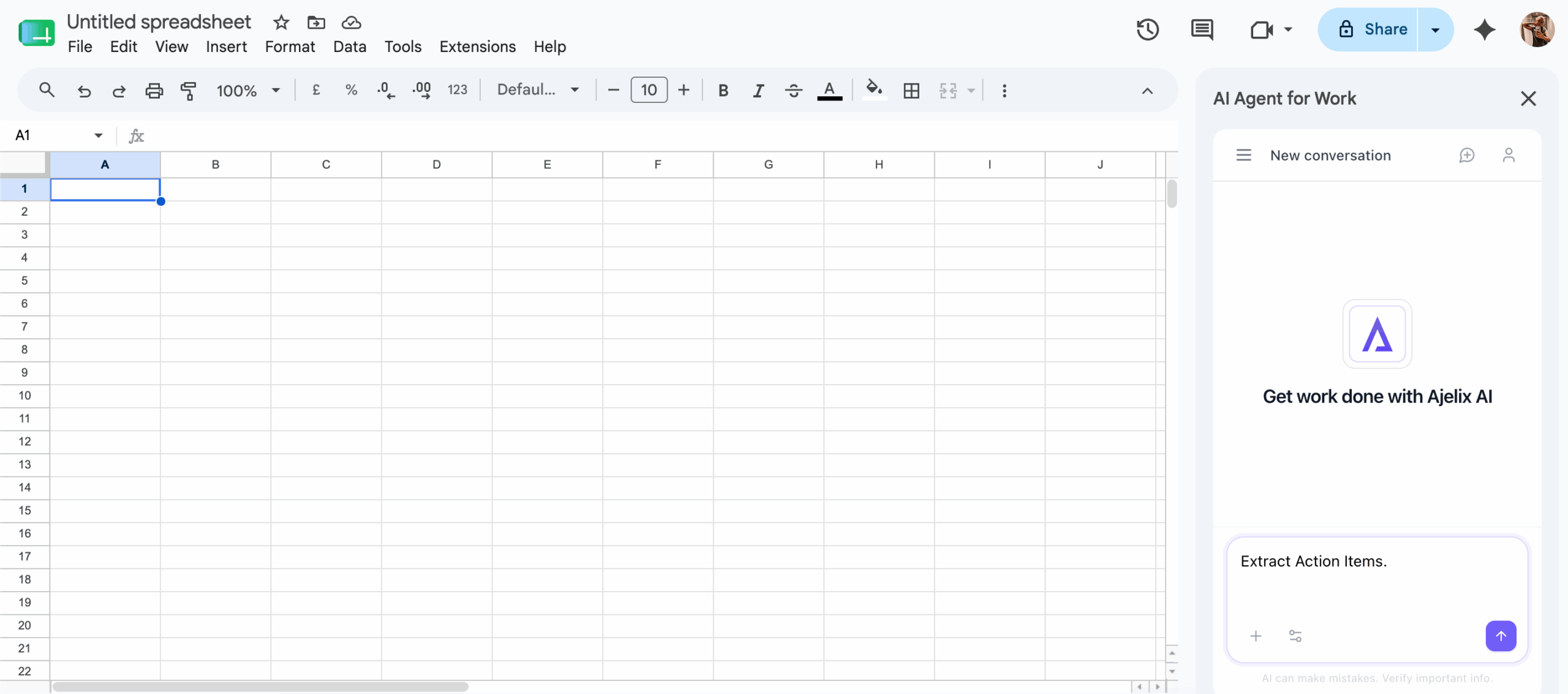
All you need to do is wait a few minutes for the Ajelix agent to create the sheet that you can now use and share with your team.
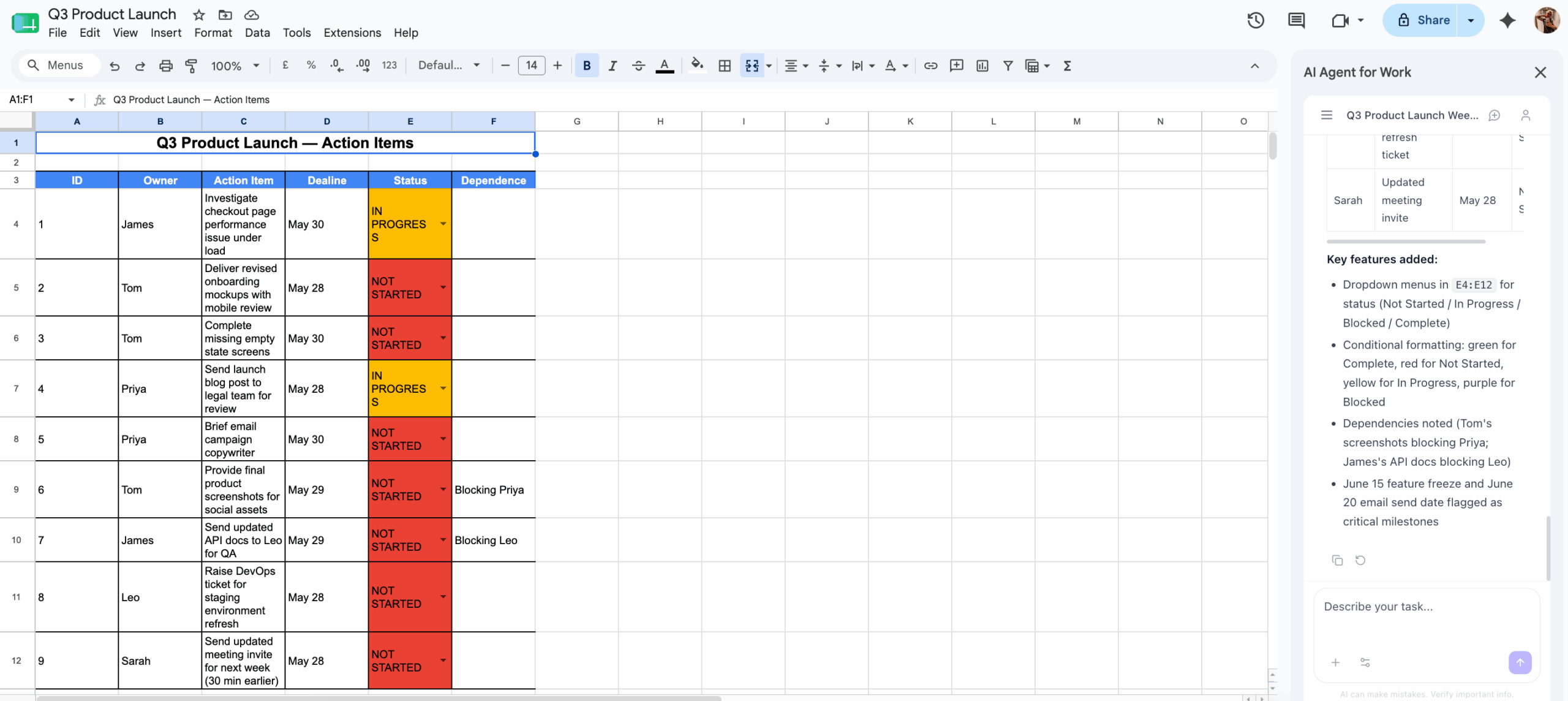
See it in action:
Convert Your Meeting Notes Into a Doc/PDF
Here are some situations when this can come in handy:
- Meeting Summary & Recap. The AI agent summarizes your notes and structures them with Agenda Items, Key Decisions, Action Items, and Next Steps.
- Client-Facing Meeting Report. After a client call, the AI agent can generate a clean, professional doc ready to send with what was discussed, what was agreed, and what happens next.
- Project Brief or Scope Document Kickoff. Meetings are full of requirements and constraints that never get formally written down. The AI agent can turn the transcript into a structured brief with sections such as: Objective, Scope, Deliverables, Timeline, Stakeholders.
Let’s take Meeting Summary as an example. Inside Google Docs, open AI Agent for Work, attach your meeting notes, and type a prompt.
The prompt I used:
Generate a meeting summary based on the notes below. Format it cleanly.
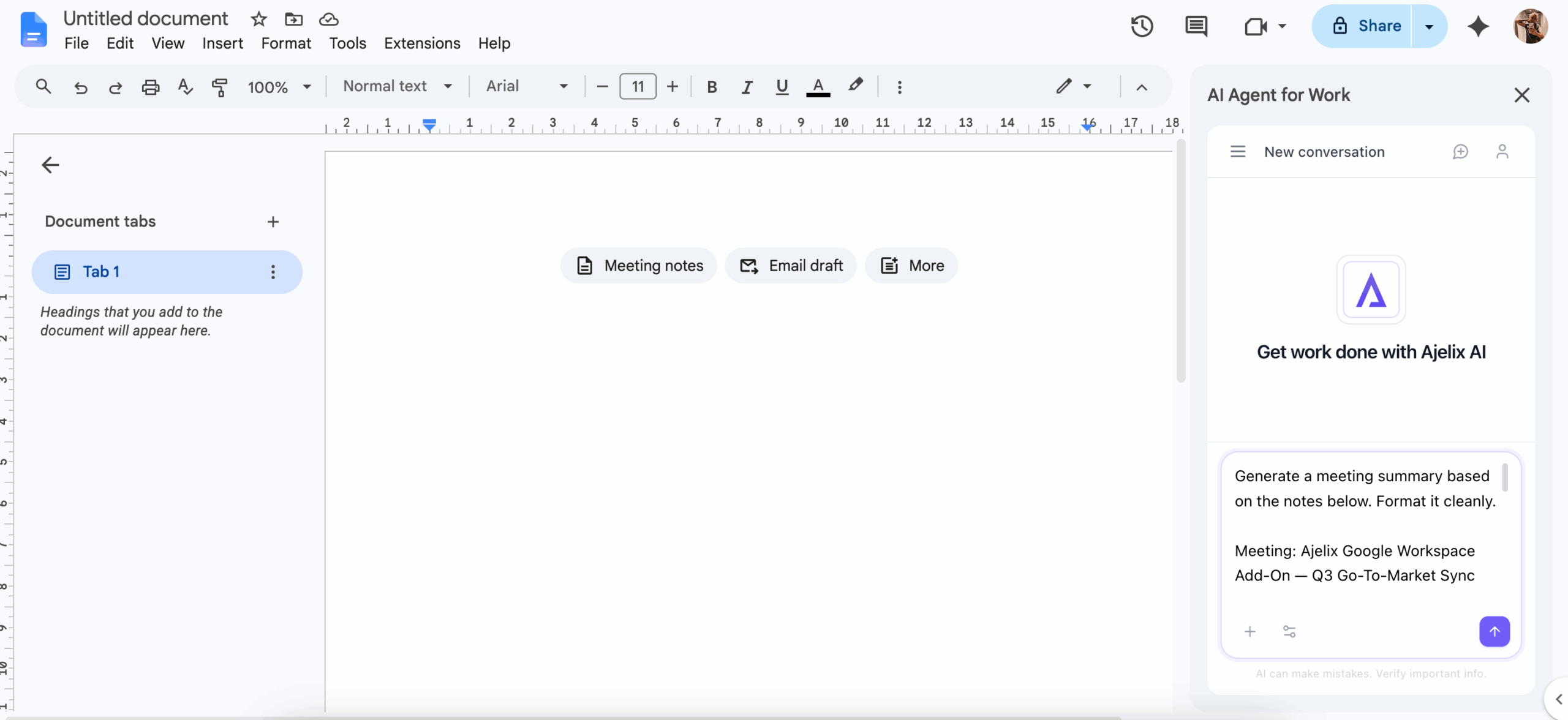
Wait a few minutes, and it’s done. Use it based on your needs. Export as a PDF, if it’s the format you prefer.
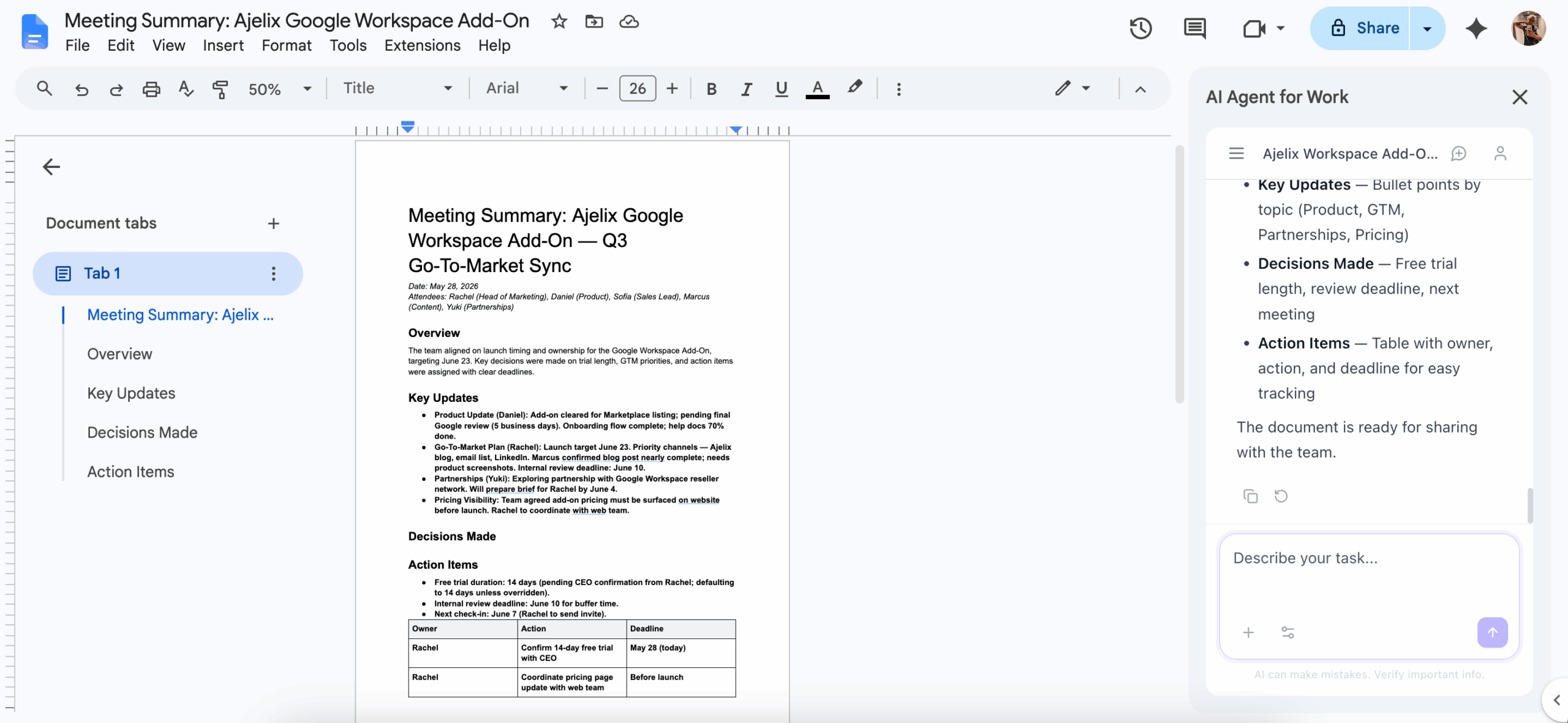
See it in action:
How To Make Your Notes into a Presentation
Here are some situations when this can be useful:
- Executive or Leadership Briefing. The AI agent makes key points, decisions, and data into structured slides. This is ideal after a strategy session or quarterly review where leadership needs a visual recap.
- Client Status Update Presentation. After a client call or project review, the agent can generate a deck with what’s been done, what’s in progress, blockers, and next steps. Now you don’t need to rebuild the same update in slides every week.
- Project Kickoff Deck. Kickoff meetings cover scope, goals, team roles, timeline, and risks. The agent turns it into a presentation the whole team can reference, and later, new stakeholders can be walked through.
Let’s take Executive/Leadership Briefing as an example. Inside Google Slides, open AI Agent for Work, attach your meeting notes, and type a prompt.
The prompt I used:
Generate a sleek, modern and cleanly formatted presentation from these meeting notes.
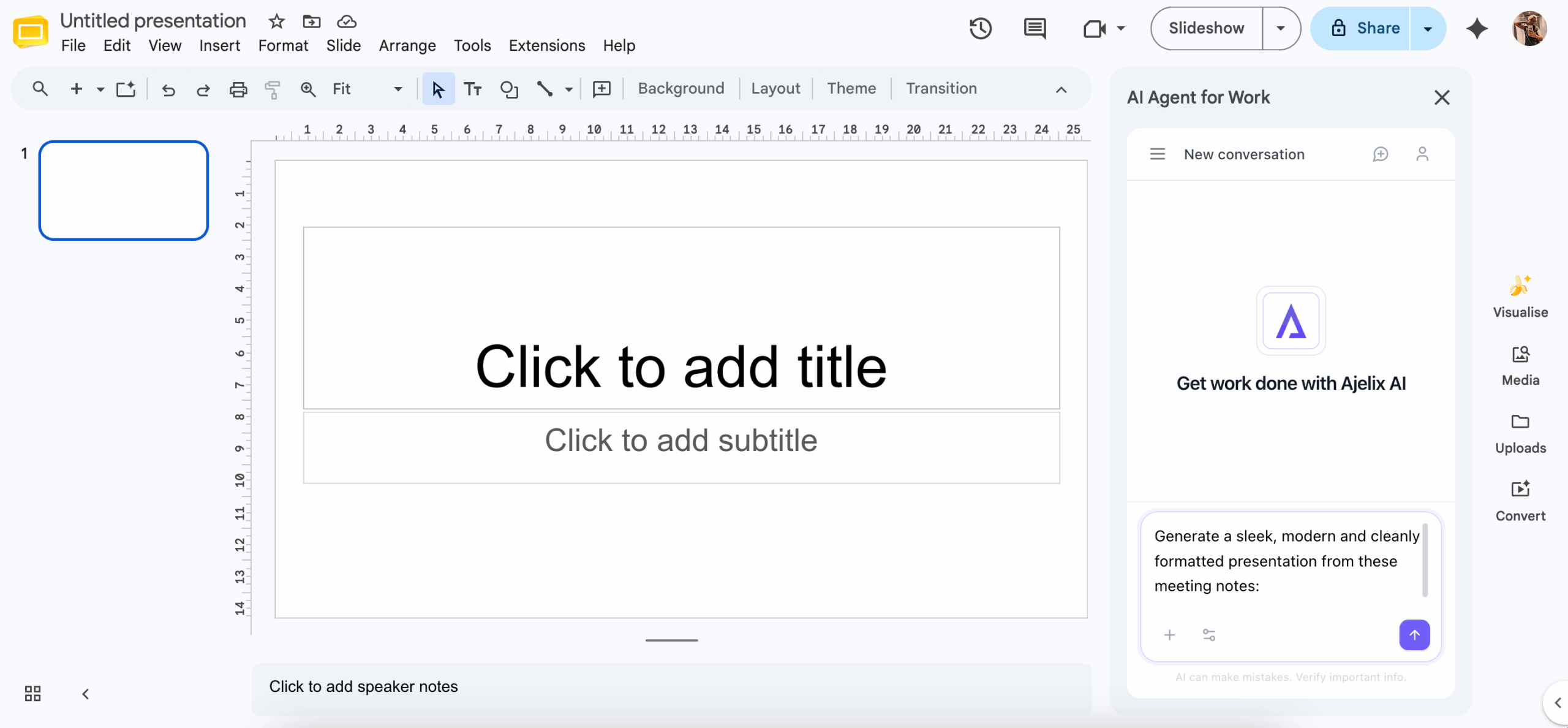
Wait for Ajelix to finish the presentation, and when done, you can adjust anything based on your design preferences. You can also add follow-up prompts with further specifications.
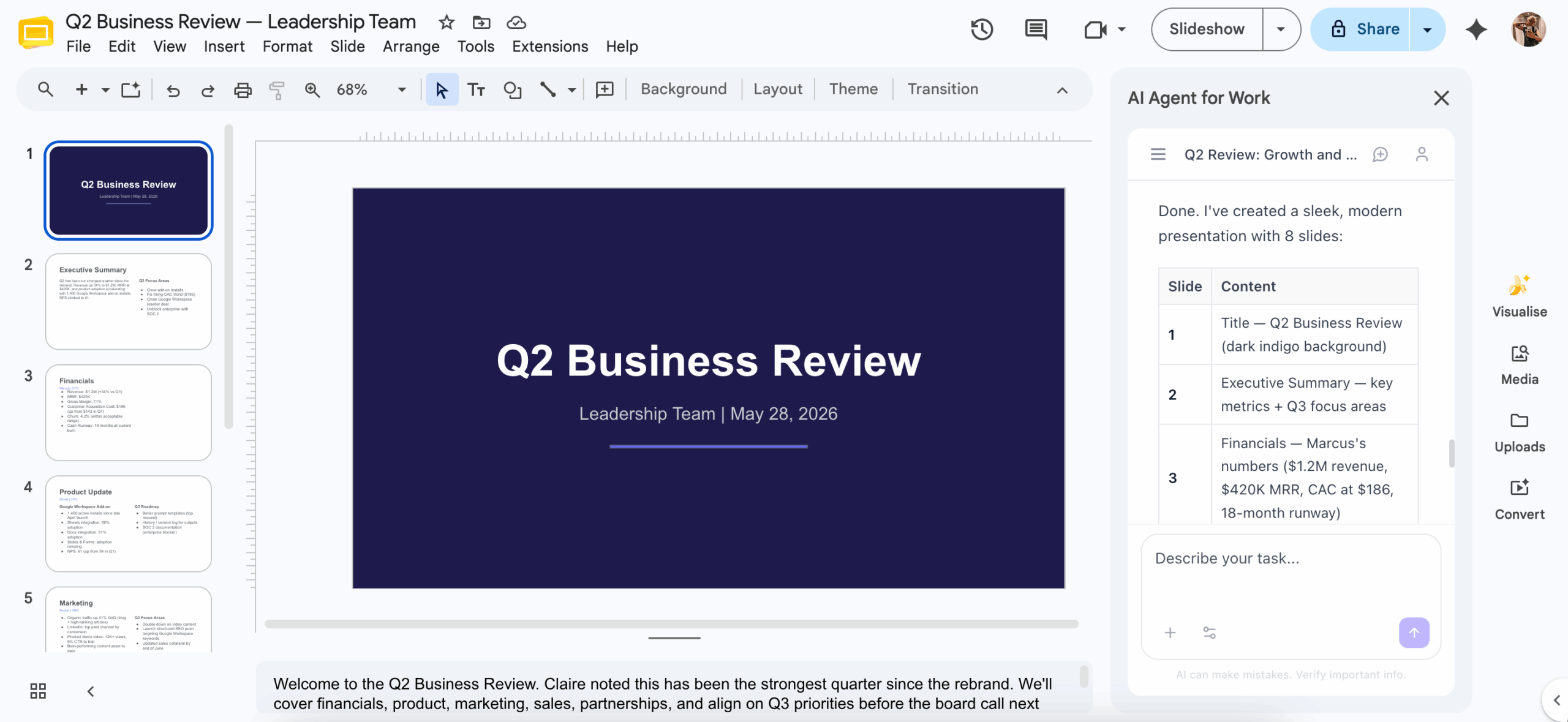
See it in action:
Turn Your Meeting Notes Into a Survey
Here are some situations where this can come in handy:
- Team Input & Decision Form. Questions, concerns, and open decisions from the meeting get turned into a structured form you can send back to the team.
- Post-Meeting Feedback Form. After a workshop or a training session, the AI agent can generate a feedback form with, how useful was the session, what could be improved, what do you need more of.
- Knowledge Check or Quiz. Training and onboarding meetings can be turned into a quiz to test comprehension. The AI agent can create multiple choice questions based on what was covered, with pre-set correct answers and score feedback included.
Let’s take Team Input & Decision Form as an example. Inside Google Forms, open AI Agent for Work, attach your meeting notes, and type a prompt.
The prompt I used:
Generate a survey based on these notes, including an intro message.
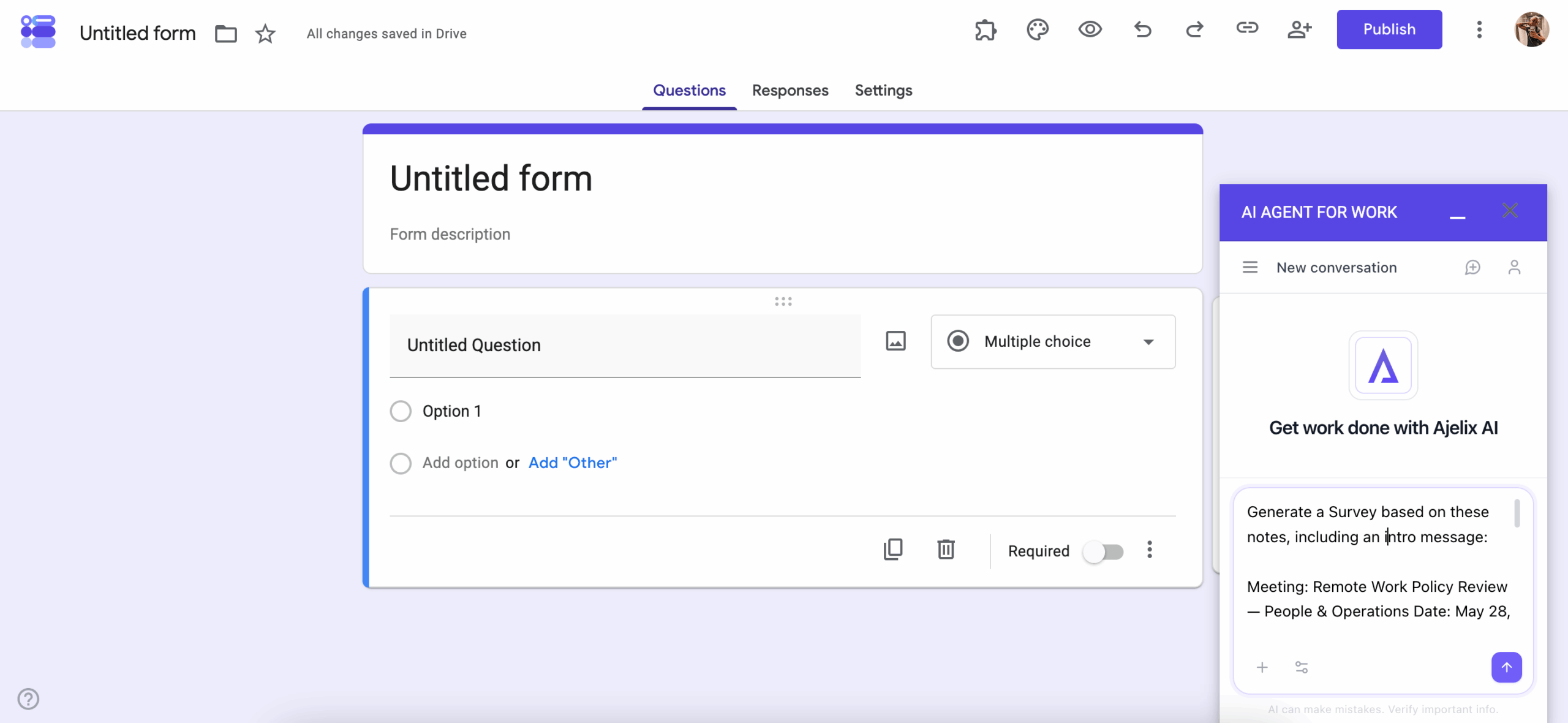
Wait a few minutes and it’s done. Send it to your team just a couple of minutes after the meeting’s over.
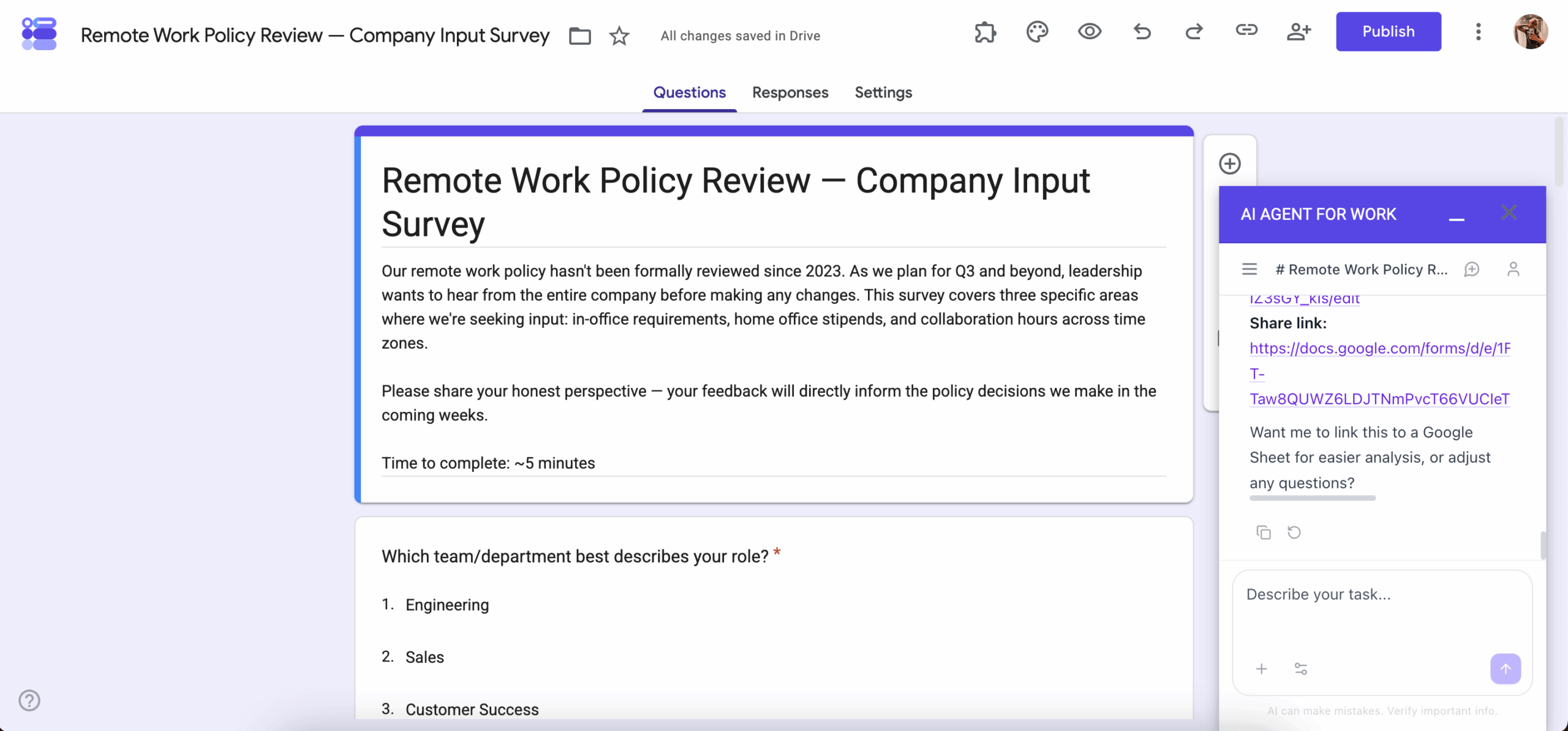
See it in action:
How Ajelix Compares To Other Tools
When it comes to AI-generated meeting notes, most of them fulfill their task of capturing what was said in the call similarly. Where the real concern comes in is figuring out what to do with these notes after, and which tool to use to convert them.
Here is a comparison between Notion AI and Ajelix, and what each tool is capable of:
| Notion AI | Ajelix | |
|---|---|---|
| Transcribes & summarizes meeting notes | Yes | Yes |
| Extracts action items from notes | Yes, saves to Notion databases | Yes, builds into any format |
| Works inside Google Workspace | No | Yes, native add-on |
| Works with Microsoft Office files | No | Yes |
| Turns notes into a Google Sheet | No | Yes |
| Turns notes into a Google Doc | Partially, within Notion only | Yes, native Google Doc |
| Turns notes into a Google Slides presentation | No | Yes |
| Turns notes into a Google Form | No, Notion Forms only | Yes |
| Output lives where your team already works | No, stays inside Notion | Yes, Google Workspace |
| Requires platform migration to use | Yes your notes must be in Notion | No, works with your existing files |
If your team works with Notion, it might be a natural fit and you don’t need to switch to other tools.
Meanwhile, Ajelix is best suited for teams who run on Google Workspace – or switch to Microsoft depending on the client. While Ajelix doesn’t yet offer a native Microsoft add-on, it can still work with Microsoft files seamlessly.
Not sure where to start? Try Ajelix first.
Start with the free trial. You can go from raw, messy files to formatted, exportable projects in only a few minutes.
FAQ
It means taking the raw text from a meeting – decisions, tasks, discussion points – and transforming it into a usable output like a spreadsheet, document, or form, without doing it manually.
No. The agent handles unstructured, conversational notes. A simple prompt is enough to tell it what kind of output you want.
Yes. As long as you have the notes as a text file, document, or simply copy-pasted text, you can attach them to the Ajelix agent regardless of which tool recorded them.
You need Google Workspace to use the native add-on inside Sheets, Docs, Slides, and Forms. You can also use Ajelix at chat.ajelix.com with any file type without the add-on.
Yes. While the add-on is built for Google Workspace, the chat interface at chat.ajelix.com works with Word, Excel, and PowerPoint files as well.
Yes, Ajelix offers a free trial with no setup required beyond installing the Google Workspace add-on or visiting chat.ajelix.com.
Agentic AI chat that helps you complete projects
AI for work that ingests, transforms, and delivers the exact deliverables your team needs, while you stay focused on strategy. No more chatting, agents can get the job done.