


One workspace per team, configured once, used by everyone in it.
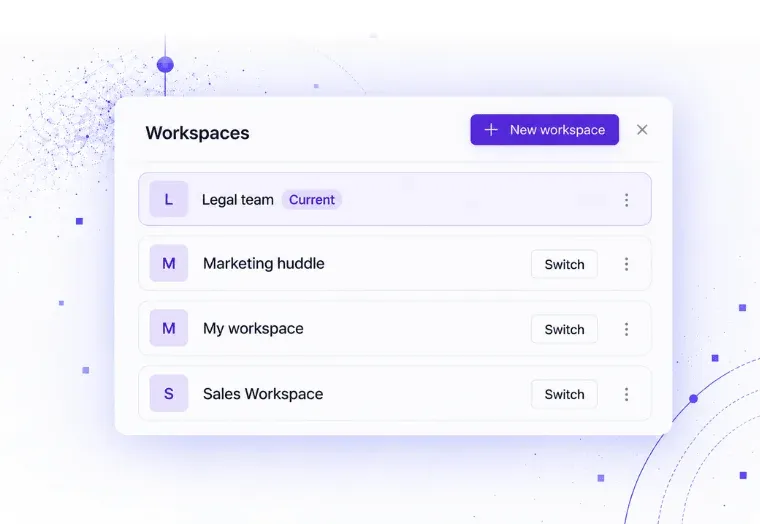
A workspace is a container for a department or for a project team. IT or a manager creates it once and sets the members, the connections, the knowledge sources, the agents, and the monthly budget.
Department workspaces
Each workspace has its own members, its own connections, and its own knowledge scope, so a new hire gets exactly the tools their role needs on their first morning.
Shared integrations, set up once
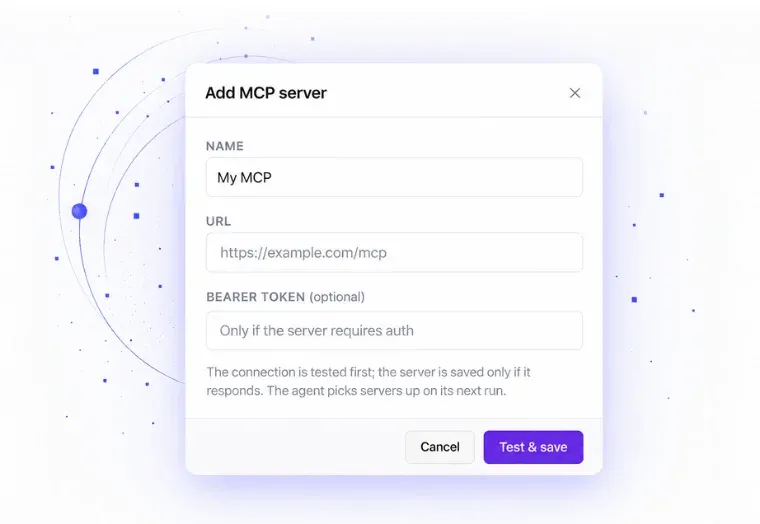
IT connects the systems at workspace level: Google Workspace, Microsoft 365, the ERP, the document management system, or an MCP server.
Real-time collaboration
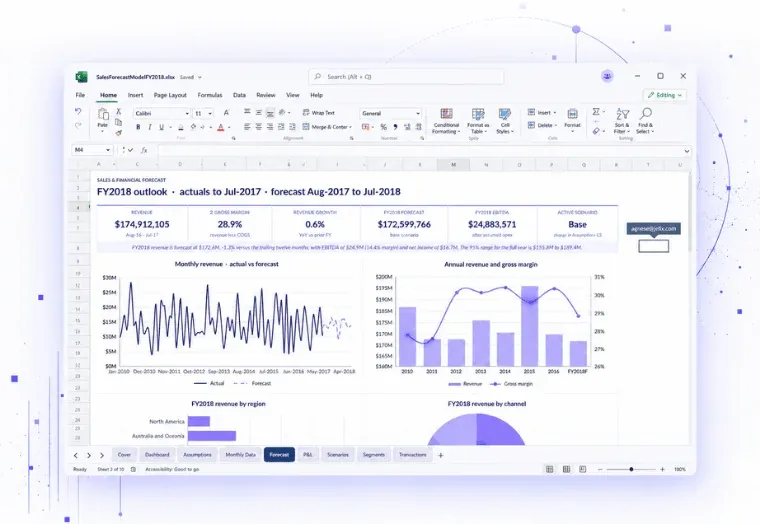
Teams can open the same spreadsheet, board memo, or presentation and work in it at the same time. Comments, version history, and permissions apply to every file.
A shared file storage
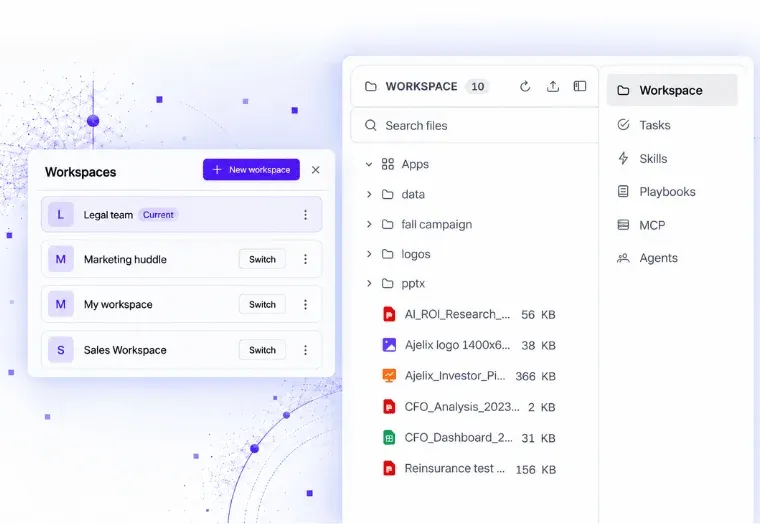
Every dashboard, app, chart and document the team builds lands in the workspace library. Anything in it can be reused, duplicated, or shared by link.
Spreadsheets, documents, and decks
Excel workbooks with working formulas, Word documents, PDFs, board packs, and PowerPoint decks, all created inside the workspace and editable by anyone in it.
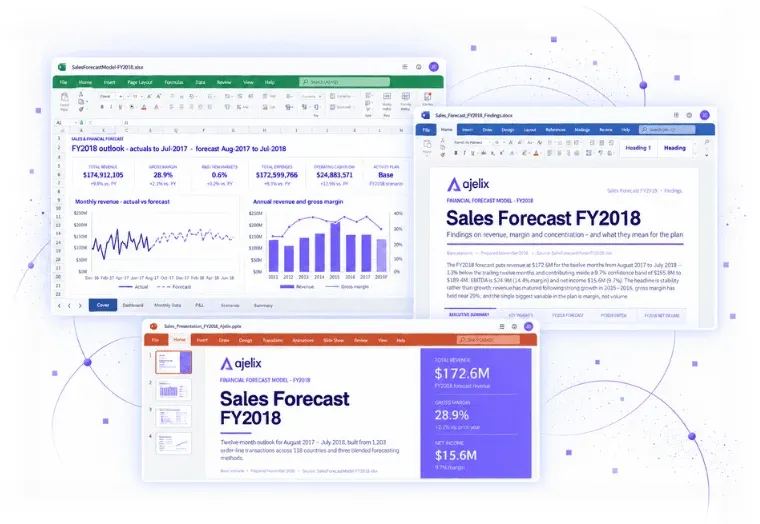
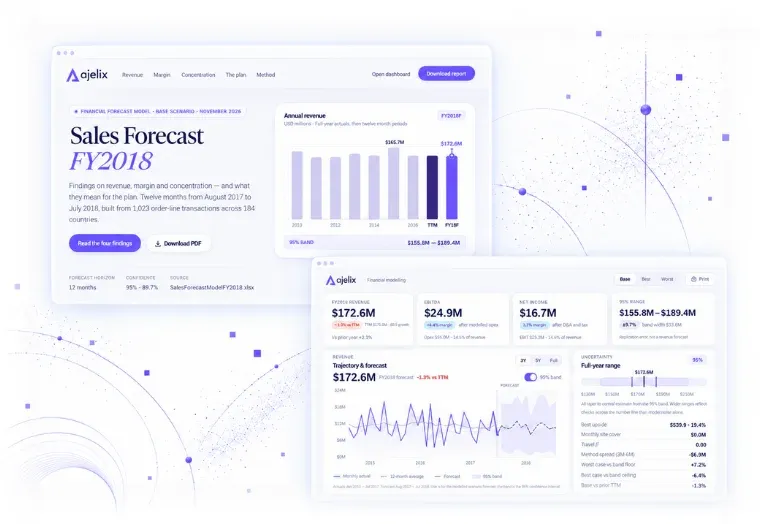
Apps, dashboards and landing pages
Turn a dataset into an interactive dashboard, a calculator, an internal tool or a landing page, and share it as a link.
Saved prompts and templates
Any conversation can be saved as a reusable workflow (playbook), so the process that produced last month’s report is one click away next month. Update the data, run the saved prompt, get the same report in the same structure.
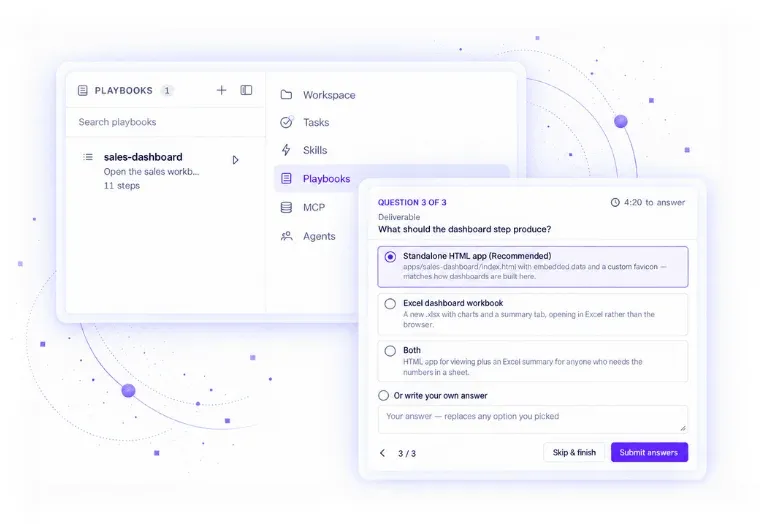
Agents your team builds. Working while your team does.
Create an agent to handle a specific task. Tell it what to do, give it access to the right tools and information, and let it work on its own. No coding or constant supervision required.
Build an agent without code
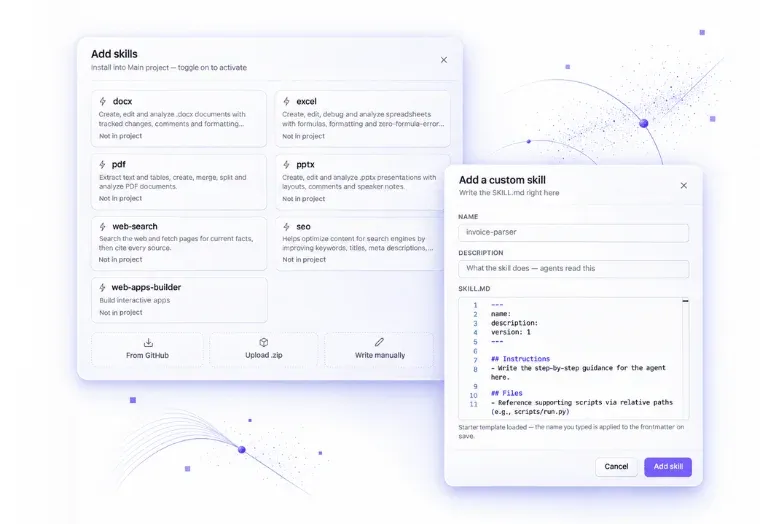
Define and set up agents, add tools, skills, connections, guardrails, tone, and their scope.
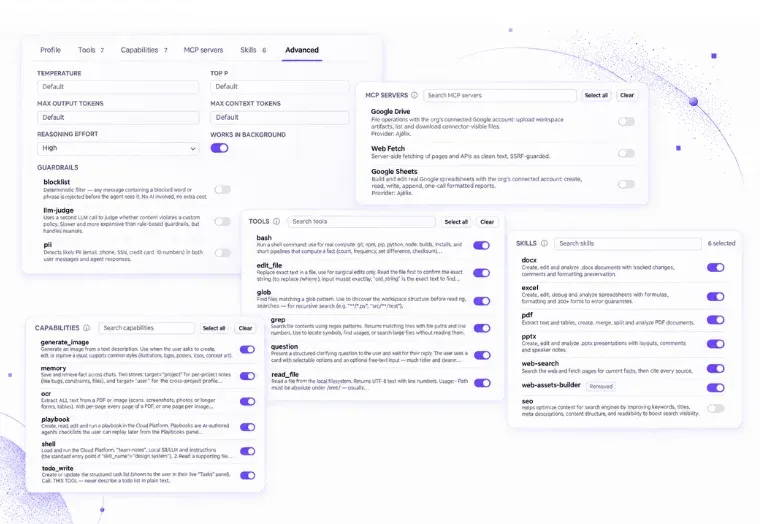
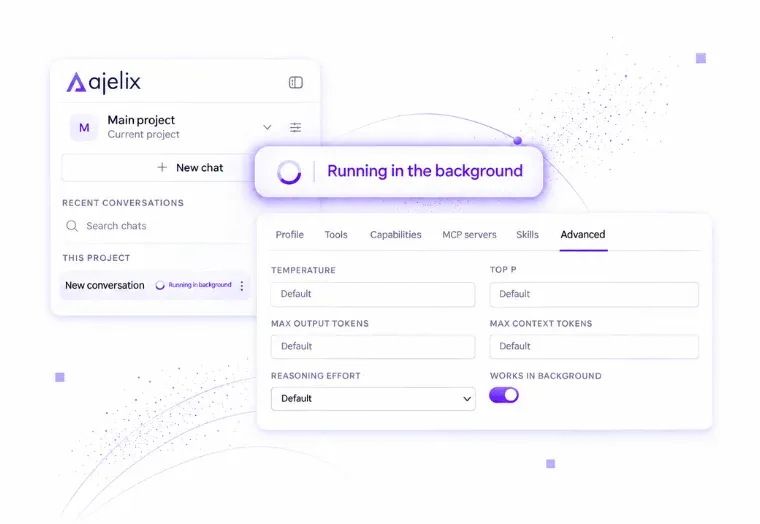
Runs in the background
Agents run in the background on a schedule. Nobody has to keep a browser tab open, and the output is waiting in the library.
Skills
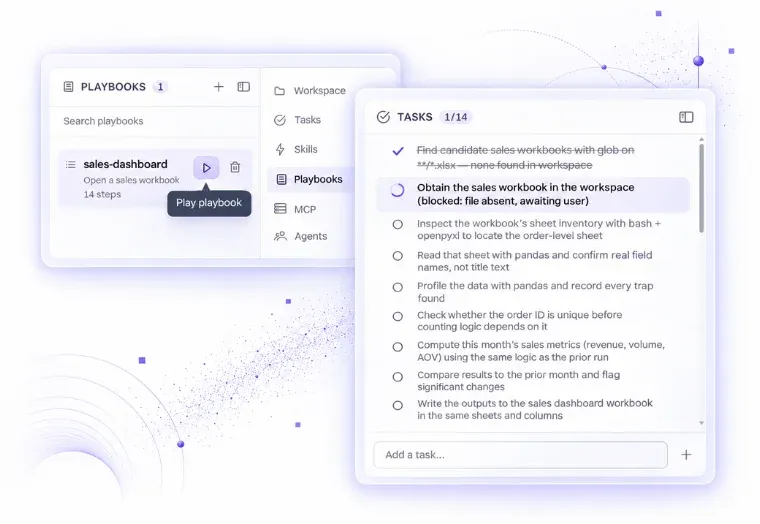
Record the process once. Play it whenever the work comes back.
A playbook is a process written down in a form that the agent can run: the steps in order, what each step needs, what counts as finished, and where a person has to make a decision.
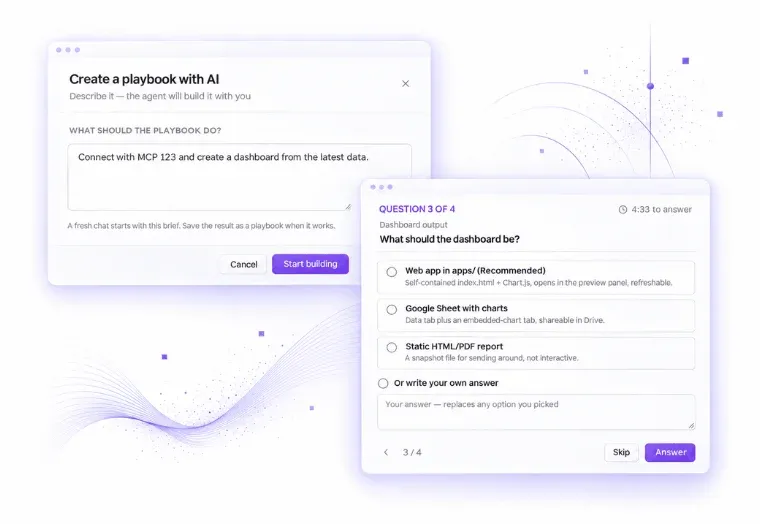
Describe process & let AI create
Describe the process, and the AI will ask questions to fill the gaps and write the playbook as a numbered guide you can correct and reorder before the first run.
Save conversation that worked
Work with the task in chat and click Save as playbook. The AI summarises the whole conversation into a playbook, so you get a repeatable process every time.
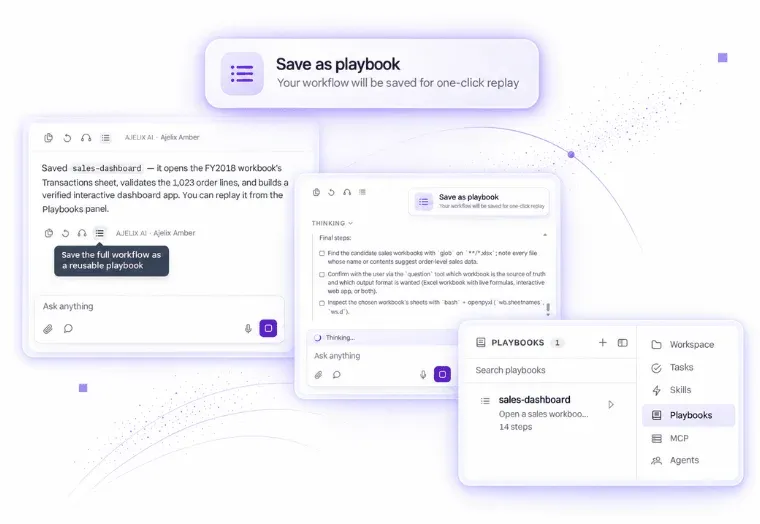
Play it again, and keep it current
Open the playbook when the work comes around again, supply this month’s files, and it runs the same steps in the same order.
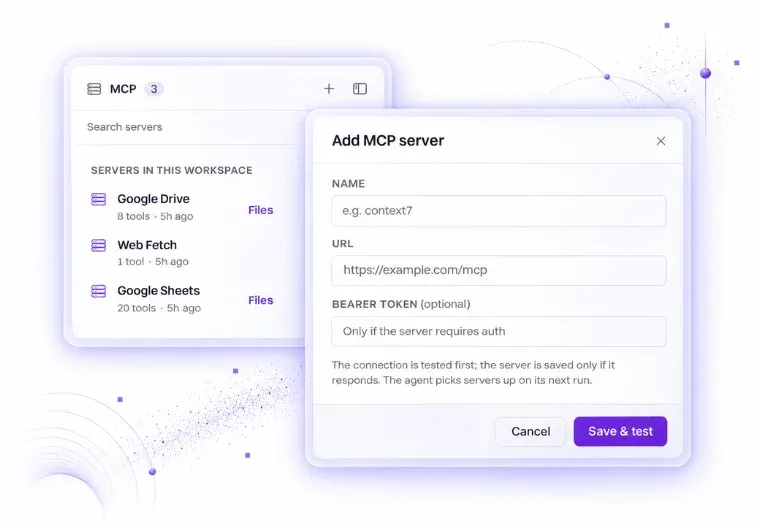
MCP servers
Connect any system to an MCP server, and its tools become available to your agents. This is how an agent reads a ticket, checks a stock level, or writes to a record in a system nobody built an integration for.
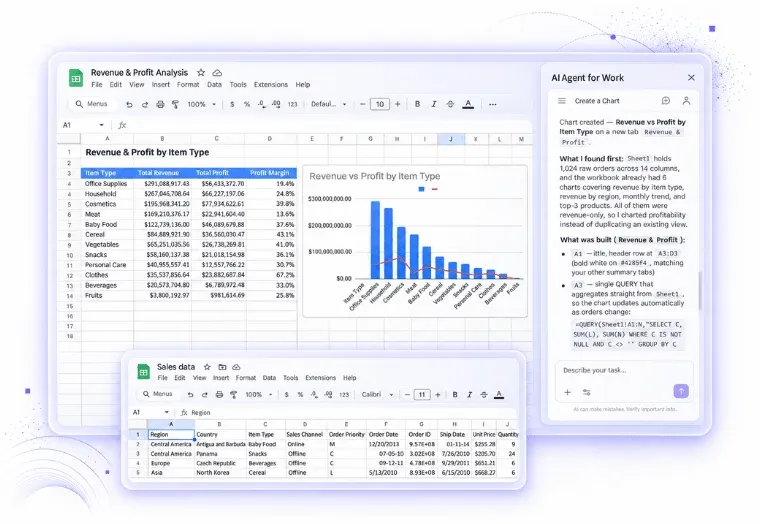
Native integrations
Google Workspace, Sheets, Docs, Slides and Forms work through native add-ons, so the AI sits inside the application your team already uses. Microsoft 365 files and the common business systems connect at workspace level.
Custom integrations
Request custom integrations to connect with different systems your company already uses.
Answers that come from your documents, with exact quotes.
A general model knows the internet. It does not know your procurement rules, your contract templates or the amendment to the regulation that came in last quarter. Ajelix answers from the sources you connect, and shows which passage the answer came from.
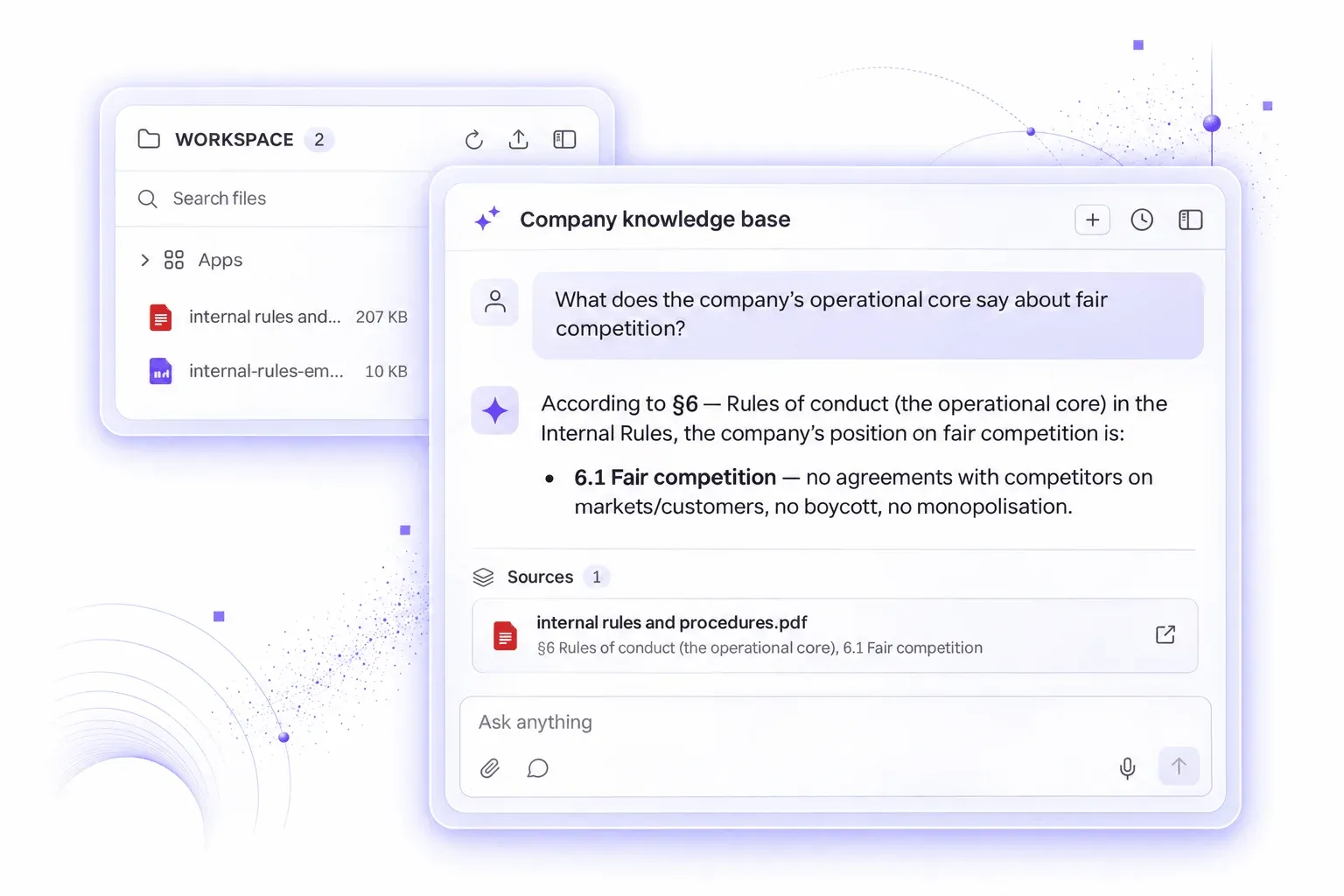
Company knowledge base / RAG
Connect policies, procedures, contracts, handbooks, reports, and datasets once. Every document becomes something the agents can reason over, and it stays current as you add to it.
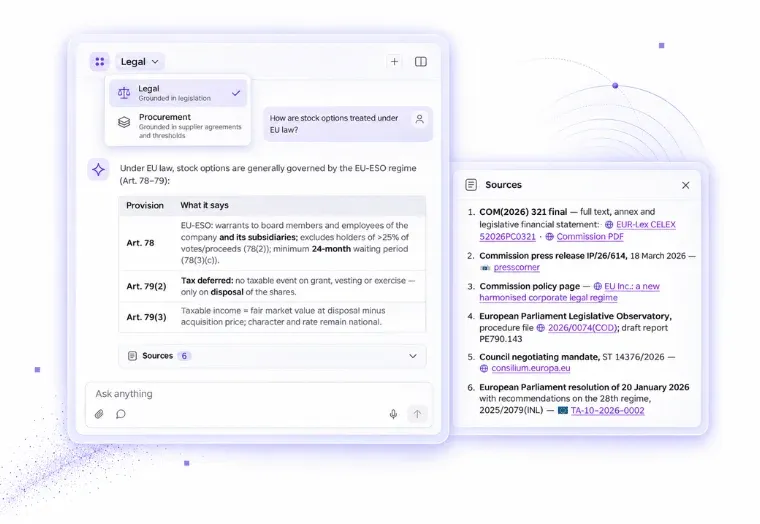
Scoped knowledge per workspace
The legal workspace can be grounded in legislation, while procurement is grounded in supplier agreements and thresholds. Agents reason over different RAG systems for accurate answers.
The console your IT team really needs.
Everything above is only useful if it can be approved and governed. This is the part of the platform that any admin will love because the platform is easily manageable and transparent.
Admin console
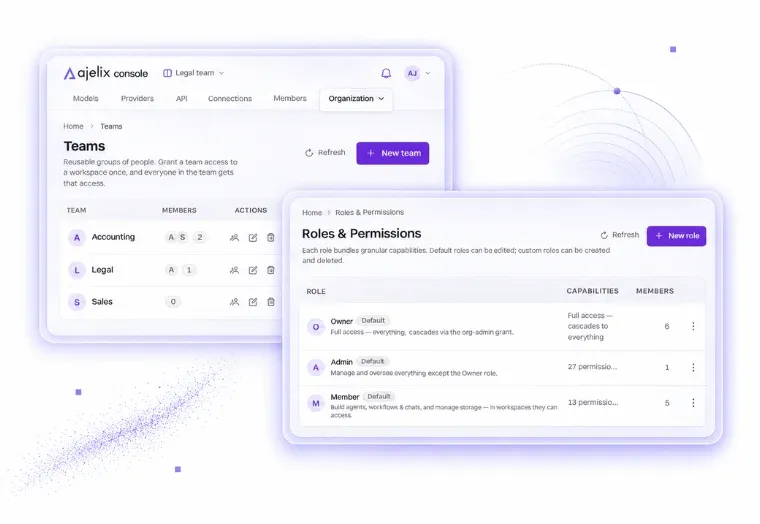
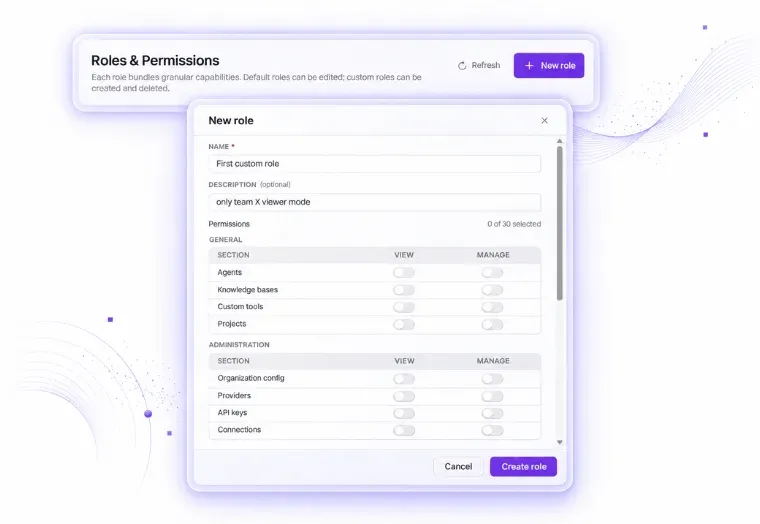
One place to see and manage every member, create teams, and custom roles in the organization with different access levels.
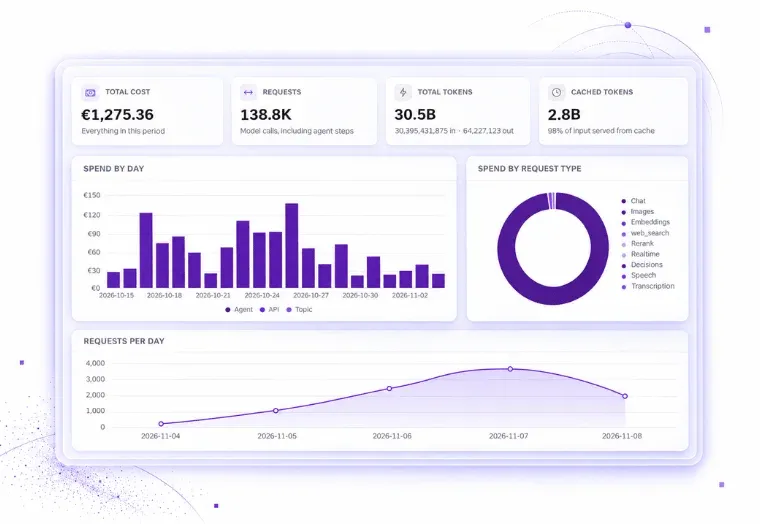
Usage and cost, down to the request
Spend and consumption are reported per user, per function, per agent, and per model.
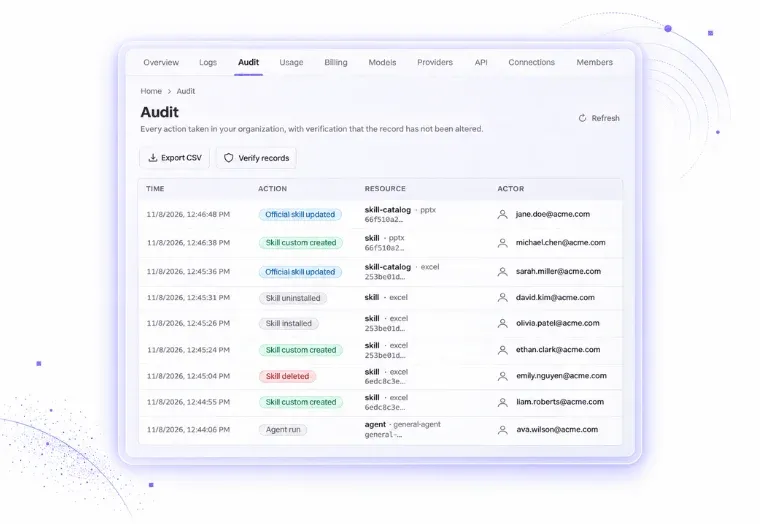
Audit trail and reasoning logs
All actions are recorded and exportable: who asked, which agent ran, which tools were called, what was retrieved, and what was produced.
Custom roles
Custom roles can be configured by IT admins to maintain flexible multi-level access to the platform and features.
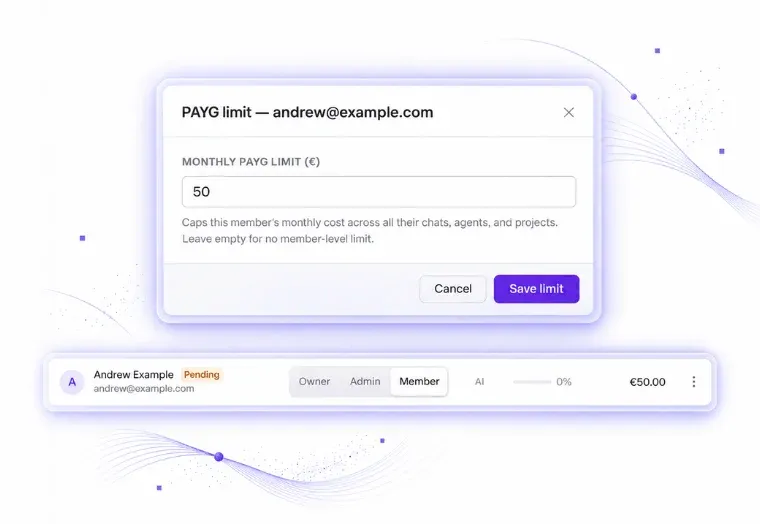
Spend caps and billing controls
Set a monthly cap per employee; when someone reaches their limit, the platform stops them.
Ready to run AI you can account for?
Fill out the form to schedule a call and request free access. Or get in touch with our team directly:

Agnese Jaunosane
Ready to run AI you can account for?
Fill out the form to schedule a call and request free access. Or get in touch with our team directly:
