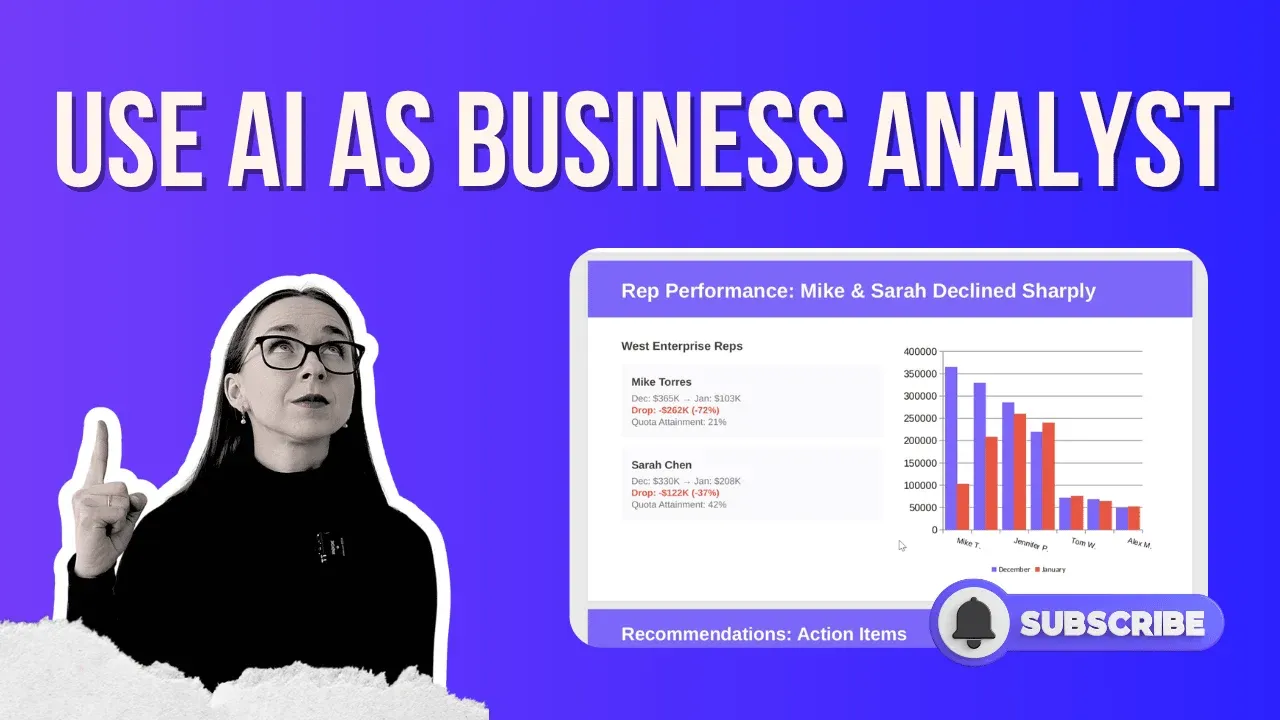
Business analysts who use AI are not getting replaced, they’re getting promoted. The ability to turn raw data into executive-ready reports, dashboards, and presentations in under an hour (instead of two to three days) is now a real, repeatable workflow.
This guide walks you through exactly how to use AI as a business analyst, using a real scenario: your CEO asks, “Why did sales drop last month?”, and you need answers by tomorrow morning.
What AI Can Do for a Business Analyst Today
Before diving into the steps, here’s the honest answer to the question “will AI replace business analysts?“ – No. But it will replace business analysts who don’t use it. Generative AI for business analysts isn’t about eliminating the role; it’s about eliminating the grunt work. Data cleaning, chart building, report formatting, and presentation creation can all be handled by an AI agent, leaving you free to do what only humans can: think critically, communicate context, and make strategic decisions.
The best AI tool for a business analyst right now is one that works as an agent, meaning it can take a goal, break it into steps, execute those steps autonomously, and produce a finished output. That’s the key difference between a chatbot and an AI business analyst tool.
How To Use AI as Business Analyst (Analysis, Dashboard, Report, PDF)
Your CEO asks: “Why did sales drop last month?”
You have three messy CSV files: deal-level data, monthly sales summary, and representative performance. You need:
A revenue analysis with root cause identification
An interactive dashboard
A one-page executive PDF brief
A PowerPoint presentation for your team meeting
In a traditional workflow, this is two to three days of work – cleaning data manually, calculating KPIs, building charts, formatting slides. With an AI agentic chatbot, this is under an hour.
1. Set Up Your Workspace
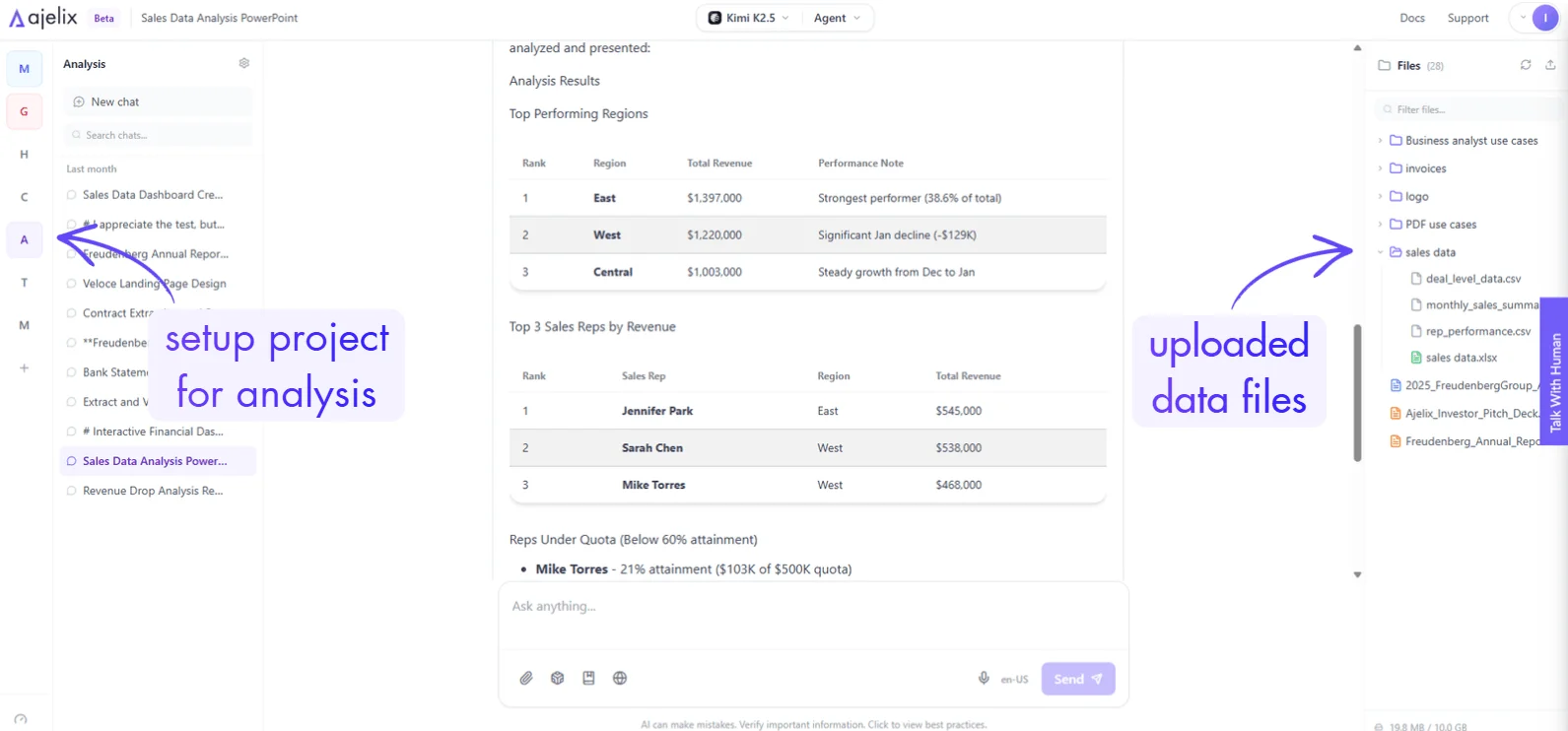
Go to chat.ajelix.com and create a dedicated project for your analysis tasks. Using a project keeps all context, files, and outputs organized in one place, and lets the AI agent remember your preferences (brand colors, naming conventions, output format) across every conversation in that project.
Pro tip for business analyst AI tools: Always work inside a project when doing multi-step analysis. This gives the AI persistent context, which dramatically improves output quality.
Screenshot from chat.ajelix.com on how to create projects, upload files to start analyzing
Upload your data files: CSV, Excel, PDF, or Google Sheets all work. In this video use case, we used deal-level data, monthly sales summary, and representative performance files.
Still spending hours on reports that should take minutes?
Upload your data → ask Ajelix agent → get a finished report, dashboard, or analysis ready to share.
Don’t just ask “analyze my data.” A good prompt for AI in business analytics gives the agent specific questions to answer. Here’s the structure used in this example:
Why did revenue drop in January compared to December?
Which segments were most affected?
What are the key trends and patterns?
Are there any anomalies that stand out?
Make sure you’re in Agent Mode and select the most powerful model available. The quality of AI analysis scales directly with the model you choose, this is not the place to cut corners.
Hit send and let the agent work.
3. AI-Generated Analysis and Dashboard
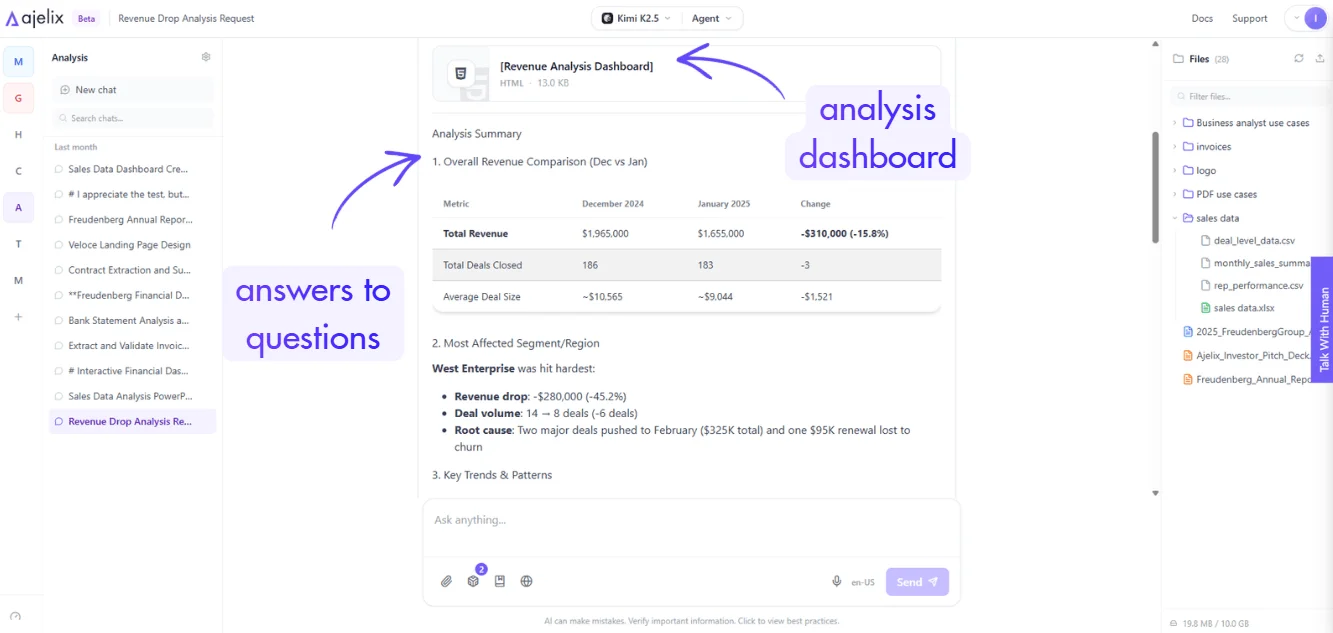
The AI agent completed eight autonomous actions to deliver:
A full revenue comparison (December vs. January)
Segment-level breakdown, identifying that Central Enterprise was the only segment that grew
Sales representative performance change, flagging that one rep’s revenue dropped nearly three times from the previous month, with several deals pushed to February
An interactive dashboard visualizing all of the above, built automatically, without being asked
Screenshot from chat.ajelix.com with the response from AI with business analysis
AI answered the question with an interactive dashboard that business analysts can use to further explore:
This is the power of generative AI for business analysts: you ask a question, you get an analysis and a visual output in a single step.
4. Drill Deeper with a Follow-Up Prompt
The dashboard surfaced something worth investigating: two specific sales reps underperformed significantly. The next prompt focused on the analysis:
Compare Mike Torres and Sarah Chen's performance in December vs January. Show me:
1. Their individual revenue numbers for both months
2. Number of deals closed each month
3. Quota attainment for January
4. How this compares to other reps on the team
Help me understand if this is a rep issue or a market/timing issue.
The AI produced a second dashboard focused on those two reps, and its conclusion was clear:
Both worked in the same market segment (West Enterprise)
Both were affected equally
December was unusually strong; the drop was seasonal/timing-related, not a performance problem
Two deals were pushed to February, explaining the January dip
Verdict: Timing issue, not a people problem. Take a look at the dashboard AI created for this analysis:
Done manually, this level of investigation would take several hours of cross-referencing data. With AI in business analytics, it took minutes.
Generic AI tells you what to do. Agentic AI does it.
Ajelix completes your business workflows end-to-end — from raw data to finished, shareable asset.
The next prompt asked the AI to write a concise executive summary, maximum one page, formatted as a PDF, structured as:
Situation overview
Analysis
Root causes
Impact
Context and market conditions
Actionable recommendations
The agent completed this in roughly three actions, producing a formatted PDF with tables, root cause analysis, and data-backed recommendations, ready to send directly to your CEO. Take a look at the PDF it generated:
You can also instruct your project to use specific brand colors and logos, so every output automatically matches your company’s style, no manual formatting required.
7. Build the Presentation With AI
The final prompt asked the AI in the video to create a PowerPoint presentation explaining January’s sales performance. Here’s the prompt I used:
Create a PowerPoint presentation (7-8 slides) for the CEO explaining the January sales
performance. Include:
Slide 1: Title slide - "January Sales Analysis: Revenue Drop Explained"
Slide 2: Executive Summary - Key findings in bullet points
Slide 3: The Numbers - Dec vs Jan revenue comparison with % change
Slide 4: Root Cause Analysis - Where the $310K gap came from (chart)
Slide 5: Segment Breakdown - Show West Enterprise was the outlier (chart)
Slide 6: Rep Performance - Mike and Sarah comparison (chart)
Slide 7: Recommendations - 3-4 action items for next steps
Slide 8: February Outlook - Expected recovery with delayed deals closing
Use the charts we already created. Keep text minimal and data-focused. Add speaker notes for
each slide. Use this color for accents: #715cf7
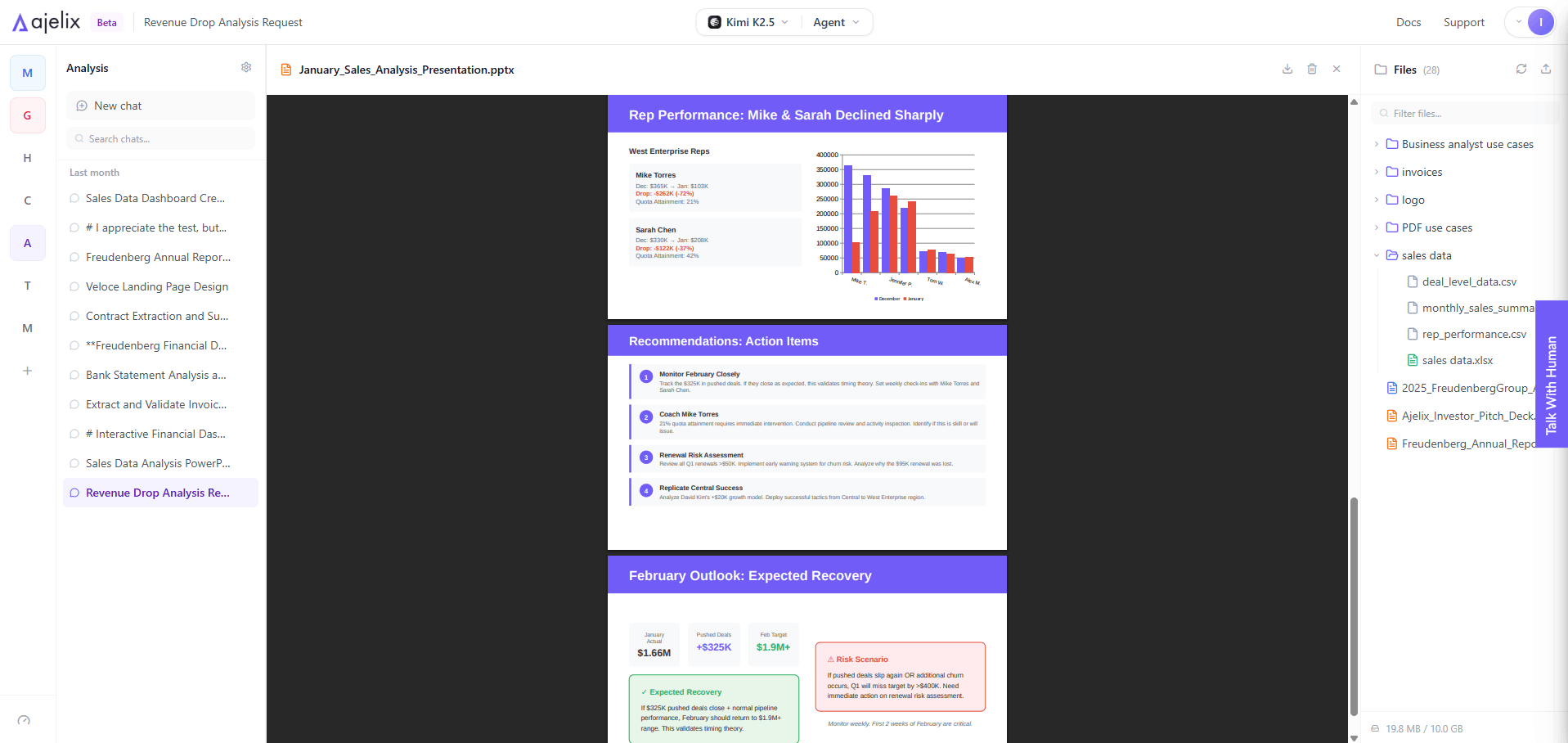
The agent executed 18 actions and delivered a complete, branded presentation with charts embedded, data context included, and a professional slide structure. Download, make minor adjustments if needed, and present.
Screenshot from an AI-generated PowerPoint presentation that users can download
Take a look at the full PPTX by downloading it below:
This is the question every analyst is asking, and the answer is nuanced. AI tools for business analysts are replacing tasks, not roles. The analyst who spent 80% of their time cleaning data and building charts now has 80% of their time back to do actual analysis, strategic thinking, and stakeholder communication.
The analysts most at risk are those who continue working manually while their peers compound their output using AI. The ones who will thrive are those who learn to direct AI agents well, which is itself a skill worth developing. If you’re looking for AI courses for business analysts or a generative AI course for business analysts, the fastest way to learn is to use the tools on real problems, exactly as demonstrated in the video.
Other Use Cases for AI in Business
Beyond the sales analysis workflow shown here, the same AI agent approach applies to:
300,000+ professionals already made the switch to Ajelix Agents
From Excel automation to full business apps, Ajelix is the AI workspace built for work that actually needs to get done.
The tool used throughout this guide is chat.ajelix.com – free trial available, no setup required. Upload your data, write a clear prompt, and see what your new AI business analyst can do.
New use case videos are published weekly. Subscribe to stay ahead of how AI in business is changing the analyst role, and make sure you’re on the right side of that change.
Agentic AI chat that helps you complete projects
AI for work that ingests, transforms, and delivers the exact deliverables your team needs, while you stay focused on strategy. No more chatting, agents can get the job done.