Top 6 Google Sheets Add-ons That Will Actually Save You Time

Most people use Google Sheets as a glorified calculator- typing numbers into cells and hoping for the best. But with the right google sheets add-ons, you can pull live data, clean messy text, send bulk emails, and automate entire workflows without touching a single formula.
Whether you’re tracking sales, managing projects, or running reports, the right add ons google sheets can cut hours off your workweek. Here are the best google sheets add ons that actually deliver – with ratings, pricing, and real use cases.
Table of contents:
- What Are Google Sheets Add-ons?
1.2 How to Install Add-ons in Google Sheets - The 7 Best Google Sheets Add-ons (Ranked by utility)
2.1 Ajelix AI Agent for Work
2.2 Supermetrics
2.3 Remove Duplicates by Ablebits
2.4 GPT for Sheets
2.5 Advanced Find and Replace by Ablebits
2.6 Yet Another Mail Merge (YAMM) - Which Add-on Should You Start With?
- How to Choose the Right Add-ons for Google Sheets
- FAQ
What Are Google Sheets Add-ons?
Google sheets add ons are third-party tools that integrate directly into your spreadsheet. Think of them as extensions for google sheets that extend what you can do – from pulling stock prices to cleaning up imported CSV data. The google sheets extensions marketplace has over 400 options, but most people only need a handful.
Before diving into the list, let’s cover how to actually install these add ons for google sheets.
How to Install Add-ons in Google Sheets
Adding google sheets tools is straightforward. Here’s exactly how to install add-ons in google sheets:
1. Open any Google Sheet.
2. Click Extensions in the top menu.
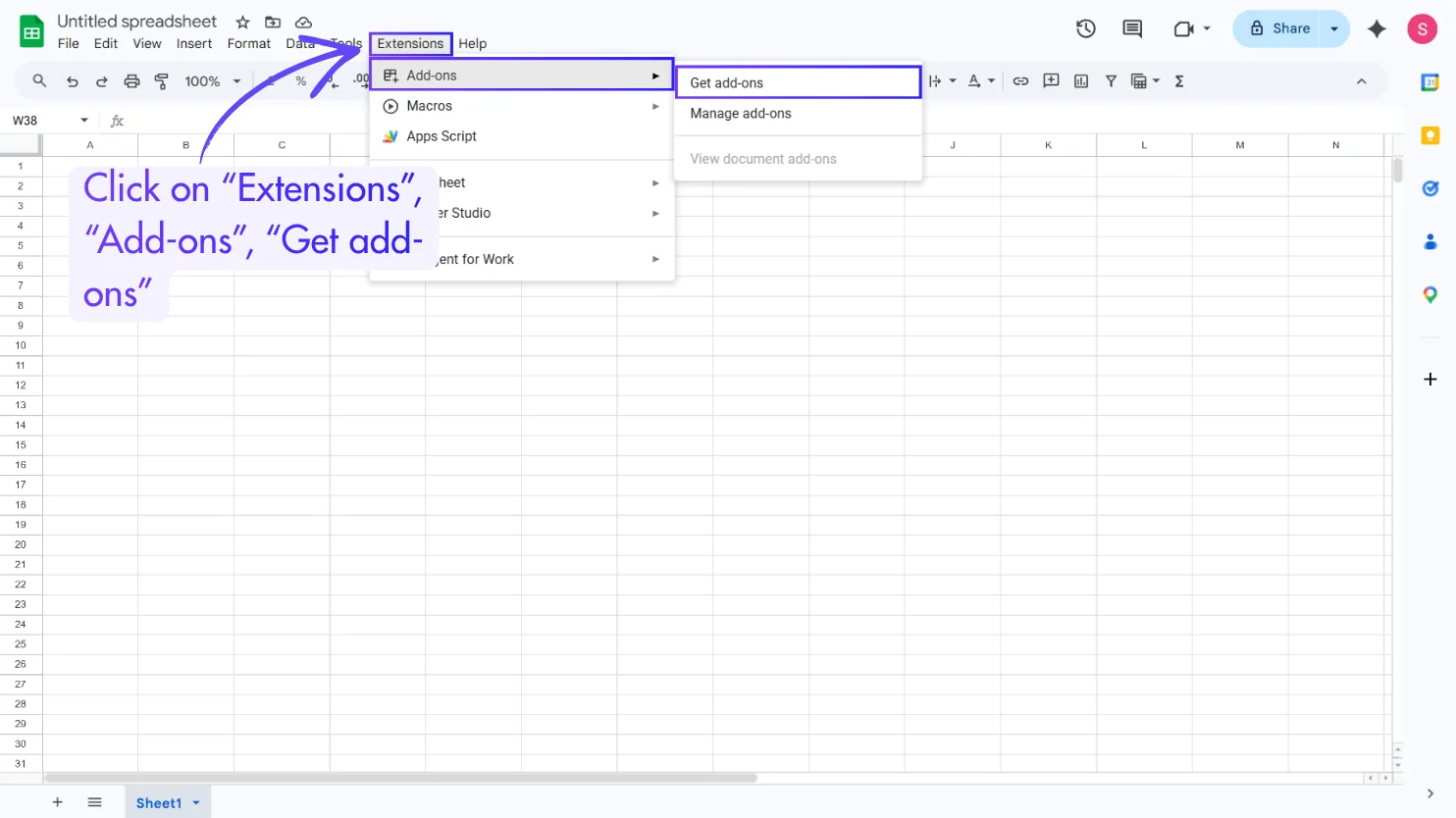
3. Select Add-ons → Get add-ons.
4. Search for the add-on by name in the Google Workspace Marketplace.
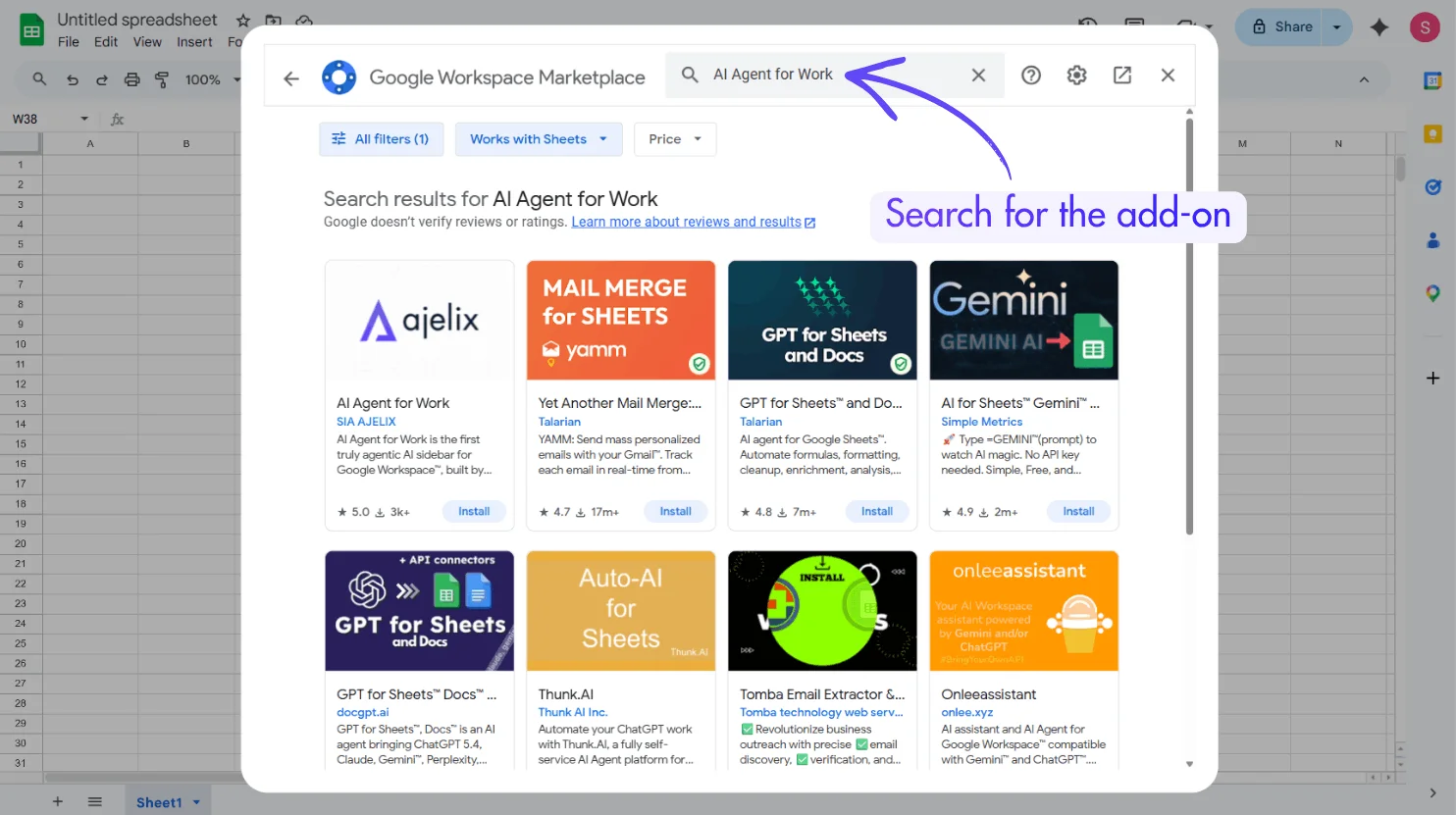
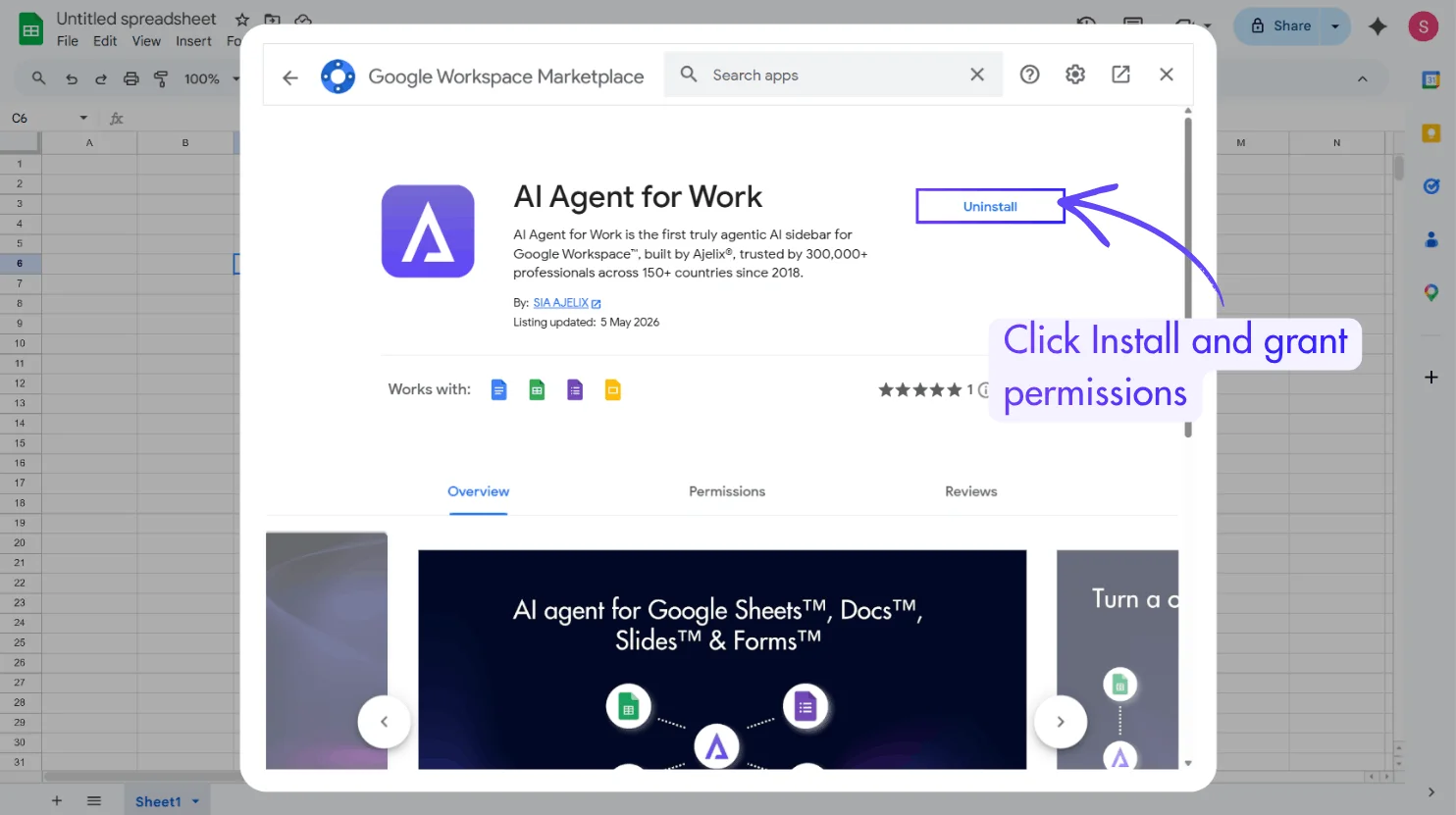
5. Click Install and grant permissions.
6. Access the tool via Extensions.
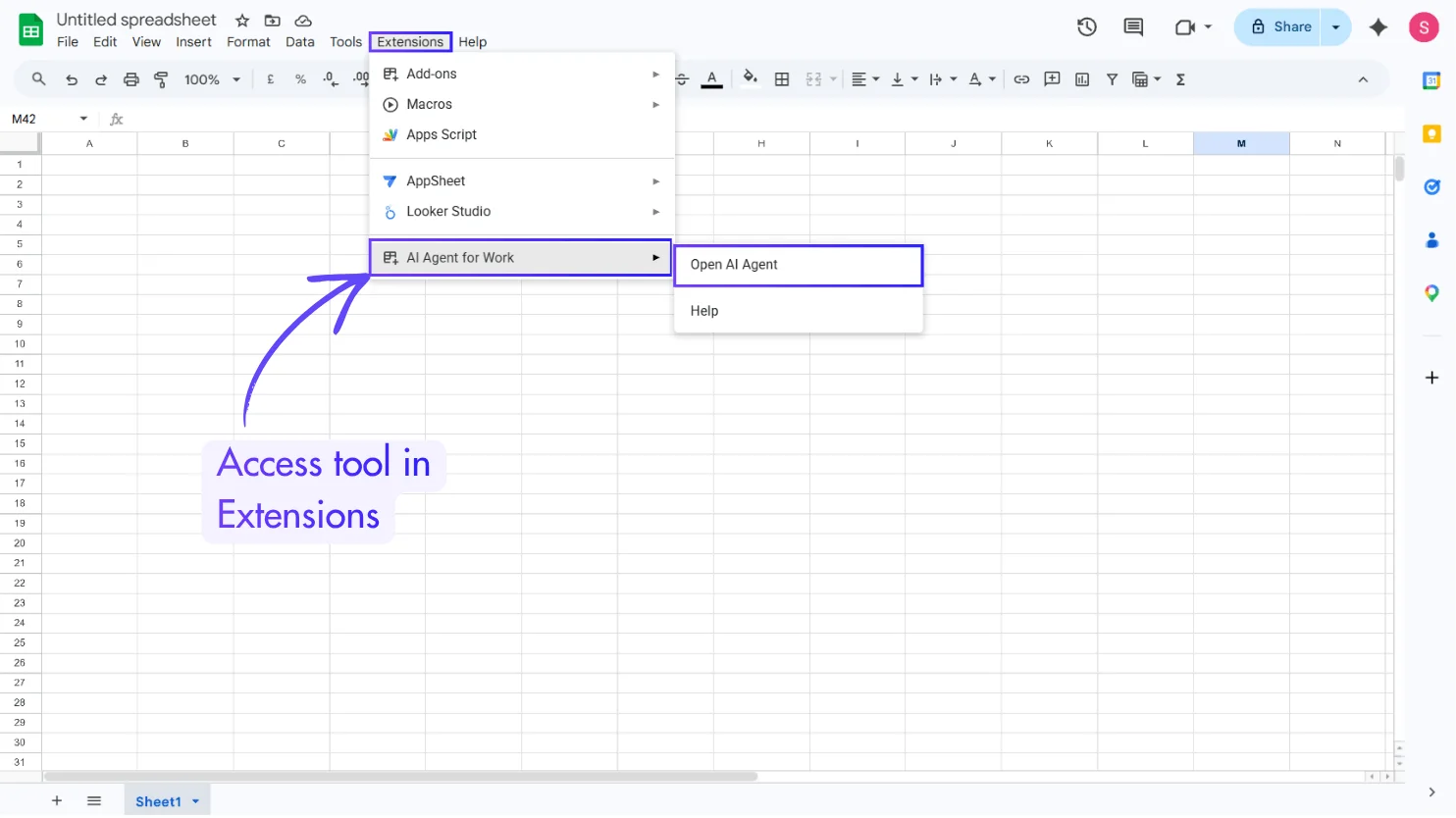
That’s how to get add on google sheets. Most google sheets plugin options offer free plans, with paid upgrades for heavy users.
The 7 Best Google Sheets Add-ons (Ranked by utility)
1. Ajelix AI Agent for Work
Rating: 5/5 (On GoogleWorkspace)
Pricing: Free trial, paid plans from $39/month
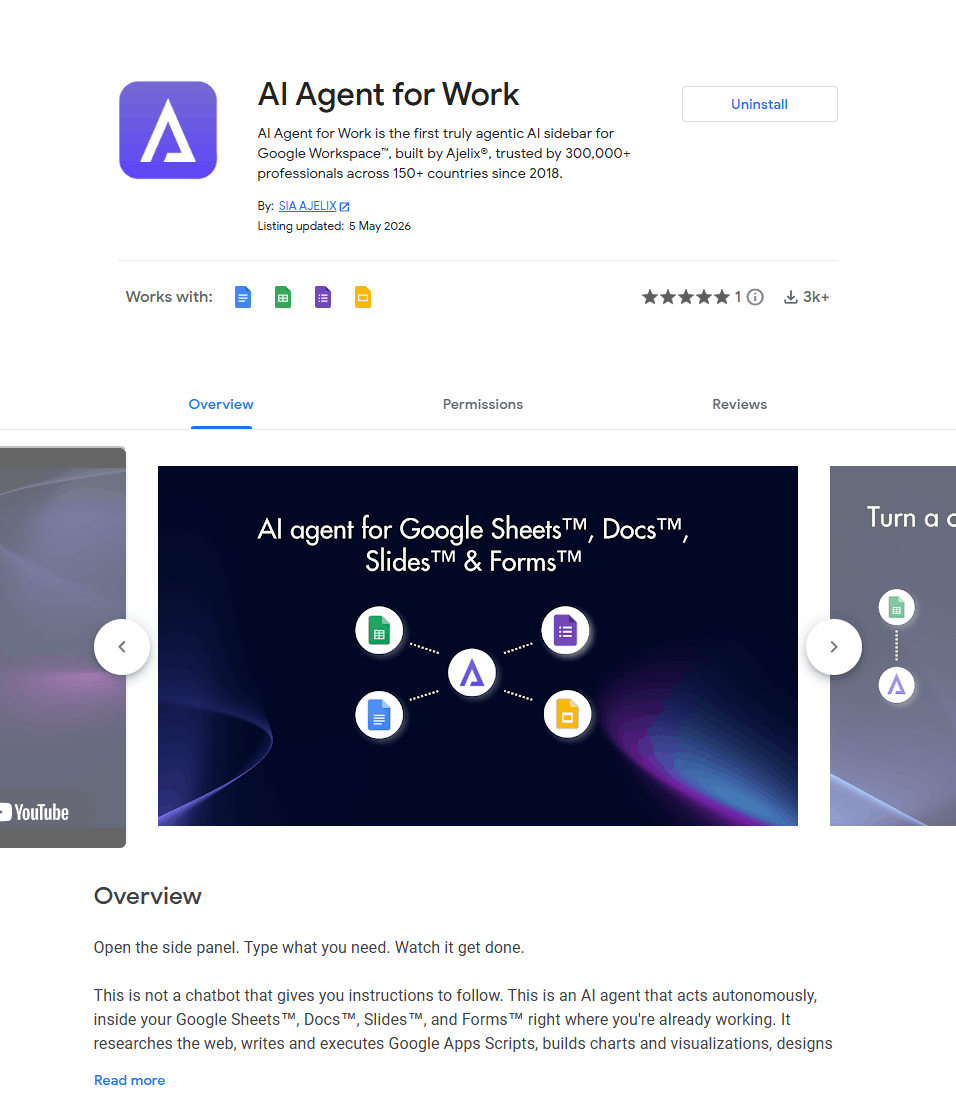
Ajelix AI Agent for Work is the most versatile google spreadsheet extension for people who rely on spreadsheets to get actual work done. Unlike single-purpose tools, Ajelix acts as an AI-powered agent that can write formulas, generate scripts, clean data, and even build dashboards – all through natural language commands.
Best for: Business analysts, operations teams, marketers, and finance professionals who need to automate repetitive spreadsheet tasks without learning code.
Key Features:
- Build complete financial reports – P&L statements, cash flow analyses, yearly summaries with dynamic formulas (not static values)
- Write and execute Google Apps Scripts – automate any repetitive task without coding
- Create interactive charts and visualizations – bar charts, trend lines, KPI dashboards, expense breakdowns
- Format entire sheets automatically – column widths, brand colors, conditional formatting, currency symbols
- Perform advanced calculations – net income, COGS, operating expenses, growth rates, and more
- Clean, normalize, and enrich datasets – fix inconsistent formats, split names, standardize dates with one click
- Research live data from the web – inject current information directly into your sheet
- Export polished reports to PDF – ready to share with your team or clients
- Generate entirely new sheets and tabs – create from a single prompt
What makes it stand out: The AI researches the web, writes and executes scripts, builds charts, calculates and analyzes data, and delivers finished, production-ready results while you stay focused on what matters. And it’s not just for Sheets – use the same AI agent in Google Docs, Slides, and Forms to draft content, design presentations, and create surveys without switching tools.
Try it first: If you’re only going to install one google sheets extension, make it Ajelix.


2. Supermetrics
Rating: 4.4/5 (On GoogleWorkspace)
Pricing: 14-day free trial, paid plans from $40/month
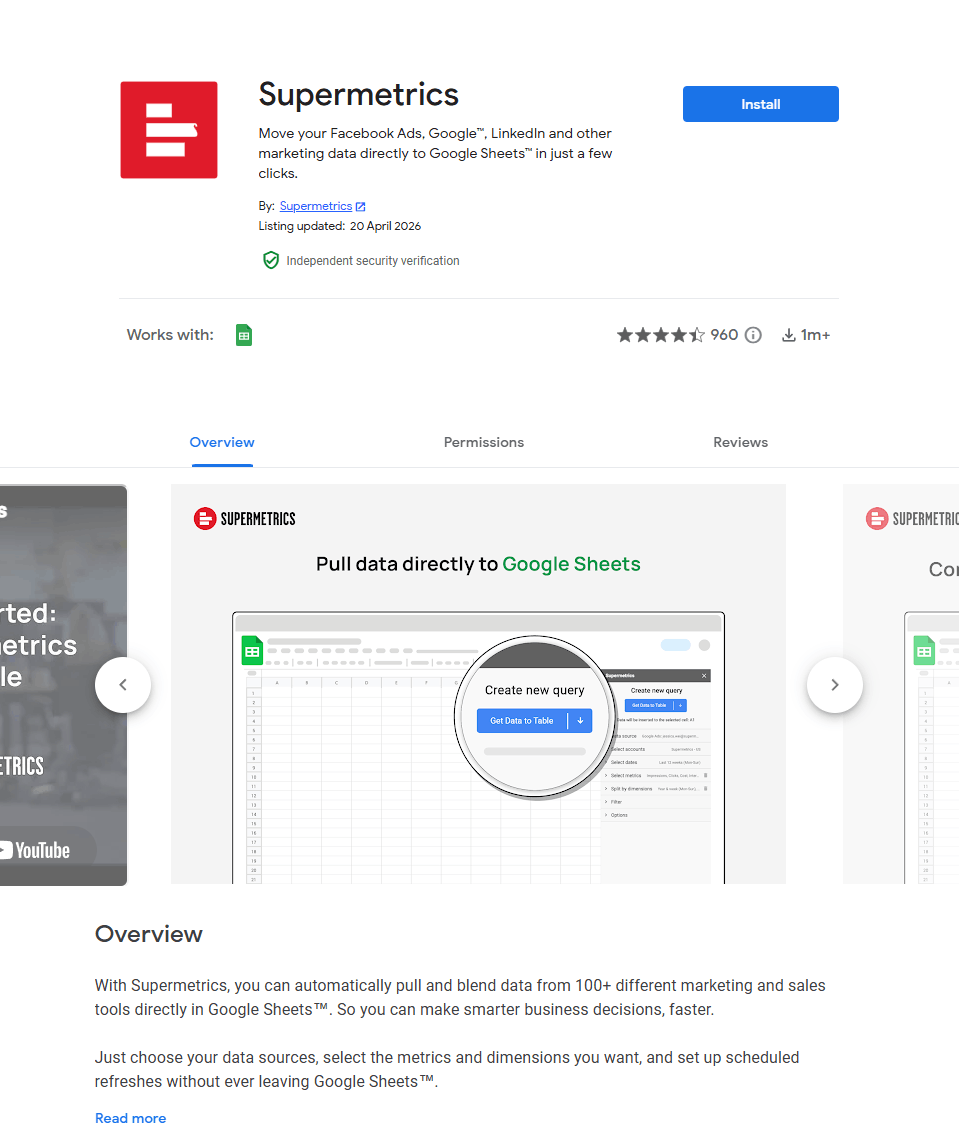
Supermetrics is a specialized google sheets extension for marketers who need to pull data from advertising platforms into spreadsheets. It connects to 100+ marketing and sales tools – Facebook Ads, Google Analytics, LinkedIn Ads, TikTok Ads, Shopify, and more via API connectors.
Best for: Marketers and agencies who build weekly or monthly reports. Set up once, refresh data with one click.
Key features:
- 100+ platform integrations – Facebook Ads, Google Analytics, LinkedIn Ads, TikTok Ads, Shopify, and more
- Custom metrics and dimensions – access data points not available in native platforms
- Scheduled refreshes – automate data updates monthly, weekly, daily, or hourly
- Clean, unsampled data – API-imported data ready for analysis
- 30+ report templates – pre-built Google Sheets reports for common use cases
- Custom JSON/CSV/XML connector – import from any API-supporting data source
- ChatGPT integration – basic analysis of marketing results
3. Remove Duplicates by Ablebits
Rating: 3.3/5 (On GoogleWorkspace)
Pricing: 30-day free trial, paid plan $33.60/year or $59.90/lifetime
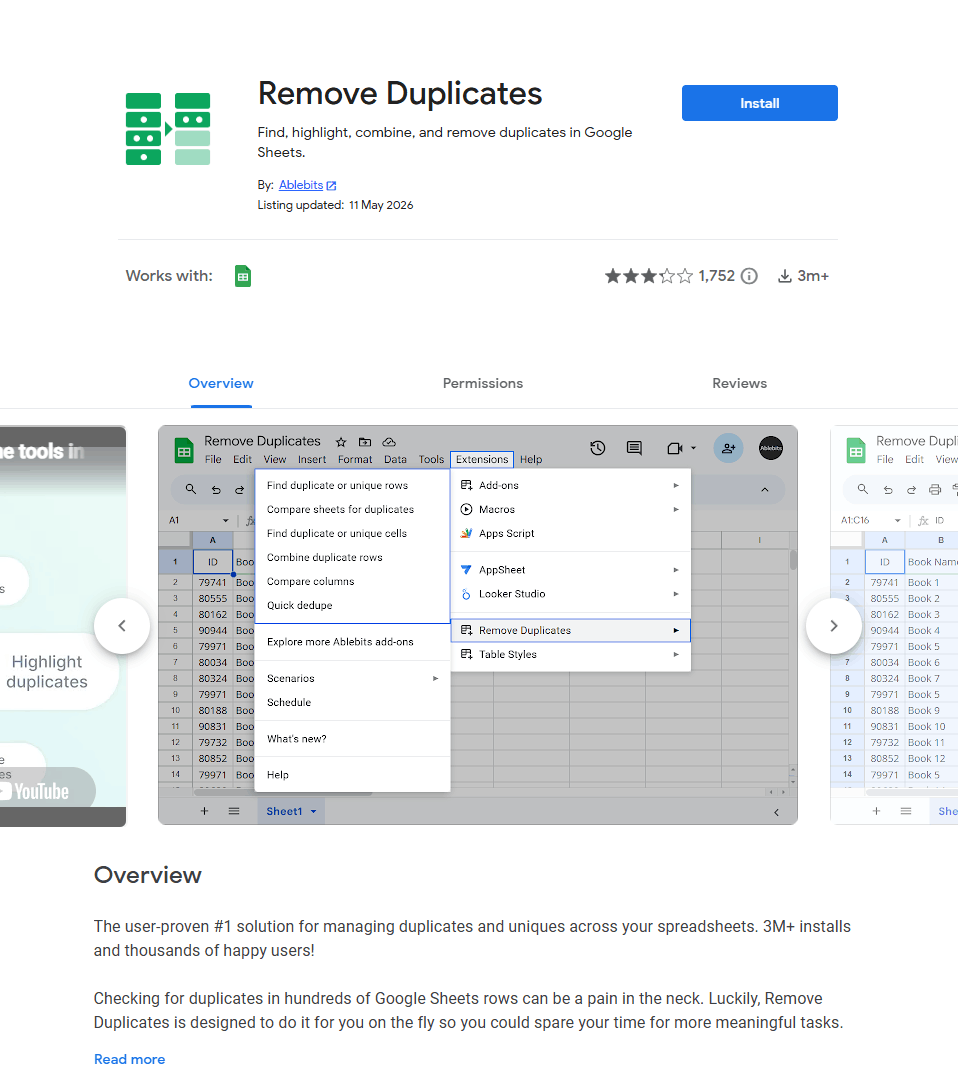
Duplicate data kills analysis. This google spreadsheet extension is designed specifically for finding and managing duplicates without formulas, scripts, or coding.
Best for: Cleaning imported CRM data, contact lists, or survey responses where duplicates are the main problem.
Key feature:
- Find duplicate or unique rows – identify and manage them (highlight, remove first/last dupes, move to another tab)
- Quick Dedupe – one-step deduplication for your entire table
- Find duplicate or unique cells – spot identical cells across your sheet
- Compare sheets for duplicates – find matches across different spreadsheets
- Compare columns – check two columns for matches or differences in one step
- Combine duplicate rows – merge cells with custom delimiters or use 14 built-in functions to calculate numbers from duplicate rows
- Automation – save search settings as scenarios, schedule them to run daily, and share with collaborators
- Flexible matching – case-sensitive search, include/exclude blank cells
4. GPT for Sheets

Rating: 4.8/5 (On Google Workspace)
Pricing: Free credits to start, pay-as-you-go from $29 or subscriptions from $25/month
GPT for Sheets is an AI for Sheets that works as a full AI agent inside your spreadsheet. Describe the task in plain language and it handles everything: formulas, calculations, charts, cleaning, translation, and bulk data work across up to 1 million rows.
Best for: Marketers, SEO specialists, e-commerce owners, and analysts who want a Sheets AI that takes over entire spreadsheet tasks instead of just generating formulas.
Key features:
- AI agent for complete tasks – plans and executes whole jobs like cleaning, categorizing, and formatting instead of only suggesting formulas
- Bulk AI processing – run AI across entire columns at once, up to 1 million rows, for catalogs, lead lists, and survey data
- AI functions in Sheets – use GPT formulas directly in cells for classification, extraction, and summarization
- Multiple AI providers – pick between OpenAI, Anthropic, and other models, or bring your own API key
- Translation at scale – translate thousands of rows across languages in one run
- Content generation – write SEO metadata, product descriptions, and ad copy in bulk
- Team-friendly pricing – credits pooled across the whole team with spending limits per user
- Cross-platform – the same add-on also works in Excel, with 7M+ installations and human support
5. Advanced Find and Replace by Ablebits

Rating: 3.6/5 (On GoogleWorkspace)
Pricing: 30-day free trial, full version from $49/single purchase
Google Sheets’ built-in find-and-replace is limited. This google sheets plugin gives you granular control with checkboxes for every option – get all matches grouped by sheet or value, navigate to each cell with a click, and replace, color, extract, delete, or revamp formatting in one go.
Best for: Bulk editing across multiple sheets, standardizing data imports, cleaning formatting inconsistencies, and complex pattern-based replacements.
Key features:
- Search across data types – values, formatting, URLs, URL labels, formulas, errors, error descriptions, and notes
- Regular expression support – pattern-based search for complex matching
- Fuzzy search – find approximate matches with adjustable precision
- Multi-word search – find several words or phrases simultaneously using space, comma, or semicolon separators
- Flexible search scope – current sheet, all sheets, selected range, or multiple specific ranges
- Bulk actions – delete entire rows, replace values, replace with corresponding entries from your list, color found cells or text, apply formatting (bold, italic, underline, strikethrough)
- Export results – send found values to a new sheet, new file, or specific destination range
- Preview before applying – review all matches grouped by sheet or value
6. Yet Another Mail Merge (YAMM)
Rating: 4.8/5 (50,000+ reviews)
Pricing: Free up to 20 emails/day, paid from $50/year
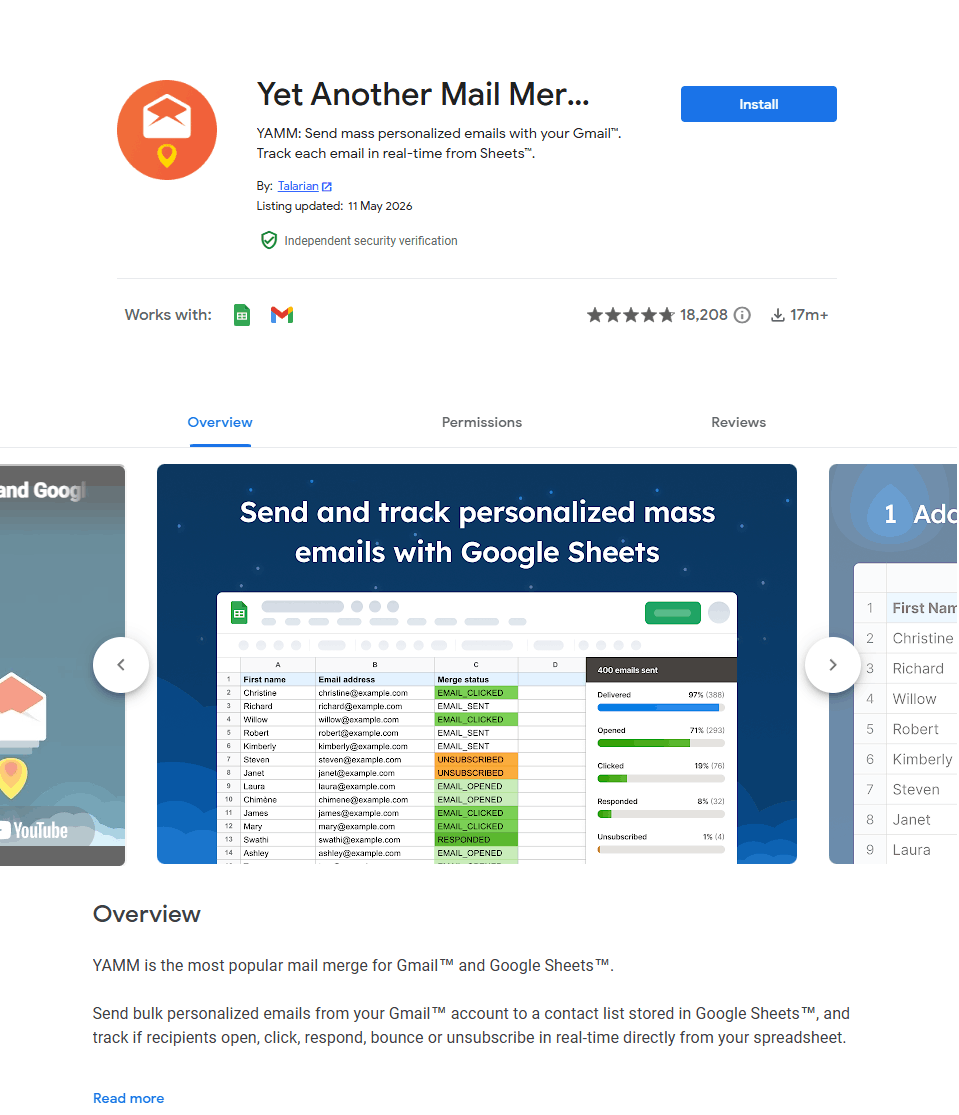
YAMM is the most popular mail merge for Gmail™ and Google Sheets™. Send bulk personalized emails directly from your Gmail™ account using a contact list stored in Google Sheets™, with real-time tracking of opens, clicks, responses, bounces, and unsubscribes – all from your spreadsheet.
Best for: Sales outreach, event invitations, customer follow-ups, newsletters, link building, talent sourcing, payment reminders, and Google Forms™ email notifications.
Key features:
- Create in Gmail™ – write drafts with variables like {{First name}}, use saved templates, Gmail™ Layouts, HTML/CSS, and media queries for responsive emails
- Personalize everything – subject lines, email body, links, images, attachments (including personalized attachments per recipient)
- Insert dynamic content – use =HYPERLINK() and =IMAGE() formulas in your sheet for personalized links and images
- Send at scale – automate sending hundreds of emails in one click; auto-splits campaigns over multiple days if sending over 1,500 emails
- Real-time tracking – track opens, clicks, responses, bounces, and unsubscribes directly in your Google Sheet™
- Smart follow-ups – segment contacts and follow up with people who opened, didn’t open, or didn’t respond; send follow-ups in the same thread
- Schedule sends – time your campaigns for optimal open rates
- Email aliases – send using preferred aliases with personalized or global cc/bcc
Which Add-on Should You Start With?
If you’re overwhelmed by options, here’s the reality: most people don’t need six different tools. They need one versatile tool that handles 80% of their work, with specialized add-ons for edge cases.
| If your main problem is… | Start with… |
| Writing formulas, cleaning data, building reports, or automating workflows | Ajelix AI Agent for Work |
| Pulling marketing data from ad platforms | Supermetrics |
| Removing duplicates | Remove Duplicates |
| Bulk AI processing across large spreadsheets | GPT for Sheets |
| Sending bulk emails | YAMM |
| Complex find-and-replace | Advanced Find and Replace |
Our recommendation: Start with Ajelix. It’s the only tool that combines formula generation, data cleaning, script automation, dashboard building, and visualization in one place. Most users find they don’t need additional single-purpose tools once Ajelix handles their core workflow.
Ready to try it? Install Ajelix AI Agent for Work from the Google Workspace Marketplace and see how much time you can save this week.
How to Choose the Right Add-ons for Google Sheets
Not every google sheets add ons fits every workflow. Here’s how to decide without wasting money:
Start with the pain point
Are you wasting time on data entry, cleaning, reporting, or outreach? Match the add-on to the specific problem – but favor tools that solve multiple problems over single-purpose solutions.
Test before paying
Most google sheets add ons offer free tiers or trials. Run a real task before committing.
Count the total cost
A $99/month Supermetrics subscription plus a $50/year YAMM plan plus a $60 Remove Duplicates license adds up fast. One versatile tool often beats five specialized ones.
Review permissions
Add-ons need access to your sheets and sometimes your Gmail. Only install from verified publishers with strong review histories.
FAQ
Most google sheets extensions from the official Google Workspace Marketplace are safe. They go through Google’s review process. Always check the publisher name and reviews. Avoid add-ons that request unnecessary permissions.
No. Add ons for google sheets only work on desktop browsers. The mobile Google Sheets app doesn’t support extensions.
Yes, but with limits. Anyone can see the results of an add-on (like cleaned data or imported metrics), but only users who installed the add-on can refresh or modify it.
Add-ons google sheets are pre-built tools you install. Apps Script is Google’s JavaScript platform for writing custom functions. Use add-ons for common tasks, Apps Script for custom automation. Tools like Ajelix actually bridge this gap by generating Apps Script code for you.
In most cases, yes. Because Ajelix handles formula generation, data cleaning, script automation, and visualization, it can replace several single-purpose add ons google sheets tools. Users typically find they need fewer plugins after installing Ajelix – and save money on subscription creep.
Agentic AI chat that helps you complete projects
AI for work that ingests, transforms, and delivers the exact deliverables your team needs, while you stay focused on strategy. No more chatting, agents can get the job done.