AI Landing Page Generator: From 0 To Stunning Page With Agent
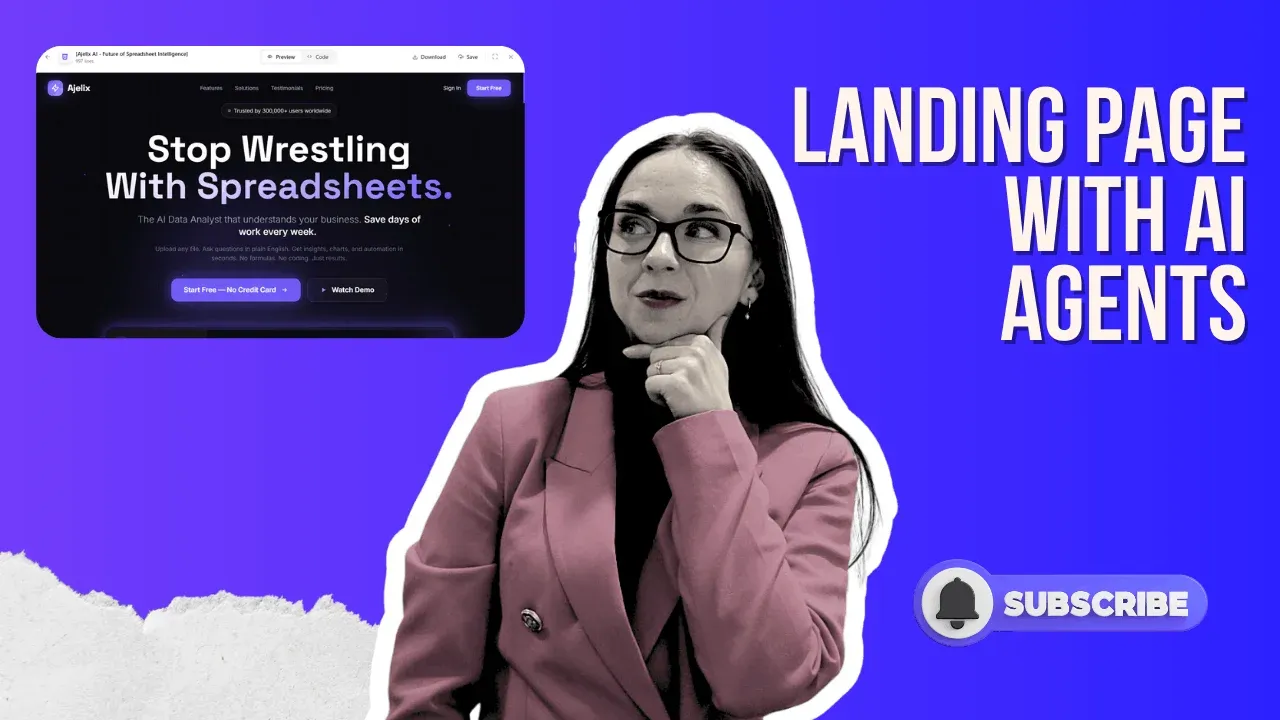
If your landing page is getting traffic but zero conversions, the problem is almost always messaging and design, and you don’t need to be a copywriter or a UI/UX designer to fix it. An Agentic AI landing page generator can research your brand, write value-based copy, generate a stunning visual design, and output a fully interactive, downloadable HTML page in a single prompt. This guide shows exactly how to do it using an AI agent from the prompt setup to the finished page, so you can go from 0 to a stunning, conversion-ready landing page in under ten minutes.
The workflow uses agent mode (not standard chat), web search for live brand research, a high-intelligence AI model, and a structured prompt that instructs the AI to apply a value-based selling approach with a futuristic premium design aesthetic. The result: a complete, copy-ready landing page including hero section, feature breakdown, social proof, testimonials, and FAQs that would take a human team days or weeks to produce.
What Is an AI Landing Page Generator and Why Does It Work?
An AI landing page generator is a tool that uses a large language model (LLM) combined with web research, design logic, and code generation to produce a complete, functional landing page from a single prompt. Unlike a traditional landing page builder that gives you templates to drag and drop, an AI landing page builder actively thinks about your brand positioning, target audience, and conversion goals, then writes the copy, structures the layout, and generates the code all at once.
The key difference between a standard AI chat and an AI agent for landing pages is that agents can chain multiple actions together: browsing the web, reading your existing site, generating assets, and writing production-ready HTML/CSS/JS without you having to manage each step manually. This is what makes create landing page with AI via an agent genuinely powerful for landing page generation.
For teams running SaaS products, e-commerce stores, or any digital service, AI landing pages eliminate the weeks-long design-copy-dev cycle. You get a conversion-optimized, visually polished, fully interactive landing page website in the time it takes to write a good prompt.
How to Create a Landing Page With AI (The Exact Workflow)
Here is the precise workflow demonstrated in the video above. Each step matters, skip one, and you’ll get a weaker result.
1. Choose Your AI Landing Page Builder Tool
Head to your AI agent platform (in the video, chat.ajelix.com is used). This is an AI website and agent environment built specifically for producing complex outputs like landing pages, apps, calculators, and interactive tools, not just conversational responses.
2. Write a Structured Prompt (Don’t Skip This)
Your prompt is the blueprint for your AI generated landing page. A well-built prompt for this workflow includes:
- Brand research instruction: tell the AI to research your existing homepage or SaaS product URL before writing anything.
- Page goal: specify a high-conversion, one-page landing page focused on value-based selling.
- Design direction: e.g., ‘futuristic premium design that feels like it’s 2030.’
- Brand colors: paste in your hex codes so the landing page AI matches your visual identity.
The more specific your prompt, the better your landing page AI output. Think of it as briefing a senior copywriter and designer simultaneously. Here’s the prompt we used in a video:
Research my brand at the provided link, then create a high-conversion, one-page landing website focused on a value-based selling approach. The page should communicate the product’s value within the first few seconds, clearly showcase the tool, and feature a unique, attention-grabbing hero section at the top. Use a futuristic, premium design that feels like it’s from 2030, with striking layouts and impressive visualizations, while consistently applying (your-brand-color) as the accent color. The final result should feel bold, modern, and highly persuasive, designed to immediately capture attention and drive interest.
3. Enable Web Search for Fresh Brand Intelligence
When you’re not pasting content directly into the prompt and instead asking the AI to research your brand from your URL, you must enable web search in the tool settings. This allows the landing page generator AI to pull live, current information about your product rather than hallucinating outdated or generic descriptions. For standard data tasks or analysis, web search adds no value, but for brand research, it’s essential.
4. Switch to Agent Mode (Critical)
Standard chat is for quick, lightweight questions. Creating landing pages with AI at a production level requires agent mode. In agent mode, the AI can execute multiple chained actions, it can browse your site, read the content, reason about your positioning, generate the page structure, write the copy, produce the code, and render the output, all in one run.
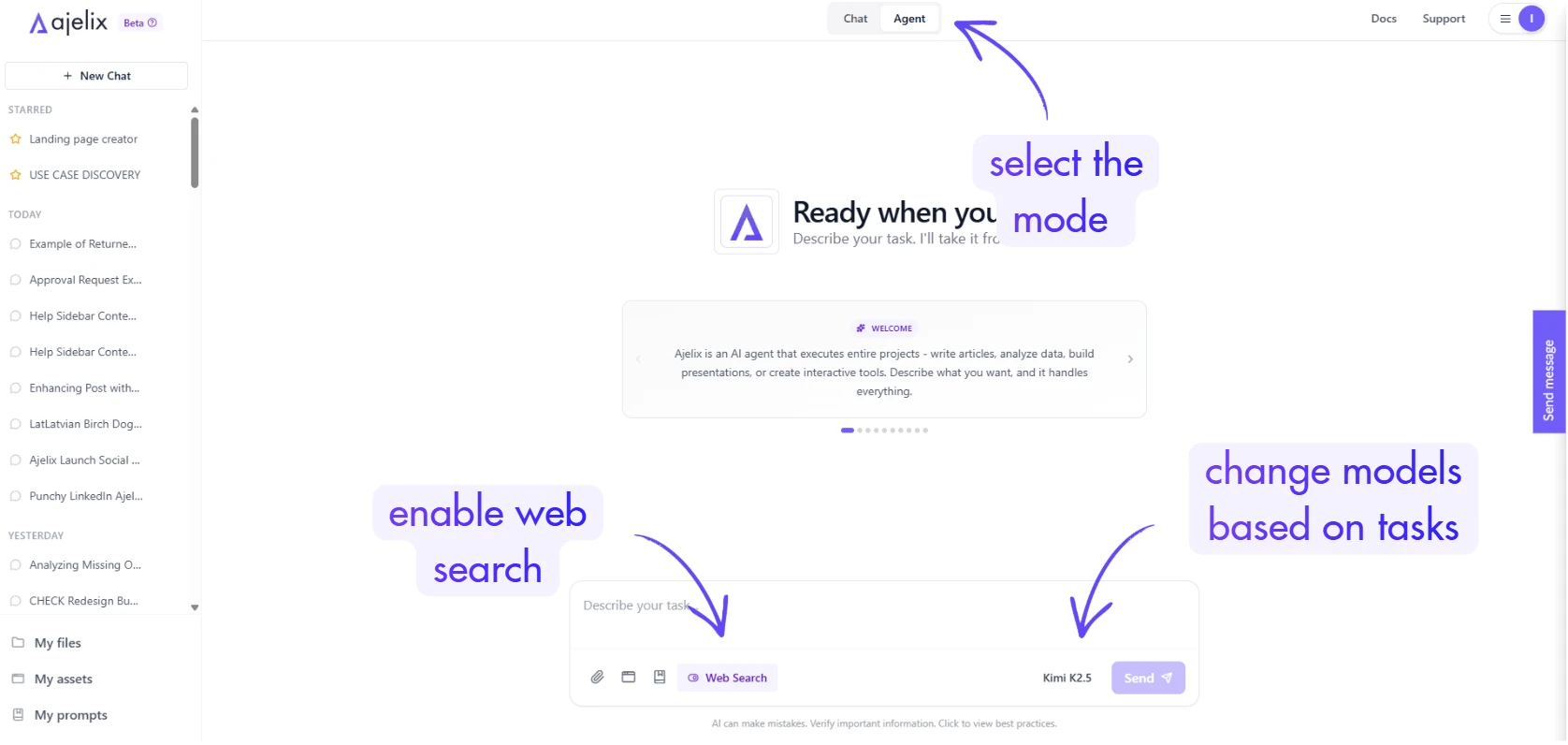
Without agent mode, you’d have to manually manage each step. This is the single most important setting for AI landing page creation.
5. Select a High-Intelligence AI Model
For an AI-generated landing page that looks genuinely professional, use the highest-quality model available in your tool. Smaller or faster models can produce workable output, but premium models produce significantly better copy, design decisions, and structural quality.
The trade-off is speed, a high-intelligence model takes slightly longer, but it will still be dramatically faster than any human-designed alternative.
6. Send the Prompt and Let the Agent Work
Hit send and watch the agent run through its workflow. In the demonstration, the agent completed the full task in 6–8 minutes, performing approximately four distinct actions: researching the brand, analyzing the homepage content, structuring the landing page, and generating the complete interactive HTML file.
More complex tasks can involve 50+ agent actions, but even these typically complete faster than a single human work session.
What an AI-Generated Landing Page Actually Includes
A well-prompted landing page AI doesn’t just produce a header and a call-to-action. The output from this workflow included the following complete sections, all written, designed, and coded in a single generation:
- Hero section with a compelling, value-led headline and animated visual
- Product demo preview and feature visualization
- Social proof and media features (press logos, publication mentions)
- User stats and benefit-driven feature breakdown (e.g., 300,000+ users, faster execution metrics)
- Audience segmentation — who the product is for
- Customer testimonials and reviews
- Frequently Asked Questions section
Check the website we created in the video:
You can save and customize this website by adding it to your account here.
The landing page was fully interactive, animated, and exported as a single HTML file ready to deploy, share, or hand off to a developer for integration. This is the difference between an AI website generator and a simple template tool: the output is not a mockup, it’s a working page.
How to Iterate and Refine Your AI Landing Page
After the initial generation, you have several options to refine and customize your landing page. These post-generation tools make AI landing pages practical for real teams:
- AI Improve button: prompt the AI directly within the asset to change specific sections (e.g., ‘Change the headline to: Turn data into results’). This supports targeted iteration without regenerating the full page.
- Edit Code view: for developers or technical users, access the raw HTML/CSS/JS and make precise edits directly.
- Download as HTML: export the file for hosting on any platform.
- Save to dashboard: store the asset and reinsert it into future conversations without re-uploading.
- Shareable publish link: share a live preview with teammates, designers, or clients instantly.
- Export as PNG or PDF: useful for presentations or client approvals.
One thing worth knowing: AI sometimes requires a second prompt pass to apply edits correctly. If the first AI improve attempt doesn’t produce the exact change you expected, reframe the instruction more specifically. This is normal behavior with any large language model and usually resolves in one or two iterations.
Beyond Landing Pages: What Else Can AI Agents Build?
The same workflow used to create landing pages with AI can be applied to a wide range of other interactive web assets. In the demonstration, the same agent platform was used to build:
- A fully interactive dividend calculator with dynamic inputs
- An HR org-chart structure builder with interactive editing
- A Monte Carlo financial simulator with real-time dynamic charts
- An e-commerce product landing page (one-prompt, one shot)
This is a key point: the best AI landing page tools are not just landing sites AI they’re general-purpose AI website builders capable of producing real interactive applications, data tools, and functional interfaces. You are not getting a template or a mockup. You are getting deployable software. We also covered a guide on how agents can build PowerPoint presentations or generate a dashboard from Google Sheets data.
5 Tips to Get the Best Results from an AI Landing Page Generator
- Always use agent mode for complex outputs. Chat mode is for quick Q&A. Agent mode is for creating landing pages, apps, and tools.
- Enable web search when asking the AI to research your brand from a URL. It ensures fresh, accurate content rather than assumptions.
- Specify a design philosophy in your prompt. ‘Futuristic,’ ‘minimal,’ ‘enterprise-grade,’ and ‘conversion-focused’ all produce meaningfully different outputs.
- Provide brand colors. Hex codes in the prompt give the landing page AI the specificity it needs to match your visual identity precisely.
- Expect iteration. The first output is usually 80–90% of the way there. Use the AI improve feature for targeted tweaks rather than starting over.
Frequently Asked Questions
An AI landing page generator is a tool that uses artificial intelligence, typically a large language model combined with web research and code generation, to create a complete, functional landing page from a single prompt. It handles copywriting, layout, design, and interactive code all in one workflow, producing an actual HTML file you can deploy rather than a static mockup.
Using an AI agent with a well-structured prompt, a full landing page including hero section, feature breakdown, testimonials, and FAQs, typically takes 6 to 10 minutes to generate. Compare that to a traditional design-and-copy process that can take days or weeks.
No coding knowledge is required. You write a prompt in plain language describing your product, goals, and design preferences. The AI handles all the HTML, CSS, and JavaScript. If you do know how to code, most tools give you access to the raw code for fine-grained edits.
A standard AI chat responds to single messages and can provide advice or basic code snippets. An AI agent can execute a chain of actions autonomously: it can browse your site, research your brand, generate the full page structure, write all the copy, produce working code, and deliver the output, all without manual intervention between each step. For landing page generation, agent mode is essential.
A good landing page AI prompt includes: your product URL (so the AI can research your brand), the conversion goal of the page, the selling approach (e.g., value-based or feature-led), a design direction (e.g., ‘premium and futuristic’), and your brand colors. The more context you give the landing page generator AI, the more tailored and high-quality the output will be.
Final Thoughts: Creating Landing Pages With AI Is Now a Competitive Advantage
The ability to create landing pages with AI quickly, cheaply, and at a professional quality is shifting from a novelty into a genuine competitive advantage. Teams that still rely entirely on a traditional design-developer-copywriter pipeline for every landing page are spending 10 to 100 times more time and money than teams that have integrated AI landing page tools into their workflow.
This doesn’t replace your design or copy team for flagship brand campaigns. But for product launches, A/B test variants, feature-specific pages, event promotions, and partner co-marketing, AI-generated landing pages are the faster, leaner, and increasingly more capable option.
If you haven’t tested an AI landing page builder yet, the free tier is the lowest-risk experiment you can run today. One prompt. Six minutes. A fully interactive, conversion-designed landing page. That’s the new baseline.
Try the AI landing page generator free at chat.ajelix.com.
Agentic AI chat that helps you complete projects
AI for work that ingests, transforms, and delivers the exact deliverables your team needs, while you stay focused on strategy. No more chatting, agents can get the job done.