300,000+ Professionals

Ajelix vs Rows: How do they compare?

If you’re looking for a Rows alternative that transforms data into actionable business results without migrating your spreadsheets, Ajelix is the better choice for teams and professionals. While Rows modernizes the spreadsheet interface with 50+ integrations, Ajelix delivers an AI workspace that turns your data into interactive applications, automated reports, and deployable dashboards.

Rows

Modern Spreadsheet

Ajelix

Interactive apps & automation

Winner for Professionals – Ajelix
AI native workflows, not just spreadsheet

Why Professionals Choose Ajelix?

The complete AI workspace vs. the modern spreadsheet

Professional Need Ajelix Rows
Turn analysis into tools Instant app deployment Not supported
What You Build Interactive apps & dashboards Better spreadsheets & charts
AI capabilties Advanced chat interface Chat for spreadsheet assistance
Your Existing Files Native with Excel Requires migration
Agentic AI Autonomous agentic task completion None

Data based on verified feature sets as of Q1 2026

300’000+

users

15

hours saved/week

4.9

average rating

What Makes Ajelix Different?

Ajelix turns your existing Excel files into an interactive app, no rebuilding, no retraining, just results.

Keep Your Excel Files. Get AI Superpowers.

Rows positions itself as “the new way to spreadsheet,” which requires moving your data to their platform. Ajelix works directly with your existing Excel and Google Sheets files, preserving years of built models, VBA scripts, and workflow logic.

turn data into interactive appsturn data into interactive apps

From Analysis to Deployed Apps

Rows helps you “use spreadsheets 10x faster” with AI-powered formulas. Ajelix transforms your analysis into interactive applications with instant preview and one-click deployment.
ajelix ai workspace for file managementajelix ai workspace for file management

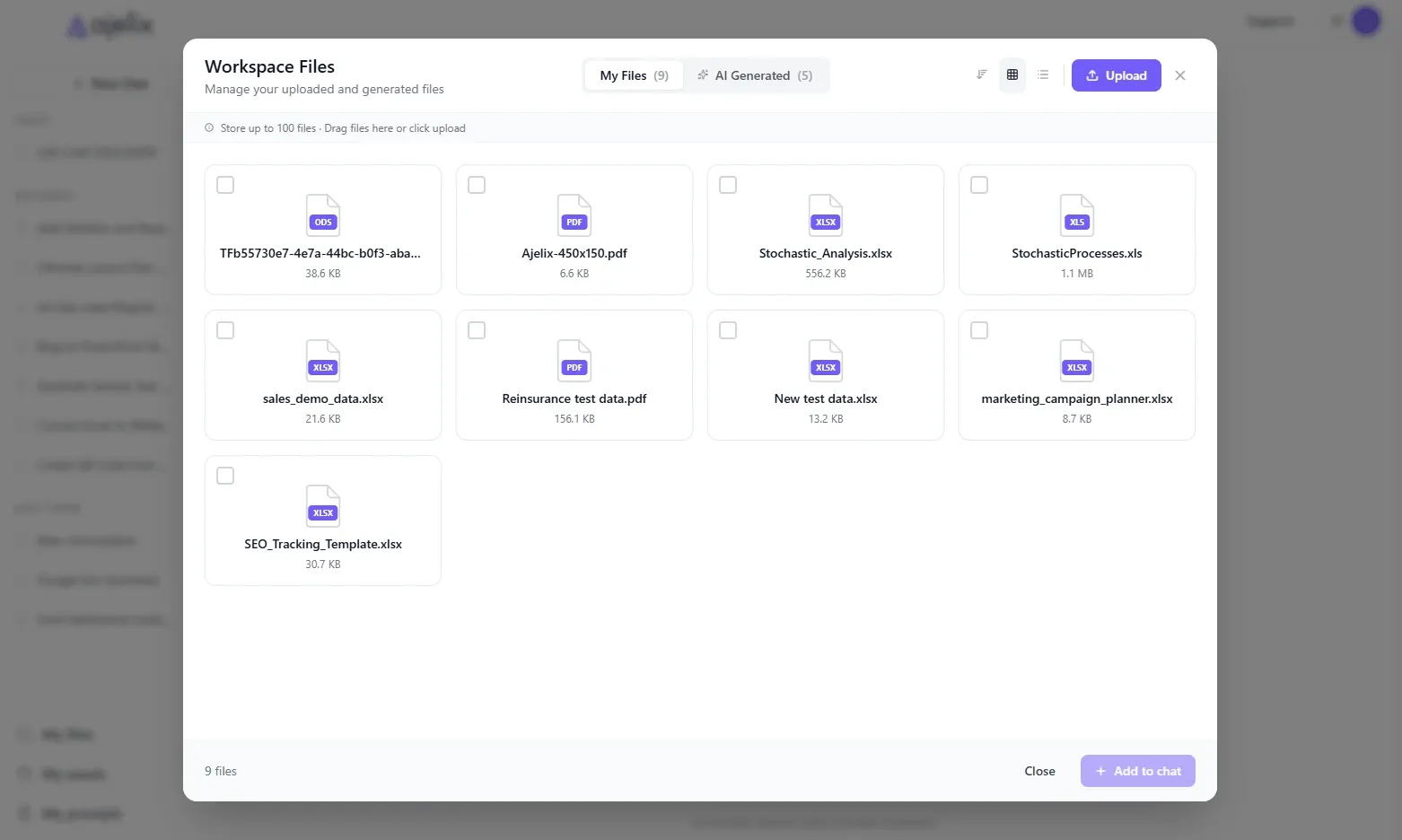
Unified Asset Management

Rows limits files to 100MB with basic handling. Ajelix offers a persistent AI workspace supporting files up to 1GB with cross-session memory.

Business-Optimized AI For Predictability

Rows uses “the cell is the prompt” with general AI models. Ajelix merges multiple optimized AI models to deliver predictable, business-ready outputs tailored for specific professional domains.

300,000+ TEAMS & PROFESSIONALS ARE ALREADY ENJOYING AJELIX

Transparent Comparison

When to choose Rows vs. Ajelix

Rows is the right fit if you:

  • Need 50+ native integrations
  • Want to replace Excel/Google Sheets with a modern spreadsheet
  • Have smaller files (<100MB)
  • Prefer “the cell is the prompt” AI that assists within a traditional spreadsheet grid
  • Team is comfortable migrating to a new platform and learning new workflows

Ajelix is the smarter choice if you:

  • Need to turn analysis into stakeholder tools instantly
  • Work with large files and require unified asset management across sessions
  • Want to keep existing Excel files without migration or rebuilding
  • Editor and multi-language code interpreter
  • Need predictable, business-ready outputs from fine-tuned AI models

If you’re a professional who needs to operationalize insights, Ajelix is the superior choice.

Detailed Feature Comparison: Ajelix Compared to Rows.com

Capability Ajelix Rows
Primary Promise Turn data into completed projects The new way to spreadsheet
Platform Approach Works with exisiting files Requires migration to Rows platform
Interactive App Generation Full preview & instant deployment Not available
AI VBA Editor Complete Excel automation No VBA support
AI Dashboard Generation Advanced, interactive dashboards Basic charts in spreadsheet
File Upload Limit Up to 1 GB Up to 100MB
Target User Managers, teams, CEOs, CFOs, Founders Teams, operations, marketers, founders
Asset Management Unified workspace for all files Per spreadsheet
Data Connectors 5 business-focused 200+
Learning curve Low, easy to start Moderate
Pricing Freemium, $20-100/mo Freemium, $14-20/mo
Fine-tuned skills Yes No
Code Execution Yes, in-house interpreter No
Chat interface Advanced AI chat AI Cell embedded in grid
Ai Models Multiple optimized models merged Yes
Agentic AI Autonomous agentic task completion None

Data based on verified feature sets as of Q1 2026

Where Ajelix Outperforms: Examples vs Rows.com

For Consulting Partners:

Client deliverables without the manual grind

Rows.com approach:

Upload client data → analyze in spreadsheet grid → create charts → manually export for PowerPoint → repeat for each client engagement.

Timeline: 5-10 hours per client report.

Ajelix approach:

Generate client analytics app → auto-create narrative insights → build reusable templates → share interactive workspace. 

Timeline: 1-2 hours.

For Finance Managers:

Getting board-ready insights from raw data

Rows.con approach:

Upload data → use AI to write formulas → manually create pivot tables → build charts → export to deck → write summary manually → repeat monthly.

Timeline: 4-5 hours per report

Ajelix approach:

Upload data → chat with AI → AI generates insights narrative → create interactive forecast model with scenario sliders → export board-ready summary.

Timeline: 45 minutes

For Business Analysts:

From scattered spreadsheets to unified BI dashboard

Rows.com approach:

Upload files → manually merge datasets in grid → create pivot tables → build charts → share multiple spreadsheet links → stakeholders can’t slice across data sources.

Results: Fragmented reports, no unified view.

Ajelix approach:

Upload multiple Excel files to unified workspace → ask AI chat to merge datasets → generate interactive BI dashboard with slicers → deploy as single web app → stakeholders filter dynamically.

Result: One dashboard, live exploration.

Why 300,000+ Professionals Choose Ajelix

Xian

Manager
“I use Ajelix for Excel scripts 95% of the time. Tasks that consumed days now take hours.”

Warren

Revenue Director, Hotel Industry
“Ajelix automated our manual reporting workflows using Google Forms and Sheets. We improved data tracking consistency and ensured team consistency—all through clean, effective code.

Federico Machabanski

Chief Commercial Officer & Founder
Most of my work revolves around Excel, and Ajelix has completely changed how I handle spreadsheets. Tasks that used to take me an entire afternoon now get done in minutes.

Frequently Asked Questions: Ajelix vs Rows

Can Ajelix connect to my existing business tools like Rows does?

Rows offers 50+ native integrations. Ajelix currently provides 5+ data connectors but excels at working with your existing files, which likely already connect to your business systems. Ajelix prioritizes depth of analysis over quantity of connectors.

Which tool has better file handling capacity?

Ajelix supports files up to 1GB with unified asset management. Rows limits uploads to 100MB per file. For professionals working with large datasets, Ajelix offers significantly more capacity.

Does Ajelix require learning a new platform like Rows?

No. Ajelix works within your existing Excel workflow. Rows requires migrating to their spreadsheet interface, which involves a learning curve and process changes.

Which tool gives better business insights from raw data?

Ajelix’s AI chat is fine-tuned for business analysis, automatically generating insights, narratives, and key takeaways. Rows’ AI Analyst helps inside the spreadsheet with formulas and charts, but leaves interpretation to you.

Can external clients/stakeholders interact with my analysis?

Ajelix lets you deploy interactive web apps that anyone can use without a license. Rows requires stakeholders to access the spreadsheet platform, limiting external sharing.

Ready to Turn Your Spreadsheets Into Results?

Join 300,000+ users who’ve upgraded from spreadsheet tools to complete AI workspace that delivers completed projects.

No credit card required • Try for free

Powered by atecplugins.com